
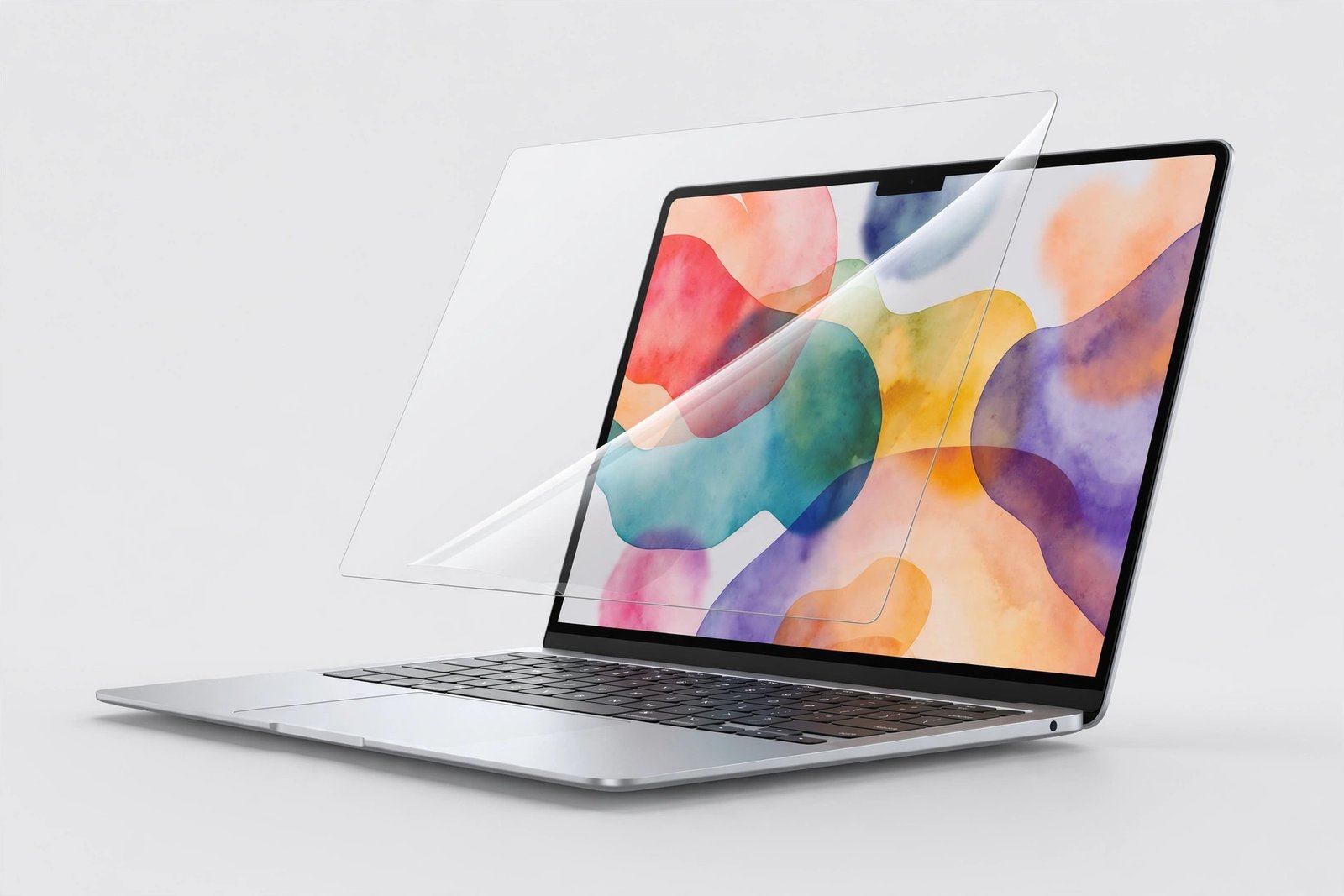
The MacBook Air M2’s 13.6-inch Liquid Retina display (model A2681, 2022) is gorgeous — and it lives a life of constant travel. A quality MacBook Air M2 screen protector guards that display against keys, cable ends, and grit rattling around in a bag, and several picks here add privacy, blue-light filtering, or glare reduction on top of scratch protection.
We rounded up the 10 best MacBook Air M2 screen protectors you can buy in 2026, from Spigen’s true tempered-glass panel to four privacy screens (three magnetic, one 360°), two blue-light filters, two matte films, and a crystal-clear invisible shield. Each pick links to Amazon with our View on Amazon button.
Key Takeaways
- Best overall: Spigen GlasTR Slim 1-Pack — the only true tempered-glass pick in this roundup, and the toughest protection available.
- Best premium privacy: Kensington MP136 Magnetic Privacy — magnetic snap-on, webcam notch, from the biggest name in laptop privacy.
- Best reversible privacy: SightPro Magnetic Privacy — matte one way, glossy the other, privacy both ways.
- Best 360 privacy: F FORITO 360 Privacy — the only 4-way filter here; it blocks views from above and below too.
- Best budget privacy: STARY Magnetic Privacy — magnetic snap-on with a sliding camera cover for much less than the premium picks.
- Best blue light: Peslv Anti Blue Light 3-Pack (adhesive, three films) or VINTEZ Magnetic Blue Light (magnetic on/off, no adhesive).
- Fit note: the 13.6″ display is identical across the M2 (A2681), M3 (A3113), and M4 (A3240) — shared-cut protectors fit all three. The 13.3″ M1, 15″ Air, and MacBook Pros do NOT fit.
- Every pick below links to Amazon with our View on Amazon button for the latest price.
Our Top MacBook Air M2 Screen Protector Picks
Spigen GlasTR Slim 1-Pack
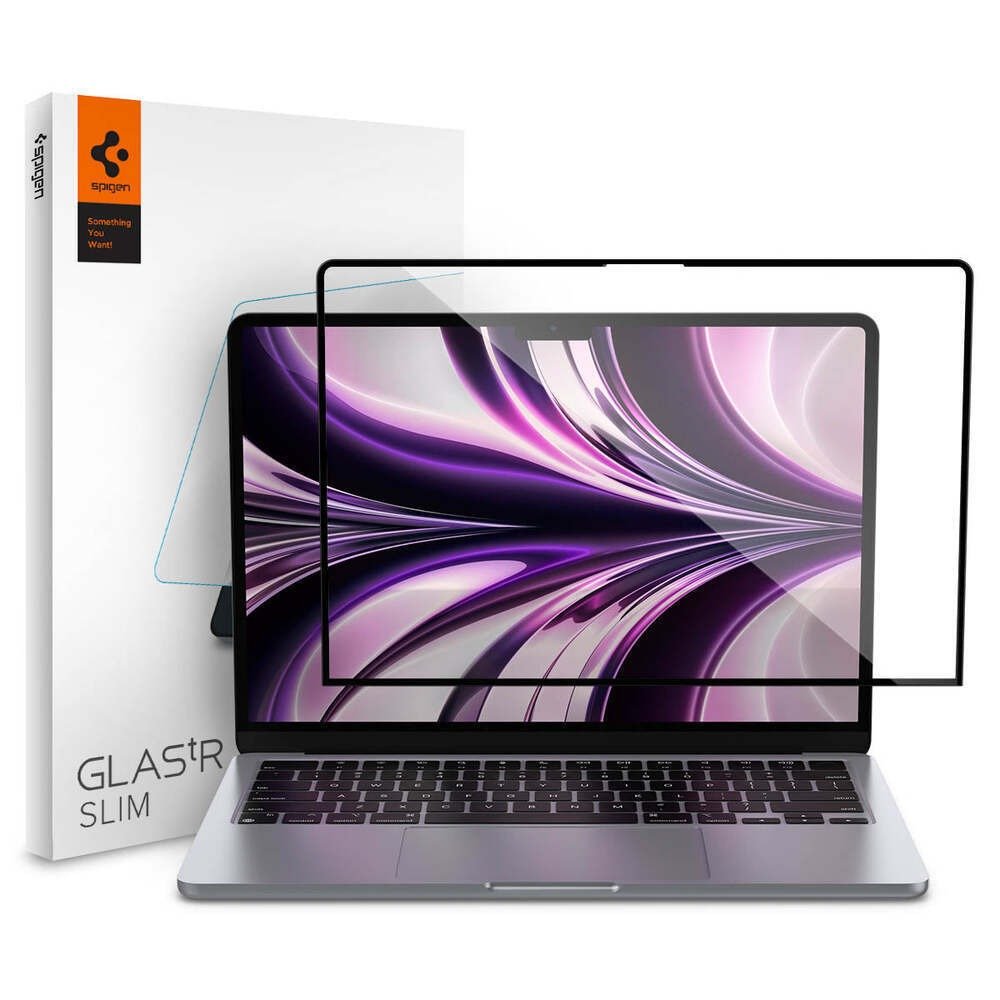
✓ Real tempered glass — the hardest screen protection you can put on a MacBook Air
✓ Edge-to-edge full adhesive keeps the glass flat with no lifting or bubbles
✓ Oleophobic coating resists fingerprints and keeps the screen looking clean
Kensington MP136 Magnetic Privacy
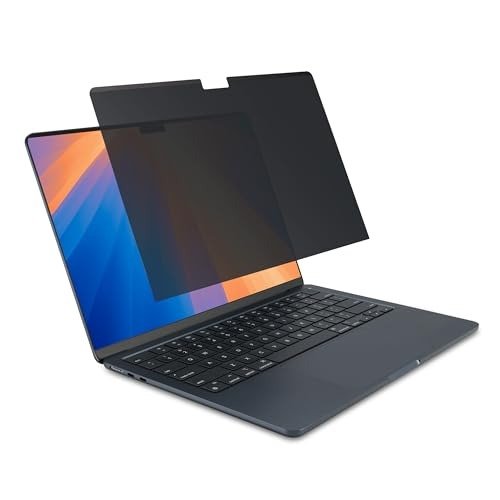
✓ Magnetic attachment goes on and off in seconds with no adhesive residue
✓ Narrows the viewing angle to ±30° so side snoopers see only a dark screen
✓ Built-in webcam notch keeps video calls unobstructed
SightPro Magnetic Privacy
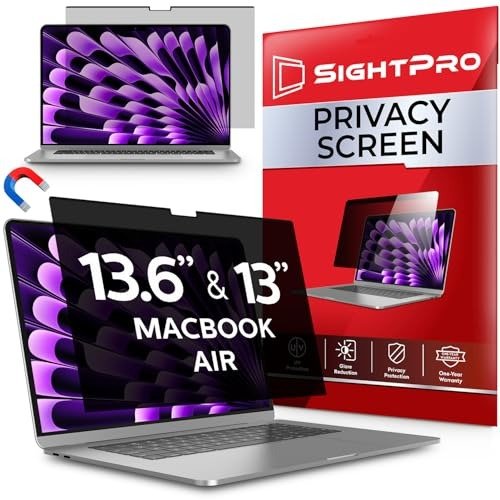
✓ Reversible design: matte anti-glare side or glossy clarity side, your choice
✓ Patented magnetic attachment is fast and leaves no residue
✓ Adds blue-light and UV filtering on top of the privacy layer
Peslv Anti Blue Light 3-Pack
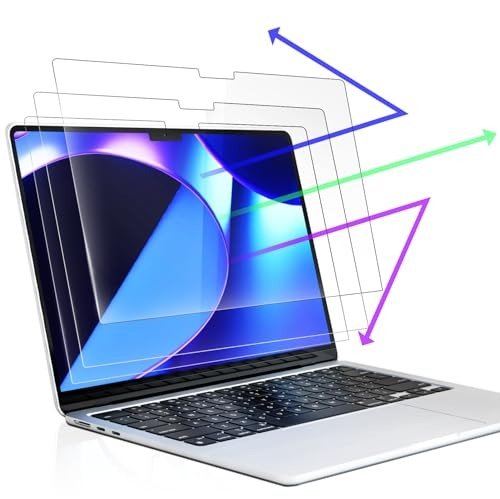
✓ Three protectors in the box — spares for mistakes or future replacements
✓ Blocks a claimed 99.3% of blue light while adding anti-glare
✓ Nano-silicone layer self-adheres with no wet install and no residue
F FORITO 360 Privacy
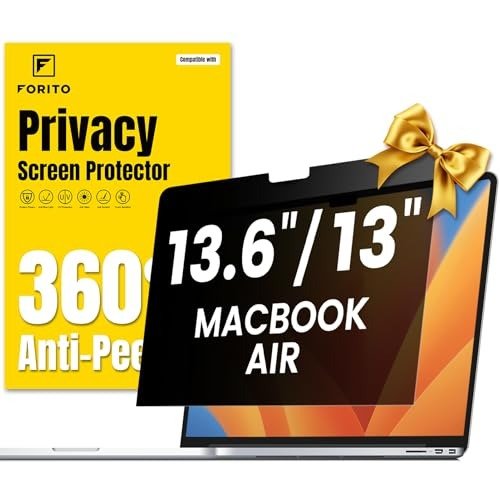
✓ 4-way 360° privacy blocks views from the sides AND above/below
✓ Adds anti-blue-light, anti-glare, and anti-fingerprint in one film
✓ Ultra-thin PET will not interfere with lid closure
Supershieldz Matte 3-Pack
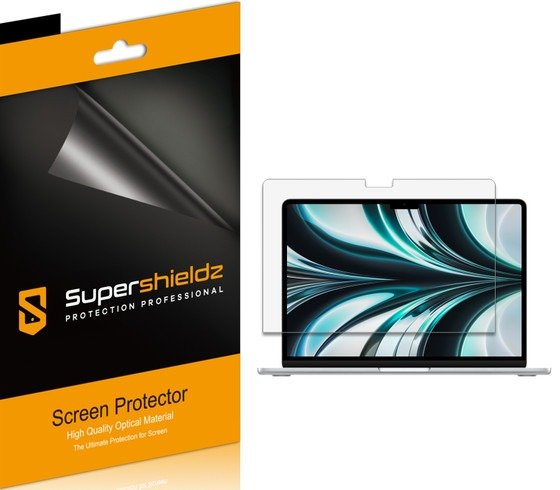
✓ Matte surface kills reflections — the fix for glossy-screen glare
✓ Three-pack gives you spares for a large, dust-prone install
✓ Ultra-thin PET keeps the lid closing exactly as Apple intended
VINTEZ Magnetic Blue Light
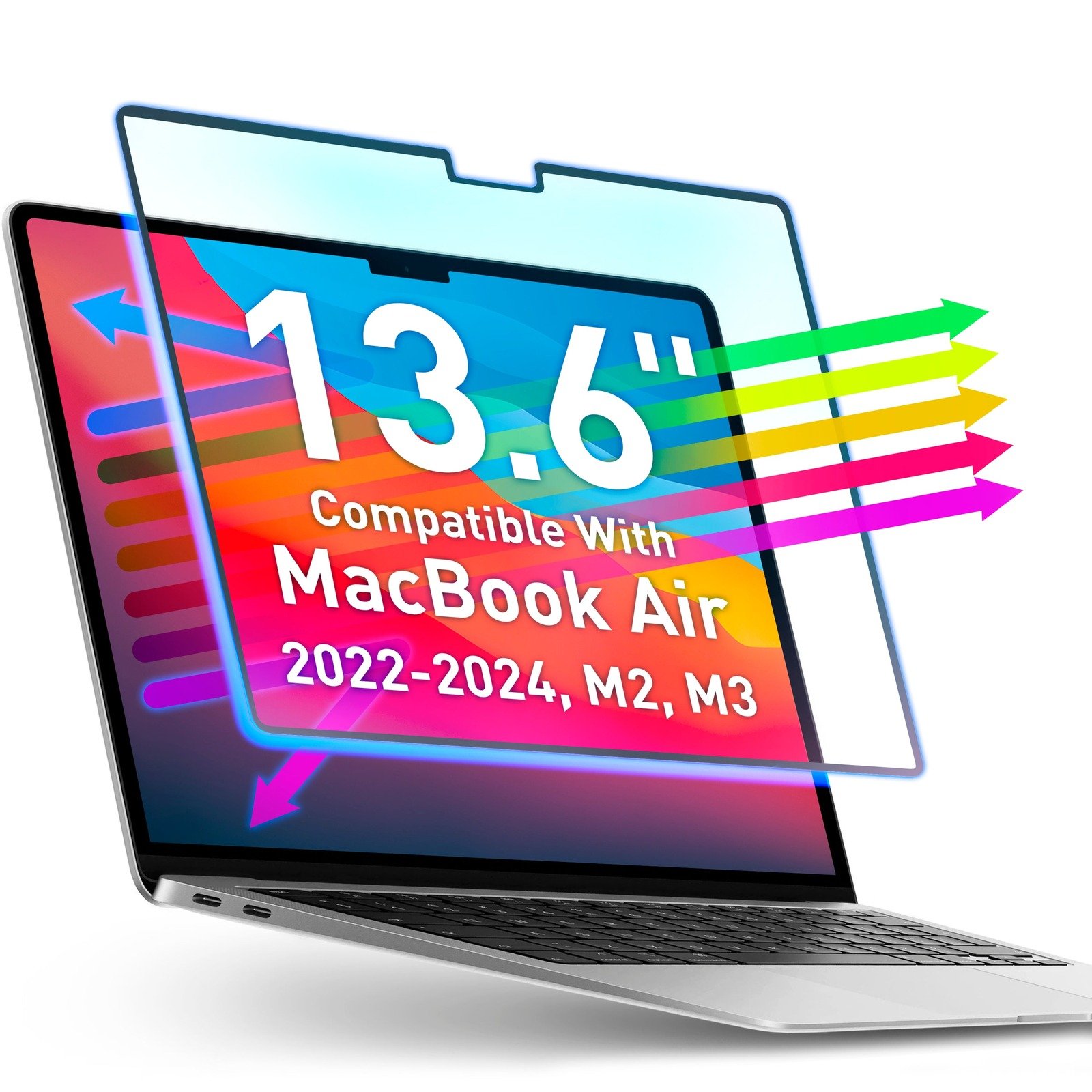
✓ Magnetic attachment for easy on/off with no adhesive
✓ Filters blue light and UV while keeping the display clear (no matte)
✓ Reversible design with privacy-capable glossy side per the manufacturer
STARY Magnetic Privacy
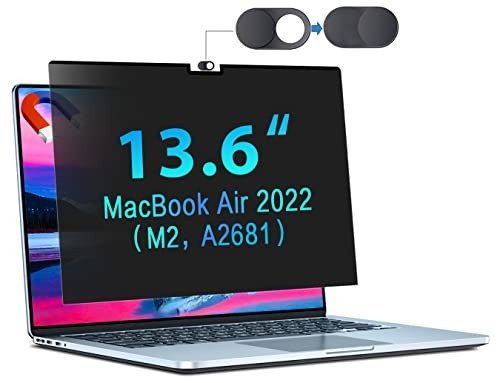
✓ Magnetic snap-on install — no adhesive, easy to remove and reattach
✓ Limits the viewing angle to about ±30° so side snoopers see a dark screen
✓ Built-in sliding camera cover adds webcam privacy on top of screen privacy
KEANBOLL Matte 3-Pack
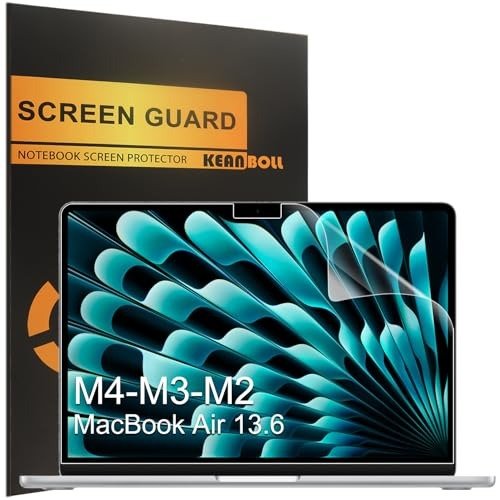
✓ Covers the full 13.6" Air line — M2, M3, M4, and M5 with one cut
✓ Oleophobic layer resists fingerprints on the matte surface
✓ Three-pack with a full install kit included
Supershieldz Clear Shield 3-Pack
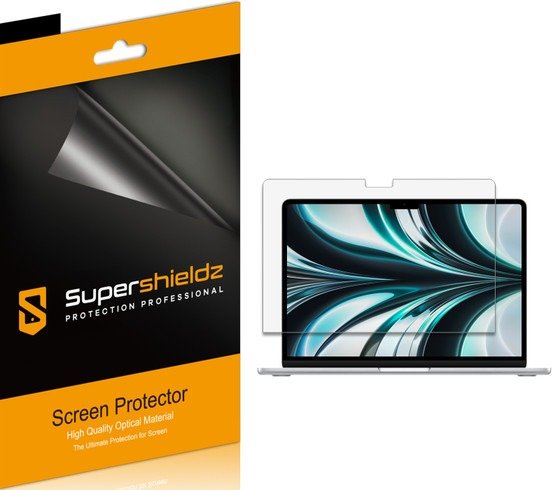
✓ Crystal-clear glossy finish — zero change to the Retina look
✓ Three-pack for the price of a single premium filter
✓ Thin PET keeps lid closure and sleep behavior untouched
More Details on Our Top Picks
1. Spigen GlasTR Slim 1-Pack
OUR VERDICT:
The only true tempered-glass pick in this roundup, and the toughest protection available for the Air M2's display.
VIEW ON AMAZONMost MacBook Air screen protectors are thin films, but Spigen's Glas.tR Slim is actual tempered glass — the same category of protection you'd put on a phone, scaled up to the 13.6-inch Liquid Retina display. At 9H hardness it resists keys, pens, and cable ends rattling around in a bag far better than any PET film can. The full-adhesive design bonds edge to edge, so the glass sits perfectly flat with no halo or lifting at the corners.
Installation is straightforward for a large-format protector: the included dust-removal stickers and microfiber cloth handle prep, and the full adhesive means you align once and press outward — no wet install, no squeegee wrestling. The oleophobic coating keeps fingerprints from building up, and at 92% transparency the display's color and brightness come through essentially unchanged.
The honest trade-off is thickness. A glass protector adds a fraction of a millimeter to the display, and the Air's lid closes with tight tolerances — Spigen designed the Glas.tR Slim for exactly this chassis, but you should not pair it with a keyboard cover or palm-rest skin that adds more stack height. It is also a single-pack at a premium price. If you want maximum scratch and impact protection and are willing to pay for it, this is the pick.
✅ Pros
- Real tempered glass — the hardest screen protection you can put on a MacBook Air
- Edge-to-edge full adhesive keeps the glass flat with no lifting or bubbles
- Oleophobic coating resists fingerprints and keeps the screen looking clean
❌ Cons
- Single protector in the box, so there is no spare if the install goes wrong
- Adds slight thickness to the display — remove any keyboard cover before closing the lid
- Hardness: 9H
- Installation: Full-adhesive with dust-removal stickers and microfiber cloth
- Pack Size: 1-Pack
- Finish: Glossy (clear)
- Price Tier: Premium
2. Kensington MP136 Magnetic Privacy
OUR VERDICT:
The premium magnetic privacy pick from the biggest name in laptop privacy — ideal for open offices and travel.
VIEW ON AMAZONKensington has been making laptop privacy screens longer than almost anyone, and the MP136 is its purpose-built filter for the 13.6-inch MacBook Air. It attaches with embedded magnets along the display frame — no adhesive, no tabs, no residue — so you can snap it on for a flight or a cafe session and pull it off when you're back at your desk. The lid still closes and the Mac still sleeps with it attached.
The privacy itself uses a micro-louver layer that limits the readable viewing angle to about ±30°, so anyone beside you sees a dark screen while your straight-on view stays clear. Kensington also builds in blue-light reduction and an anti-glare coating, and there's a precise cutout for the camera notch so FaceTime and Zoom stay unobstructed.
This is the most expensive way to get privacy on an Air M2, and a privacy filter will always cost you a little brightness — plan on nudging the brightness up a notch when it's on. What you're paying for is the Kensington fit and finish: exact 13.6-inch sizing, a proven magnetic system, and a filter that feels like it belongs on the machine.
✅ Pros
- Magnetic attachment goes on and off in seconds with no adhesive residue
- Narrows the viewing angle to ±30° so side snoopers see only a dark screen
- Built-in webcam notch keeps video calls unobstructed
❌ Cons
- Premium price for a single filter
- Privacy filters dim the display slightly — you may raise brightness to compensate
- Hardness: N/A (film)
- Installation: Magnetic — snaps to the display frame, no adhesive
- Pack Size: 1-Pack
- Finish: Matte (privacy)
- Price Tier: Premium
3. SightPro Magnetic Privacy
OUR VERDICT:
A clever two-in-one: magnetic privacy one way, flip it over for a matte anti-glare screen.
VIEW ON AMAZONSightPro's magnetic privacy screen does something the others don't: it's reversible. One side is a matte anti-glare surface, the other is glossy for maximum clarity — you flip it depending on your lighting. Both sides carry the micro-louver privacy layer, so side views stay blocked either way. The patented magnetic attachment snaps to the top of the display frame in seconds and peels off just as fast.
The filter is cut precisely for the 13.6-inch Air (models A2681, A3113, A3240 — the M2, M3, and M4 share the same display), and it ships with a storage folder and cleaning cloth for when it's off the machine. Blue-light and UV filtering are built in, which is a nice bonus for long work sessions.
A few users note the bottom edge can float slightly rather than sitting perfectly flush, and as with any privacy filter you'll want a touch more brightness. At a mid-range price with the reversible matte/glossy trick, it's the most versatile privacy pick in this roundup.
✅ Pros
- Reversible design: matte anti-glare side or glossy clarity side, your choice
- Patented magnetic attachment is fast and leaves no residue
- Adds blue-light and UV filtering on top of the privacy layer
❌ Cons
- The bottom edge can sit slightly proud of the display on some units
- Like all privacy filters, it darkens the screen a touch
- Hardness: N/A (film)
- Installation: Magnetic — patented snap-on attachment
- Pack Size: 1-Pack
- Finish: Reversible matte/glossy (privacy)
- Price Tier: Mid
4. Peslv Anti Blue Light 3-Pack
OUR VERDICT:
The value blue-light pick: three matte films for the price of one premium filter.
VIEW ON AMAZONIf your main complaint is eye fatigue rather than shoulder-surfers, Peslv's 3-pack is the budget answer. Each film blocks a claimed 99.3% of blue light and carries an anti-glare matte coating, so late-night sessions feel easier on the eyes. The nano-silicone adsorption layer means no spray solution and no adhesive — the film grabs the display on its own and releases without residue.
Getting three films matters more than it sounds: large-format protectors are harder to install dust-free than phone-sized ones, and having spares removes the anxiety. The cut is precise to 0.01mm for the 13.6-inch Air (M2 through M4), and the full install and cleaning kit is included.
Expect the usual blue-light trade-offs: a faint warm tint and a slightly softer image than the bare glossy Retina panel. At this price with three in the box, it's the easiest way to try blue-light filtering without committing to a premium filter.
✅ Pros
- Three protectors in the box — spares for mistakes or future replacements
- Blocks a claimed 99.3% of blue light while adding anti-glare
- Nano-silicone layer self-adheres with no wet install and no residue
❌ Cons
- Blue-light filtering adds a slight warm tint to the display
- Matte surface softens the Retina sharpness a touch versus glossy
- Hardness: 5H
- Installation: Nano-silicone auto-adsorption, bubble-free
- Pack Size: 3-Pack
- Finish: Matte (blue-light filtering)
- Price Tier: Budget
5. F FORITO 360 Privacy
OUR VERDICT:
The only 4-way privacy pick here — it even blocks the person peering over your shoulder from behind.
VIEW ON AMAZONMost privacy filters only block side views. F FORITO's 360° film blocks all four directions — left, right, above, and below — so even someone standing behind you sees a dark screen. It uses a silicone adhesive layer rather than magnets, which means it stays put once installed and still removes without residue.
The film is 5H PET with a matte finish, and F FORITO layers in anti-blue-light, anti-glare, and anti-fingerprint coatings, so it works as an everyday screen protector too, not just a privacy tool. It's cut for the 13.6-inch Air (A2681/A3113) with the camera notch accounted for.
Four-way privacy comes at the cost of brightness — this dims the display more than a 2-way filter, so it's best for brighter environments or users comfortable raising brightness. And because it's adhesive rather than magnetic, it's a fit-and-forget install, not an on/off accessory. For maximum privacy coverage at a budget price, nothing else in this roundup does 4-way.
✅ Pros
- 4-way 360° privacy blocks views from the sides AND above/below
- Adds anti-blue-light, anti-glare, and anti-fingerprint in one film
- Ultra-thin PET will not interfere with lid closure
❌ Cons
- Adhesive install is semi-permanent — not as convenient as magnetic for on/off use
- 4-way privacy dims the screen more than 2-way filters
- Hardness: 5H
- Installation: Silicone adhesive, bubble-free
- Pack Size: 1-Pack
- Finish: Matte (360° privacy)
- Price Tier: Budget
6. Supershieldz Matte 3-Pack
OUR VERDICT:
The classic matte anti-glare film for the Air M2 — cheap, effective, and easy to install.
VIEW ON AMAZONThe MacBook Air's glossy display is beautiful until a window or overhead light turns it into a mirror. Supershieldz's matte 3-pack is the straightforward fix: a PET film with an anti-glare coating that diffuses reflections. It's the same Supershieldz formula the brand has sold for years across phones and tablets, cut here for the 13.6-inch Air M2.
Three films in the box is the right call for a 13.6-inch install — there's a lot of surface area for dust to land on, and a spare (or two) takes the pressure off. The film is thin enough that lid closure and sleep behavior are completely unaffected.
This is a single-purpose protector: anti-glare and scratch protection, nothing more. There's no blue-light filtering and no privacy layer, and the matte surface trades a little display vibrancy for its reflection-killing. If glare is your problem and you want the cheapest proven fix, this is it. (Supershieldz also appears in this roundup as a clear glossy 3-pack — that's a separate pick for those who want zero matte effect.)
✅ Pros
- Matte surface kills reflections — the fix for glossy-screen glare
- Three-pack gives you spares for a large, dust-prone install
- Ultra-thin PET keeps the lid closing exactly as Apple intended
❌ Cons
- Matte finish slightly mutes the Retina display's punch
- No blue-light filtering or privacy — pure anti-glare
- Hardness: 3H
- Installation: Dry install, bubble-free
- Pack Size: 3-Pack
- Finish: Matte (anti-glare)
- Price Tier: Budget
7. VINTEZ Magnetic Blue Light
OUR VERDICT:
A magnetic blue-light filter for the Air M2 — on in seconds, off in seconds, no tint of matte.
VIEW ON AMAZONVINTEZ takes the magnetic approach but skips the privacy louvers: this is a blue-light and UV filter that snaps to the MacBook Air's display frame with magnets. Because there's no privacy layer darkening things, the display stays clearer than a privacy filter while still cutting the blue wavelengths that cause eye fatigue. The manufacturer also notes a reversible design with a glossy privacy-capable side.
The 13.6-inch M2 cut (A2681) is confirmed on VINTEZ's own site, and the magnetic install means zero adhesive on your display — attach it for evening work, remove it for color-critical tasks. That on/off flexibility is the whole point of magnetic over adhesive.
One caution: VINTEZ sells a nearly identical filter for the older 13.3-inch Air under a different ASIN, so double-check you're ordering the 13.6" M2 variant at checkout. With that confirmed, it's the only magnetic blue-light-only pick in this roundup.
✅ Pros
- Magnetic attachment for easy on/off with no adhesive
- Filters blue light and UV while keeping the display clear (no matte)
- Reversible design with privacy-capable glossy side per the manufacturer
❌ Cons
- Single-source ASIN verification — confirm the 13.6" M2 variant at checkout
- One filter only, no spare
- Hardness: N/A (film)
- Installation: Magnetic — attaches to the display frame
- Pack Size: 1-Pack
- Finish: Clear (blue-light filtering)
- Price Tier: Budget
8. STARY Magnetic Privacy
OUR VERDICT:
The budget magnetic privacy pick with a camera-cover bonus — most of the Kensington experience for much less.
VIEW ON AMAZONSTARY's magnetic privacy screen is cut specifically for the 13.6-inch MacBook Air M2 (model A2681) and attaches with a reinforced magnetic strip along the top edge plus nano adsorption at the bottom — no adhesive, no tape, no residue. You align it once and it snaps to the display frame; pulling it off takes a second, which is exactly what you want from a privacy filter you use on the go.
The micro-louver layer narrows the readable viewing angle to about ±30°, so anyone beside you sees a dark screen while your straight-on view stays clear. The matte surface doubles as an anti-glare layer, the filter blocks a claimed 92% of UV and harmful blue light, and there's a sliding camera cover built in — a small bonus the premium picks charge extra for.
The trade-off versus Kensington and SightPro is brand track record and fit-and-finish pedigree rather than function. Like every privacy filter it costs a little brightness, so plan on nudging brightness up when it's on. It detaches in a second for lid closure. If you want magnetic privacy on a budget with a webcam cover thrown in, STARY is the value play.
✅ Pros
- Magnetic snap-on install — no adhesive, easy to remove and reattach
- Limits the viewing angle to about ±30° so side snoopers see a dark screen
- Built-in sliding camera cover adds webcam privacy on top of screen privacy
❌ Cons
- Less brand pedigree than Kensington or SightPro
- Like all privacy filters, it dims the display slightly — raise brightness to compensate
- Hardness: N/A (film)
- Installation: Magnetic — top-edge magnetic strip with nano adsorption at the bottom
- Pack Size: 1-Pack
- Finish: Matte (privacy)
- Price Tier: Budget
9. KEANBOLL Matte 3-Pack
OUR VERDICT:
A future-proof matte 3-pack that fits every 13.6-inch Air Apple has made.
VIEW ON AMAZONKEANBOLL's matte 3-pack is the other matte film in this roundup, and its calling card is compatibility: one cut covers the M2 (A2681), M3 (A3113), M4 (A3240), and even the M5 (A3449) — every 13.6-inch Air shares the same display, and this film fits them all. The matte surface cuts glare and carries an oleophobic layer so fingerprints wipe off easily.
The 5H-rated film goes on dry with the included mounting kit, and KEANBOLL promises no residue on removal. Three films plus the kit make this a complete package for anyone who wants to matte-ify their Air without paying a premium.
Versus the Supershieldz matte pick, the differences are small: KEANBOLL rates its film 5H to Supershieldz's 3H and names the broader model compatibility outright. Either is a fine matte choice — pick KEANBOLL if you want the explicitly future-proofed fit.
✅ Pros
- Covers the full 13.6" Air line — M2, M3, M4, and M5 with one cut
- Oleophobic layer resists fingerprints on the matte surface
- Three-pack with a full install kit included
❌ Cons
- Matte finish softens display sharpness slightly
- No blue-light or privacy features
- Hardness: 5H
- Installation: Dry install with included mounting kit
- Pack Size: 3-Pack
- Finish: Matte (anti-glare)
- Price Tier: Budget
10. Supershieldz Clear Shield 3-Pack
OUR VERDICT:
The invisible-shield pick: if you love the glossy Retina display as-is, this just protects it.
VIEW ON AMAZONNot everyone wants to change how their display looks. Supershieldz's Clear Shield is a high-definition glossy PET film that adds scratch protection with essentially zero visual change — no matte haze, no warm tint, no privacy darkening. It's the closest thing to a naked screen that still guards against keys and grit.
The 3-pack covers the 13.6-inch Air from the M2 through the M5, and the thin film installs dry with no effect on lid closure. Three films means you can replace it the moment one gets scuffed and always have a fresh one ready.
This is deliberately the simplest pick in the roundup: no anti-glare, no blue-light filtering, no privacy. If your priority is preserving the exact look of the Liquid Retina display while adding a sacrificial scratch layer, the Clear Shield is the honest choice. (Its matte sibling — the Supershieldz Anti-Glare 3-Pack — is a separate pick above for glare sufferers.)
✅ Pros
- Crystal-clear glossy finish — zero change to the Retina look
- Three-pack for the price of a single premium filter
- Thin PET keeps lid closure and sleep behavior untouched
❌ Cons
- No anti-glare, blue-light, or privacy features — pure scratch protection
- Glossy surface shows fingerprints more than matte
- Hardness: N/A (film)
- Installation: Dry install, bubble-free
- Pack Size: 3-Pack
- Finish: Glossy (clear)
- Price Tier: Budget
Factors to Consider When Buying
Magnetic vs Adhesive: Which Attachment Should You Pick?
Privacy filters in this roundup come in two flavors. Magnetic screens (Kensington, SightPro, STARY, and the VINTEZ blue-light filter) snap to the display frame with no adhesive — on in seconds, off in seconds, zero residue. They’re ideal if you only need privacy in cafes, flights, or open offices. Adhesive films (F FORITO’s 360 privacy, the matte and clear films) bond with nano-silicone — fit-and-forget, always-on protection that stays put and removes without residue. Choose magnetic if privacy is occasional; choose adhesive if you want the protector to live on the machine.
The 13.6″ Display Is One Size Across M2, M3, and M4
Apple has kept the 13.6-inch display identical across the M2 (A2681), M3 (A3113), and M4 (A3240) — protectors cut for the M2 fit the newer models too, and KEANBOLL even names the M5. That shared sizing makes these picks future-proof. What does NOT fit: the older 13.3″ Air M1 (A2337), the 15″ Air, and any MacBook Pro. Several brands (VINTEZ included) sell near-identical filters for the 13.3″ under different ASINs — always confirm the 13.6″ variant at checkout.
Privacy: 2-Way vs 4-Way (360°)
Three picks block side views only: Kensington MP136, SightPro Magnetic, and STARY Magnetic — micro-louver layers that darken the screen past about ±30°. That stops the person beside you. F FORITO 360° is the only 4-way pick — it also blocks above and below, so even someone standing behind you sees a dark screen. 4-way costs more brightness, so it suits brighter rooms and users comfortable raising brightness. All privacy filters dim the display slightly — budget one extra brightness notch when a filter is on.
Blue-Light Filters for Evening Work
Two picks target eye fatigue rather than snooping: Peslv’s 3-Pack (adhesive matte films, claimed 99.3% blue-light blocking) and VINTEZ Magnetic (on/off magnetic filter, no matte haze). Both cut the blue wavelengths that bother eyes at night. Expect a faint warm tint — that’s the filter doing its job — and matte surfaces slightly soften sharpness. Color-critical work (photo editing) deserves the bare screen; magnetic is the right call there since it comes off instantly.
Matte vs Clear: Glare Reduction vs Retina Purity
The Air’s glossy display turns into a mirror under windows and overhead lights. Supershieldz Matte 3-Pack and KEANBOLL Matte 3-Pack fix that with anti-glare coatings — KEANBOLL rates its film harder and names M2-through-M5 fit outright, while Supershieldz is the classic budget matte. Matte trades a little display vibrancy for reflection-killing. If you love the glossy Retina look exactly as-is, Supershieldz Clear Shield 3-Pack adds scratch protection with essentially zero visual change — no haze, no tint, no darkening.
The Lid-Closure Rule: Glass, Keyboard Covers, and Tight Tolerances
The Air’s lid closes with very tight tolerances. Ultra-thin films are completely safe — lid closure and sleep behavior are unaffected. Tempered glass adds thickness: the Spigen Glas.tR Slim is engineered for this exact chassis, but do not pair any glass protector with a keyboard cover or palm-rest skin that adds more stack height. Magnetic privacy screens are no issue at all — they detach in a second before you close the lid.
No Touch Display, No Display Fingerprint Sensor — What That Means
Two things laptop shoppers can stop worrying about. The MacBook Air M2’s panel isn’t touch-sensitive, so there’s no paperlike/drawing-texture pick in this roundup — those films exist for tablets and don’t apply here. And Touch ID lives on the keyboard (top-right key), not the display, so no screen protector of any kind interferes with unlocking — nothing to reset, nothing to recalibrate. Every pick here is purely about protecting the panel and, optionally, privacy, glare, or eye strain.
As an Amazon Associate, we earn from qualifying purchases. This comes at no extra cost to you and helps us keep testing and reviewing the latest accessories.