
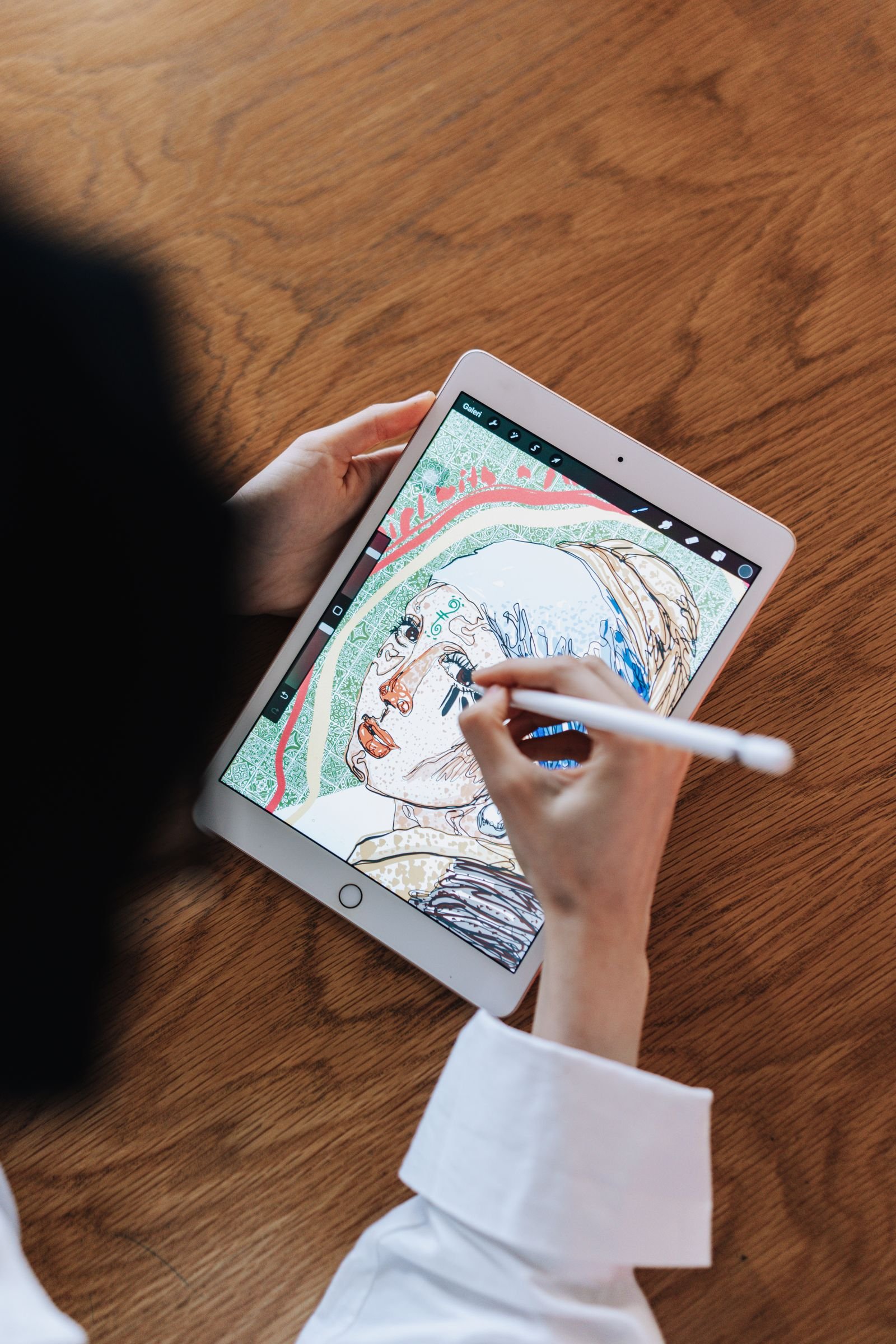
Drawing on bare glass feels like sketching on ice — the stylus skates across the surface with no bite. We rounded up the 10 best paper like screen protectors you can buy in 2026: matte PET films that add genuine paper-like friction for drawing, sketching, and handwriting on the iPad Pro 12.9-inch and 11-inch, iPad Air 13-inch, Microsoft Surface Pro, and Samsung Galaxy Tab S9. Every film below was chosen for one exact tablet model.
Tablet fitment is exact: an iPad Pro 12.9-inch film will not fit the 11-inch model, and an iPad Air 13-inch film will not fit the 11-inch Air. Confirm your exact model and screen size in your tablet’s Settings before ordering, and match it to the assigned tablet named in each review below. No film here claims to fit multiple incompatible tablets — where one generation family shares dimensions (for example, iPad Pro 12.9 3rd through 6th generation), it is a single cut, not a compromise.
Key Takeaways
- Best overall: Paperlike 2.1 2-Pack — the original Nanodots paper-like film for the iPad Pro 12.9.
- Best removable: Astropad Rock Paper Pencil v4.0 — NanoCling film that peels off and reapplies, plus tunable Pencil tips.
- Smoothest texture: Bellemond Kent Paper 2-Pack — refined Japanese kent-paper drag that is kind to nibs.
- Best magnetic: ESR Paper-Feel Magnetic — snaps on for drawing, off for movies (iPad Pro 12.9 and Air 13).
- Best for iPad Pro 11 M4/M5: OMOTON PAPERSENSE 11 — precise cut with an alignment frame.
- Best budget: KCT 2-Pack Paperfeel 11 — two films for less than the price of one premium film.
- Best for Surface Pro: MoKo 2-Pack Paperfeel — a rare paper-feel pick for the Surface Pro with Slim Pen friction.
- Best for Galaxy Tab S9: DIACUBE 2-Pack Paperfeel — S Pen control on the 11-inch Tab.
- All film, no glass: all 10 picks are matte PET film — they trade drop protection for drawing friction.
- Expect nib wear: coarser textures eat stylus tips faster; keep spare tips handy.
- Matte finish cuts glare but slightly softens display sharpness.
- The fitment rule: match the exact tablet model and generation — close sizes are not interchangeable.
- Every pick below links to Amazon with our View on Amazon button for the latest price.
Our Top Paper Like Screen Protectors
Paperlike 2.1 2-Pack
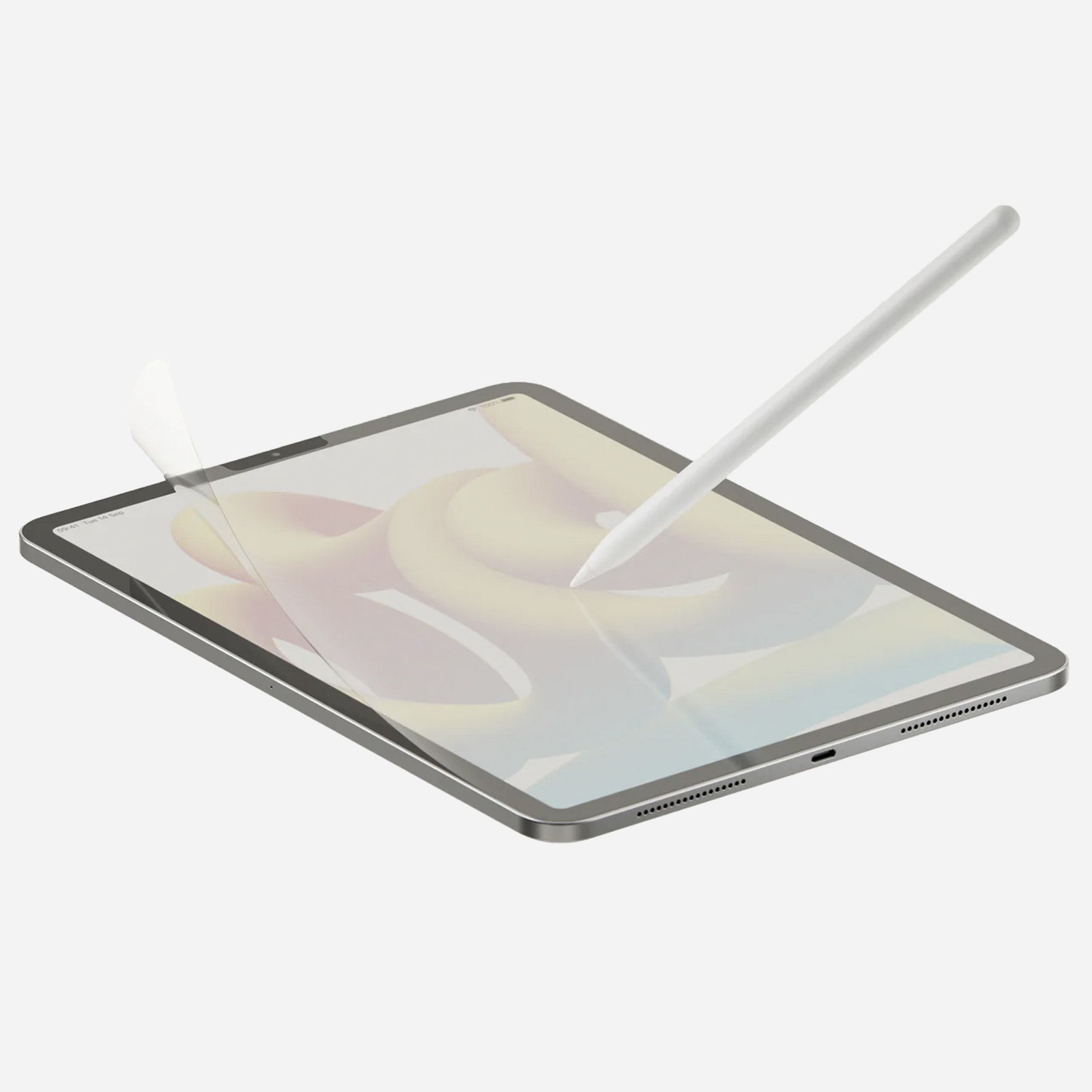
✓ The original paper-like texture, tuned over several generations
✓ Nanodots surface balances stroke resistance with decent clarity
✓ Two films in the box for a spare when the first wears down
Astropad Rock Paper Pencil v4.0
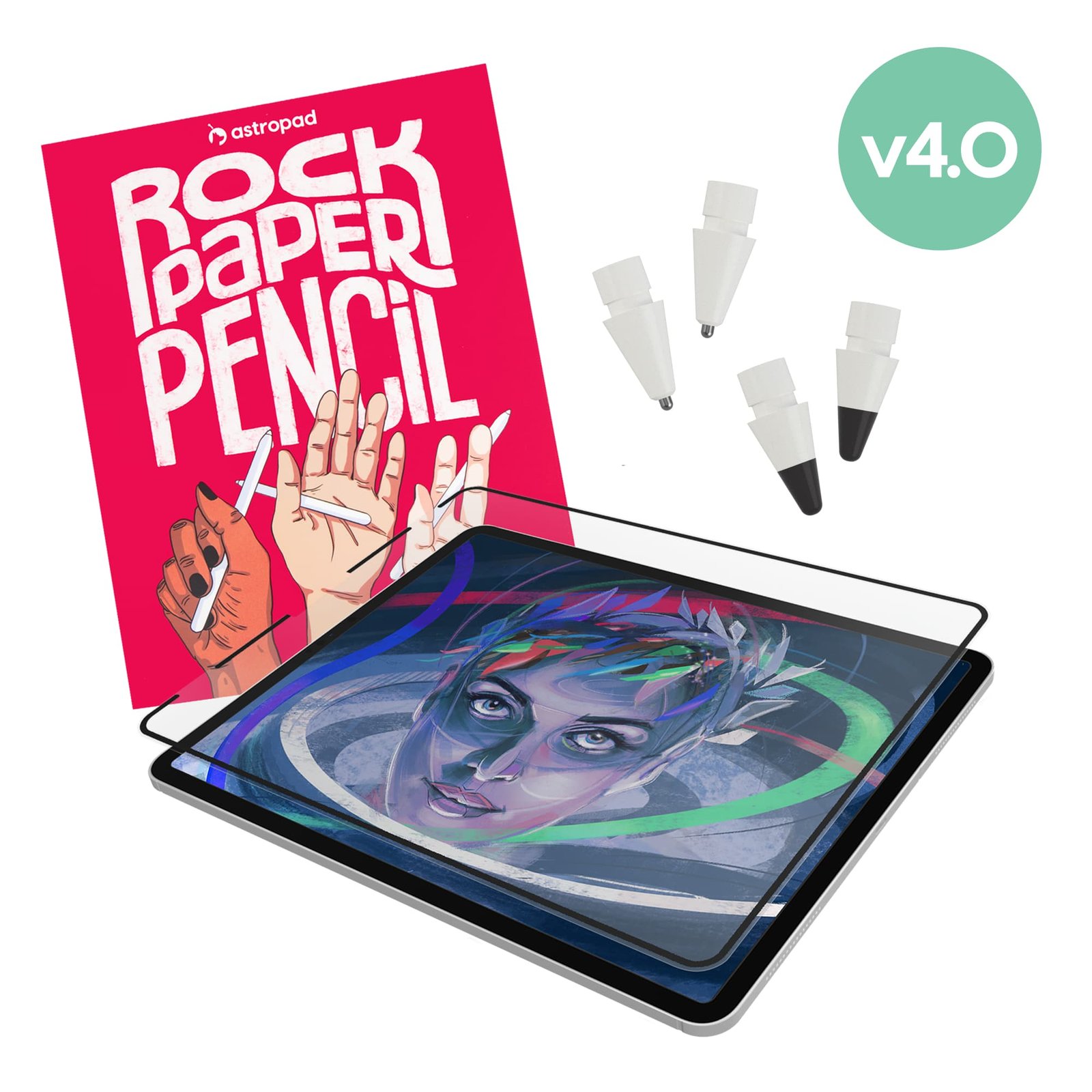
✓ NanoCling film removes and reapplies cleanly for video or photo work
✓ Includes ballpoint and graphite Pencil tips to tune the drawing feel
✓ Fine texture is gentle on Apple Pencil nibs
Bellemond Kent Paper 2-Pack
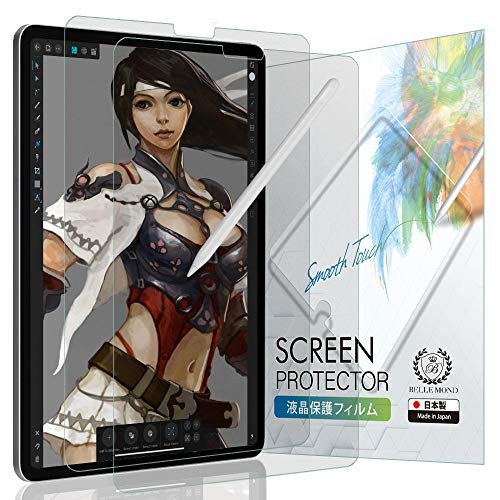
✓ Japanese-made kent-paper texture feels refined, not scratchy
✓ Gentler on Apple Pencil tips than coarser paper films
✓ Two-pack at a mid-range price
ESR Paper-Feel Magnetic 12.9
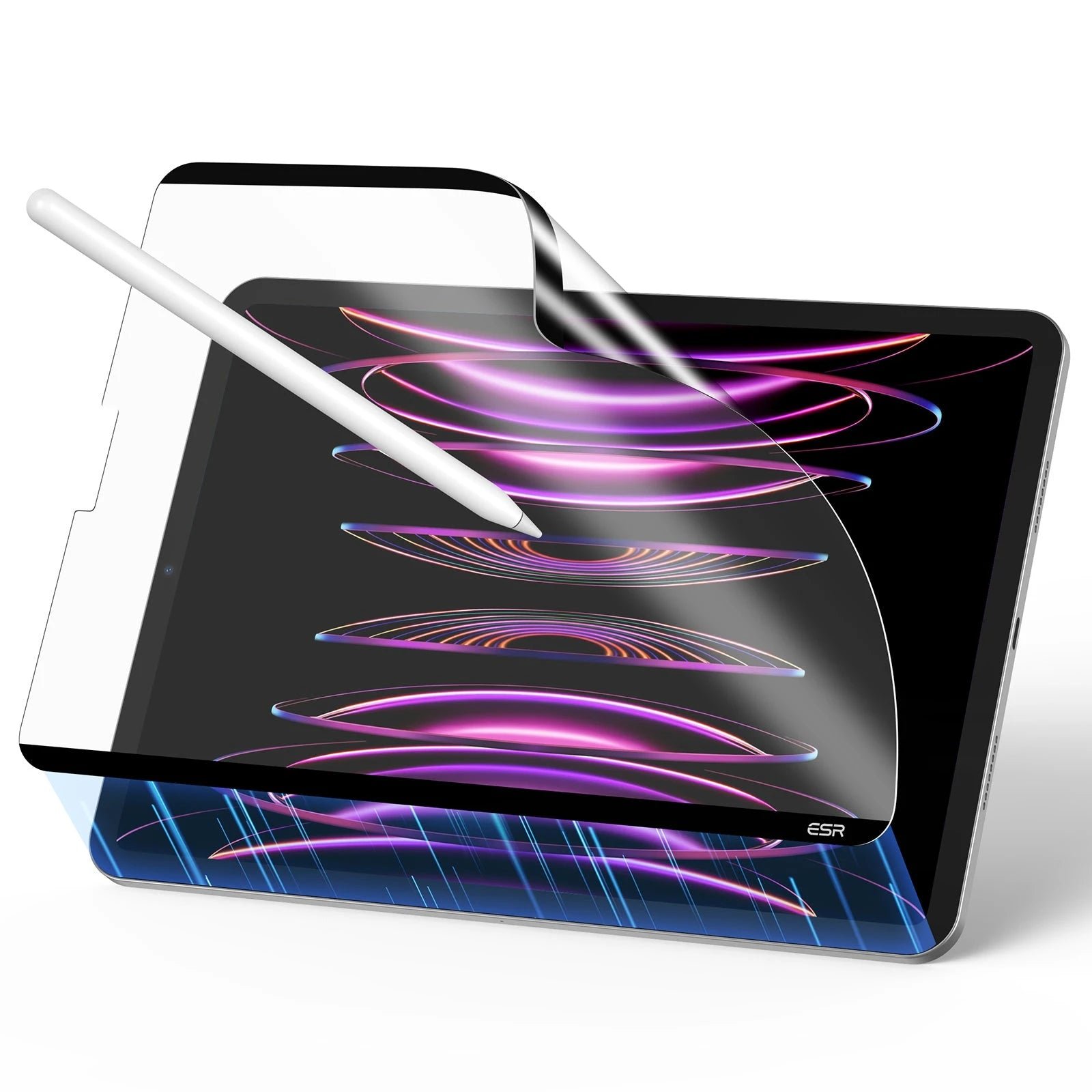
✓ Snaps on for drawing, off for movies — no adhesive commitment
✓ Reusable and washable; stores in the included envelope
✓ Fine texture extends Apple Pencil nib life
OMOTON PAPERSENSE 11
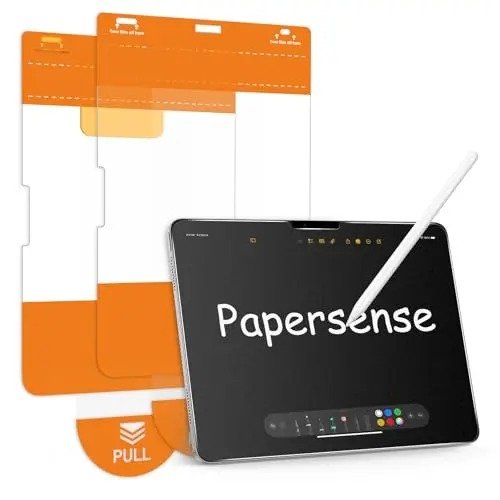
✓ Cut precisely for the iPad Pro 11 M4/M5 with thin bezels
✓ Alignment frame makes bubble-free installation straightforward
✓ Balanced texture suits both writing and sketching
KCT 2-Pack Paperfeel 11
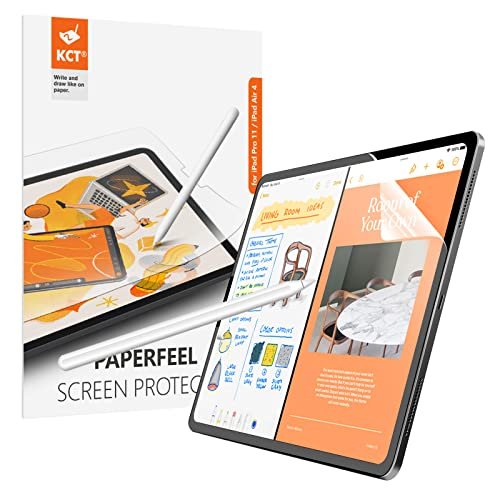
✓ Two films for less than the price of one premium film
✓ Fits the iPad Pro 11 M4/M5 precisely
✓ Mild texture is gentle on Pencil tips
ESR Paper-Feel Magnetic Air 13
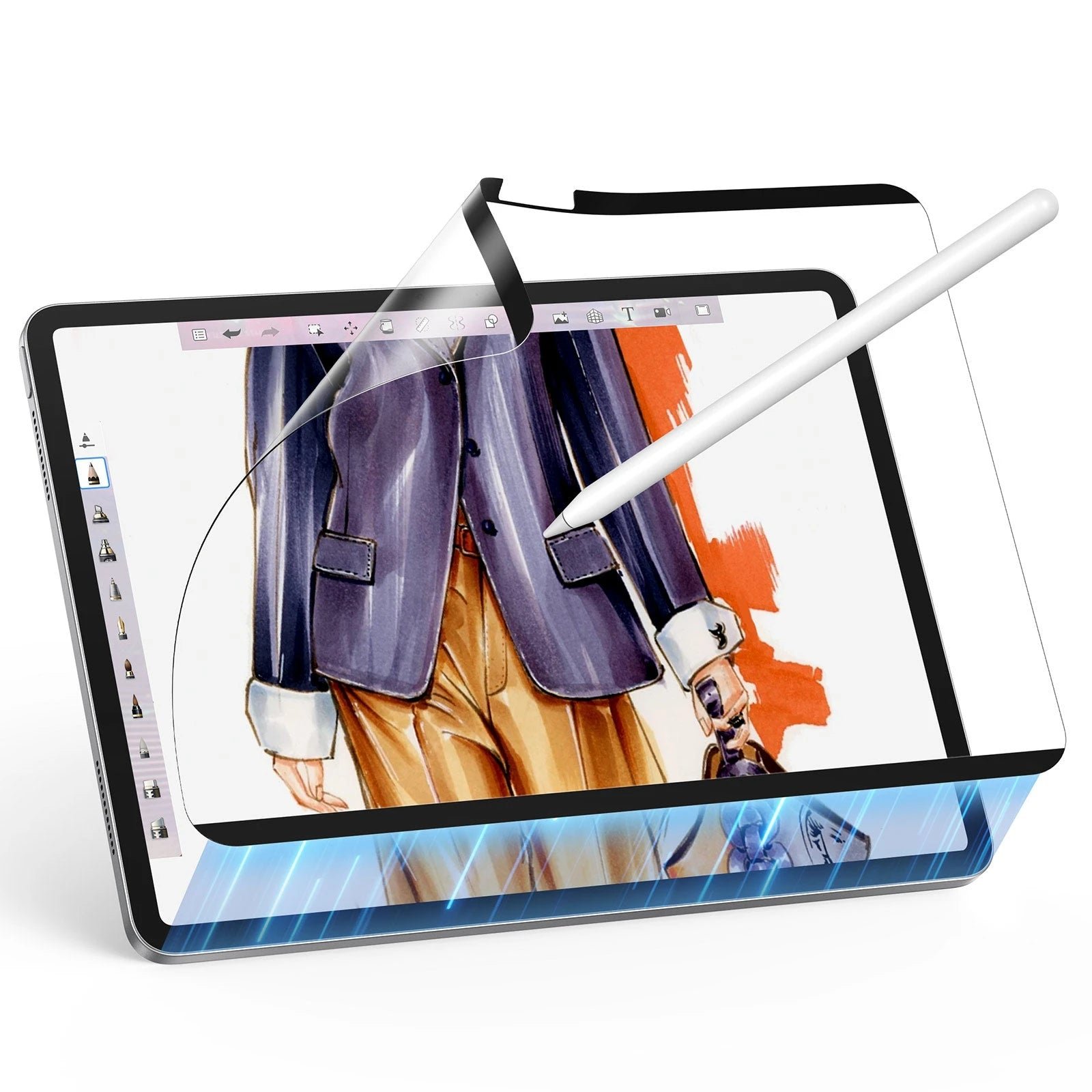
✓ Removable design suits the Air 13 as a shared family or work tablet
✓ Fine texture keeps Apple Pencil nibs lasting longer
✓ No adhesive means zero installation stress
OMOTON PAPERSENSE Air 13
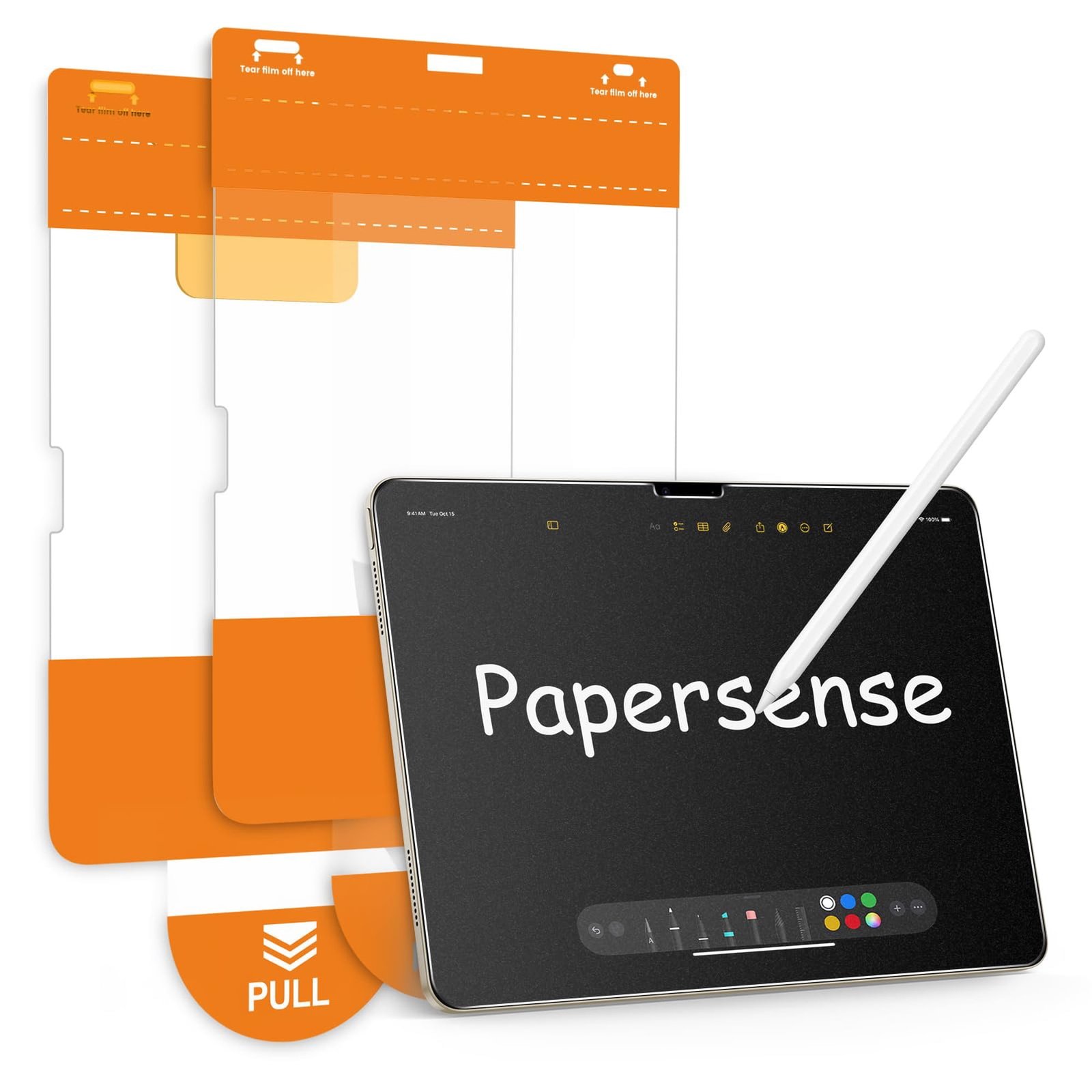
✓ Sized for the iPad Air 13 M2/M3/M2 with precise cutouts
✓ Alignment frame included for a straight first-time install
✓ Even matte texture across the full 13-inch canvas
MoKo 2-Pack Paperfeel Surface
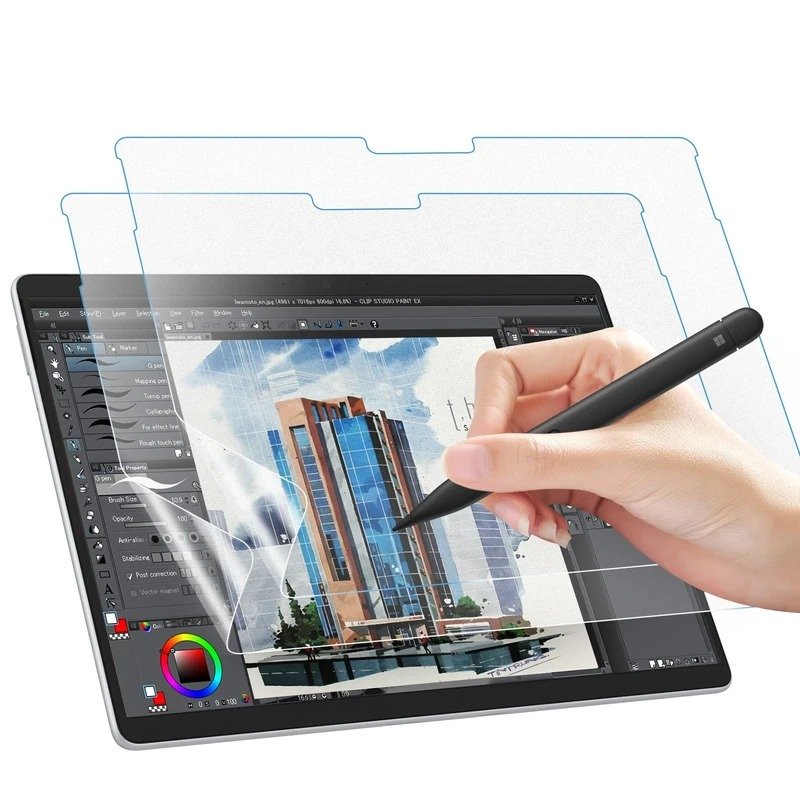
✓ One of the few true paper-feel options for Surface Pro
✓ Two films in the box at a budget price
✓ Adds welcome friction for the Surface Slim Pen
DIACUBE 2-Pack Paperfeel Tab S9
![[2 Pack] DIACUBE Paperfeel Screen Protector For Samsung Galaxy Tab S9 / Tab S8 / Tab S7 11 Inch, Anti-Glare Matte PET Film for Drawing and Writing Like on Paper, High Touch Sensitivity, Easy Installation product image](https://tmtimings.com/wp-content/uploads/2026/10/kw260-10-diacube.jpg)
✓ Fits the 11-inch Tab S9/S8/S7 family precisely
✓ Good S Pen friction for drawing and note-taking
✓ Two films at a budget price
More Details on Our Top Picks
1. Paperlike 2.1 2-Pack
OUR VERDICT:
The original and still the benchmark paper-like film for serious iPad artists.
VIEW ON AMAZONPaperlike invented this category, and the 2.1 version remains the reference that every other paper-feel film is measured against. The Nanodots texture gives the Apple Pencil a controlled drag that feels close to a quality sketchbook page, which makes long drawing sessions far less fatiguing than drawing on bare glass. Line work comes out steadier because the tip no longer skates.
Installation takes patience, but the included guide stickers and video walkthrough get the film down cleanly if you work in a dust-free room. Once applied, the matte surface cuts glare noticeably, which is a real bonus for artists working near windows. The trade-off is a slight softening of the display, most visible on fine text rather than artwork.
At a premium price the 2.1 is not the cheapest way to get paper feel, but it is the most proven. For illustrators and note-takers who use their iPad Pro 12.9 as a daily drawing tool, the consistent texture and two-pack value make it the safest premium pick in this roundup.
✅ Pros
- The original paper-like texture, tuned over several generations
- Nanodots surface balances stroke resistance with decent clarity
- Two films in the box for a spare when the first wears down
❌ Cons
- Premium price for a 2-pack
- Slight loss of display sharpness, typical of matte films
- For: iPad Pro 12.9-inch (3rd-6th gen, 2018-2022)
- Hardness: PET film
- Installation: Dry apply with guide stickers and video instructions
- Pack Size: 2-Pack
- Finish: Matte paper-feel (Nanodots)
- Price Tier: Premium
2. Astropad Rock Paper Pencil v4.0
OUR VERDICT:
The only removable paper-like film here, plus tunable Pencil tips for artists.
VIEW ON AMAZONAstropad built its reputation on software for artists, and the Rock Paper Pencil brings that same creator-first thinking to hardware. The v4.0 film uses NanoCling adhesion instead of full adhesive, so you can peel it off when you want the bare display for color-critical work or movies, then reapply it for drawing sessions. No other film in this roundup offers that flexibility.
The standout extra is the set of four replacement Pencil tips in two styles. The ballpoint tips glide a touch smoother while the graphite tips add extra bite, letting you dial in the exact friction you like. The texture itself sits on the finer side of paper-like, which keeps nib wear lower than coarser films while still giving confident stroke control.
The premium price buys a single film, so this is for artists who value the removable design and tip kit over spares. If your iPad Pro 12.9 doubles as both sketchbook and media screen, the ability to switch between paper feel and bare glass without buying two setups is genuinely useful.
✅ Pros
- NanoCling film removes and reapplies cleanly for video or photo work
- Includes ballpoint and graphite Pencil tips to tune the drawing feel
- Fine texture is gentle on Apple Pencil nibs
❌ Cons
- Highest price in this roundup
- Single film; no spare included
- For: iPad Pro 12.9-inch (Gen 3-6)
- Hardness: PET film
- Installation: NanoCling static adhesion; removable and reusable with no residue
- Pack Size: 1-Pack + 4 Pencil Tips
- Finish: Matte paper-feel (NanoCling)
- Price Tier: Premium
3. Bellemond Kent Paper 2-Pack
Bellemond takes a different approach from most paper-like films: instead of maximum grit, its Japanese-made kent-paper texture aims for a smooth, refined drag. The result feels closer to high-quality drawing paper than sandpaper, which many illustrators prefer for long sessions. Pencil tips also last noticeably longer on it than on rougher films.
Installation uses an airless self-adhesive silicone layer that is forgiving to apply; bubbles press out easily with the included card. The film sits thin and stays responsive, and the matte finish handles glare well without washing out colors too aggressively.
At a mid-range price for two films, Bellemond undercuts the premium brands while offering a distinctly smoother take on paper feel. It is the pick for artists who want texture without the aggressive tooth that chews through nibs.
✅ Pros
- Japanese-made kent-paper texture feels refined, not scratchy
- Gentler on Apple Pencil tips than coarser paper films
- Two-pack at a mid-range price
❌ Cons
- No installation tray included
- Smoother than some rivals, so less tooth for heavy sketchers
- For: iPad Pro 12.9-inch (6th-3rd gen)
- Hardness: PET film
- Installation: Dry apply with airless self-adhesive silicone layer; squeegee card included
- Pack Size: 2-Pack
- Finish: Matte kent-paper texture PET
- Price Tier: Mid
4. ESR Paper-Feel Magnetic 12.9
OUR VERDICT:
Snap-on, snap-off paper feel with no adhesive — ideal for dual-use iPads.
VIEW ON AMAZONESR's magnetic paper-feel protector solves the one big compromise of paper-like films: you only want the texture sometimes. Thin magnetic strips hold it firmly to the iPad Pro 12.9 while you draw or take notes, and it lifts straight off when you want the full brilliance of the bare display. A storage envelope keeps it clean between sessions.
The matte surface itself is on the finer side, tuned to reduce nib abrasion while still giving the Pencil enough bite for controlled strokes. Because it never uses adhesive, installation is literally a snap — no bubbles, no dust anxiety, no alignment trays.
Priced in the mid range for a single reusable film, it competes with disposable two-packs on long-term value since you can wash and reuse it. For artists who split time between drawing and media, the on-off convenience is hard to beat.
✅ Pros
- Snaps on for drawing, off for movies — no adhesive commitment
- Reusable and washable; stores in the included envelope
- Fine texture extends Apple Pencil nib life
❌ Cons
- Single film in the pack
- Magnetic edge can catch dust if stored loose
- For: iPad Pro 12.9-inch
- Hardness: PET film
- Installation: Magnetic attachment; snaps on and off, reusable, includes storage envelope
- Pack Size: 1-Pack
- Finish: Matte paper-feel PET
- Price Tier: Mid
5. OMOTON PAPERSENSE 11
OMOTON's PAPERSENSE brings paper feel to the latest iPad Pro 11 models, cut precisely for the M4 and M5 thin-bezel design. The texture hits a middle ground — enough tooth to steady handwriting and sketch lines, smooth enough that the Pencil glides without chattering. It is a versatile film rather than an extreme one.
The included alignment frame is the real convenience win here. Large tablet films are unforgiving to apply freehand, and the frame gets the PAPERSENSE down straight on the first attempt. Edge adhesion is solid, with no lifting around the corners.
Priced in the mid range for a single film, it is a sensible pick for iPad Pro 11 owners who want reliable paper feel without the premium-brand markup. Students and note-takers will appreciate the controlled writing feel.
✅ Pros
- Cut precisely for the iPad Pro 11 M4/M5 with thin bezels
- Alignment frame makes bubble-free installation straightforward
- Balanced texture suits both writing and sketching
❌ Cons
- Single film; no spare in the box
- Matte finish softens the M4 display slightly
- For: iPad Pro 11-inch (M4/M5)
- Hardness: PET film
- Installation: Dry apply with alignment frame; wet/dry wipes and dust stickers included
- Pack Size: 1-Pack
- Finish: Matte paper-feel PET
- Price Tier: Mid
6. KCT 2-Pack Paperfeel 11
OUR VERDICT:
The cheapest way to try paper feel on the new iPad Pro 11 — two films included.
VIEW ON AMAZONKCT proves you do not need to spend much to get usable paper feel. This two-pack for the iPad Pro 11 M4 and M5 delivers a mild matte texture that takes the slippery edge off the glass — enough to steady handwriting and casual sketching, though dedicated illustrators may wish for more bite.
Fit and finish are solid for the price, with clean cutouts and an installation kit that gets the film aligned without drama. The mild texture has a side benefit: it is very gentle on Apple Pencil tips, so nib replacements stay infrequent.
At a budget price for two films, KCT is the easy recommendation for students or anyone trying paper feel for the first time. If you outgrow the mild texture, you have a spare to experiment with while you shop for something toothier.
✅ Pros
- Two films for less than the price of one premium film
- Fits the iPad Pro 11 M4/M5 precisely
- Mild texture is gentle on Pencil tips
❌ Cons
- Budget film; thinner than premium options
- Texture is mild — heavy sketchers may want more tooth
- For: iPad Pro 11-inch (M4/M5, 2024/2025)
- Hardness: PET film
- Installation: Dry apply with installation kit and guide stickers
- Pack Size: 2-Pack
- Finish: Matte paper-feel PET
- Price Tier: Budget
7. ESR Paper-Feel Magnetic Air 13
OUR VERDICT:
Removable paper feel for the big-screen Air — on for art, off for movies.
VIEW ON AMAZONThe iPad Air 13 gets ESR's magnetic treatment too, and it makes particular sense here: the Air often doubles as a shared or work tablet, so being able to snap paper feel on for a drawing session and off for everything else is genuinely practical. The magnetic hold is secure during use and the film stores flat in its envelope.
Texture-wise this is the same fine, nib-friendly matte ESR uses across its paper-feel line — controlled strokes without the sandpaper effect. Touch response stays sharp, and the anti-glare finish helps in bright rooms.
As a single reusable film at a mid-range price, it asks you to trade spares for convenience. For Air 13 owners who draw only part of the time, that trade is worth making.
✅ Pros
- Removable design suits the Air 13 as a shared family or work tablet
- Fine texture keeps Apple Pencil nibs lasting longer
- No adhesive means zero installation stress
❌ Cons
- Single film in the pack
- Slight rainbow shimmer under bright direct light
- For: iPad Air 13-inch (M2/M3/M4)
- Hardness: PET film
- Installation: Magnetic attachment; snaps on and off, reusable, includes storage envelope
- Pack Size: 1-Pack
- Finish: Matte paper-feel PET
- Price Tier: Mid
8. OMOTON PAPERSENSE Air 13
OUR VERDICT:
A precise, easy-installing paper film that makes the big Air a better canvas.
VIEW ON AMAZONLarge tablets punish sloppy installs, so OMOTON including an alignment frame with the PAPERSENSE for the iPad Air 13 is a meaningful advantage. The film goes down straight and bubble-free, which matters more at 13 inches where every speck of dust shows. The matte texture is even edge to edge, giving stylus strokes consistent resistance across the whole canvas.
Drawing feel sits in the comfortable middle: noticeable tooth for line control without the harsh drag that wears nibs quickly. The anti-glare finish also tames reflections, a plus for a tablet this size that often lives on a desk.
Priced above budget films for a single protector, you are paying for the precise Air 13 fit and the foolproof install. Artists who want a fit-and-forget paper film for the big Air will find it worth it.
✅ Pros
- Sized for the iPad Air 13 M2/M3/M2 with precise cutouts
- Alignment frame included for a straight first-time install
- Even matte texture across the full 13-inch canvas
❌ Cons
- Pricier than other budget paper films
- Single film; no spare included
- For: iPad Air 13-inch (M4/M3/M2)
- Hardness: PET film
- Installation: Dry apply with alignment frame; cleaning kit included
- Pack Size: 1-Pack
- Finish: Matte paper-feel PET
- Price Tier: Mid
9. MoKo 2-Pack Paperfeel Surface
OUR VERDICT:
The go-to paper-feel pick for Surface Pro — rare, affordable, effective.
VIEW ON AMAZONPaper-like options for the Surface Pro are far scarcer than for iPad, which makes MoKo's paperfeel two-pack stand out. The matte PET adds real friction under the Surface Slim Pen, turning the slick PixelSense glass into something that feels closer to a notepad. Handwriting becomes noticeably more controlled, and sketch lines stop sliding.
Installation is the standard dry-apply routine with a self-adhesive backing that forgives minor repositioning. The matte finish also cuts the glare that glossy Surface screens pick up under office lighting, which is a welcome side effect for long work sessions.
Two films at a budget price make this an easy try for Surface Pro owners curious about paper feel. It will not match tempered glass for drop protection, but for pen feel per dollar it is the clear pick on this platform.
✅ Pros
- One of the few true paper-feel options for Surface Pro
- Two films in the box at a budget price
- Adds welcome friction for the Surface Slim Pen
❌ Cons
- PET film, not glass — less impact protection
- Slight haze on the high-brightness PixelSense display
- For: Microsoft Surface Pro 12th (2026)
- Hardness: 3H (PET film)
- Installation: Dry apply with self-adhesive backing; squeegee and cleaning kit included
- Pack Size: 2-Pack
- Finish: Matte paper-feel PET
- Price Tier: Budget
10. DIACUBE 2-Pack Paperfeel Tab S9
Samsung's Galaxy Tab S9 deserves a paper-feel option, and DIACUBE's two-pack fills that gap well. The matte PET gives the S Pen a paper-like drag that makes handwriting in Samsung Notes feel natural and sketching more deliberate. Touch sensitivity stays high, so taps and gestures register cleanly.
The film is cut for the 11-inch Tab S9, S8, and S7, which share dimensions, and the installation kit keeps the large film aligned during application. Anti-glare performance is solid, taming reflections without turning the AMOLED display milky.
As a budget two-pack from a smaller brand, DIACUBE is the pragmatic choice for Tab S9 artists. It delivers the core paper-like experience — friction, glare control, and nib-friendly texture — at a fraction of premium prices.
✅ Pros
- Fits the 11-inch Tab S9/S8/S7 family precisely
- Good S Pen friction for drawing and note-taking
- Two films at a budget price
❌ Cons
- Lesser-known brand with fewer long-term reviews
- Matte finish slightly mutes the AMOLED colors
- For: Samsung Galaxy Tab S9 11-inch
- Hardness: PET film
- Installation: Dry apply with installation kit; guide stickers included
- Pack Size: 2-Pack
- Finish: Matte paper-feel PET
- Price Tier: Budget
Factors to Consider When Buying
What “Paper-Like” Actually Means
Paper-like protectors are matte PET films with a micro-textured surface — Paperlike’s Nanodots microbeads, Bellemond’s kent-paper grain, and similar finishes — engineered to give a stylus the controlled drag of real paper. All 10 picks here are PET film, not tempered glass: they are about friction and feel, not drop armor. If you mostly type and watch video, plain glass is cheaper and clearer; if you draw, sketch, or handwrite daily, the texture changes how the tablet feels in your hand.
Tooth vs Nib Wear: The Real Trade-Off
Coarser texture gives more stroke control but wears stylus tips faster — this is the one honest cost of paper feel. Fine-textured films like the Bellemond Kent Paper and both ESR magnetic films are deliberately gentler on nibs, while grippier options reward you with steadier lines at the price of more frequent tip changes. Budget for spare tips whatever you choose, and note that the Astropad Rock Paper Pencil v4.0 ships two tip styles so you can tune the friction yourself.
Removable vs Adhesive Films
Three picks skip the adhesive commitment: the Astropad Rock Paper Pencil v4.0 uses NanoCling static adhesion, and both ESR Paper-Feel Magnetic films snap on with thin magnetic strips. Removable is ideal for dual-use tablets — draw with paper feel, then peel it off for color-accurate photo work or movies. The other seven are standard adhesive films: cheaper per film and slimmer on the device, but you live with the matte finish until you replace them.
Match the Exact Tablet Model
A few millimeters decide everything. The iPad Pro 12.9-inch family (3rd through 6th generation) shares one cut, but it will not fit the 11-inch; the iPad Air 13-inch will not fit the 11-inch Air; and the newest iPad Pro 11 M4/M5 needs its thin-bezel cut. The MoKo 2-Pack is cut for the Surface Pro 12th generation, and the DIACUBE 2-Pack fits the Galaxy Tab S9, S8, and S7 11-inch family. When in doubt, check Settings and match the assigned tablet in each review.
Clarity vs Texture: Know the Compromise
Every matte film softens display sharpness slightly and can show a faint grain on bright white backgrounds — that is the price of friction. The upside is real anti-glare: these films kill the mirror reflections that plague glossy tablets near windows. If you do color-critical illustration, either shortlist a removable film (Astropad, ESR magnetic) or keep one bare-glass day per week; for handwriting and sketching, the trade is overwhelmingly worth it.
Budget vs Premium: What You Actually Get
Budget paper-feel films like the KCT 2-Pack, MoKo 2-Pack, and DIACUBE 2-Pack deliver genuine paper friction at a fraction of premium prices — the texture works, full stop. Premium money buys refinement: Paperlike 2.1‘s Nanodots consistency, Astropad‘s removable NanoCling plus tip kit, and the OMOTON PAPERSENSE alignment frames that make a 13-inch install foolproof. Start budget to learn whether you like paper feel; upgrade when you know your texture.
As an Amazon Associate, we earn from qualifying purchases. This comes at no extra cost to you and helps us keep testing and reviewing the latest accessories.