

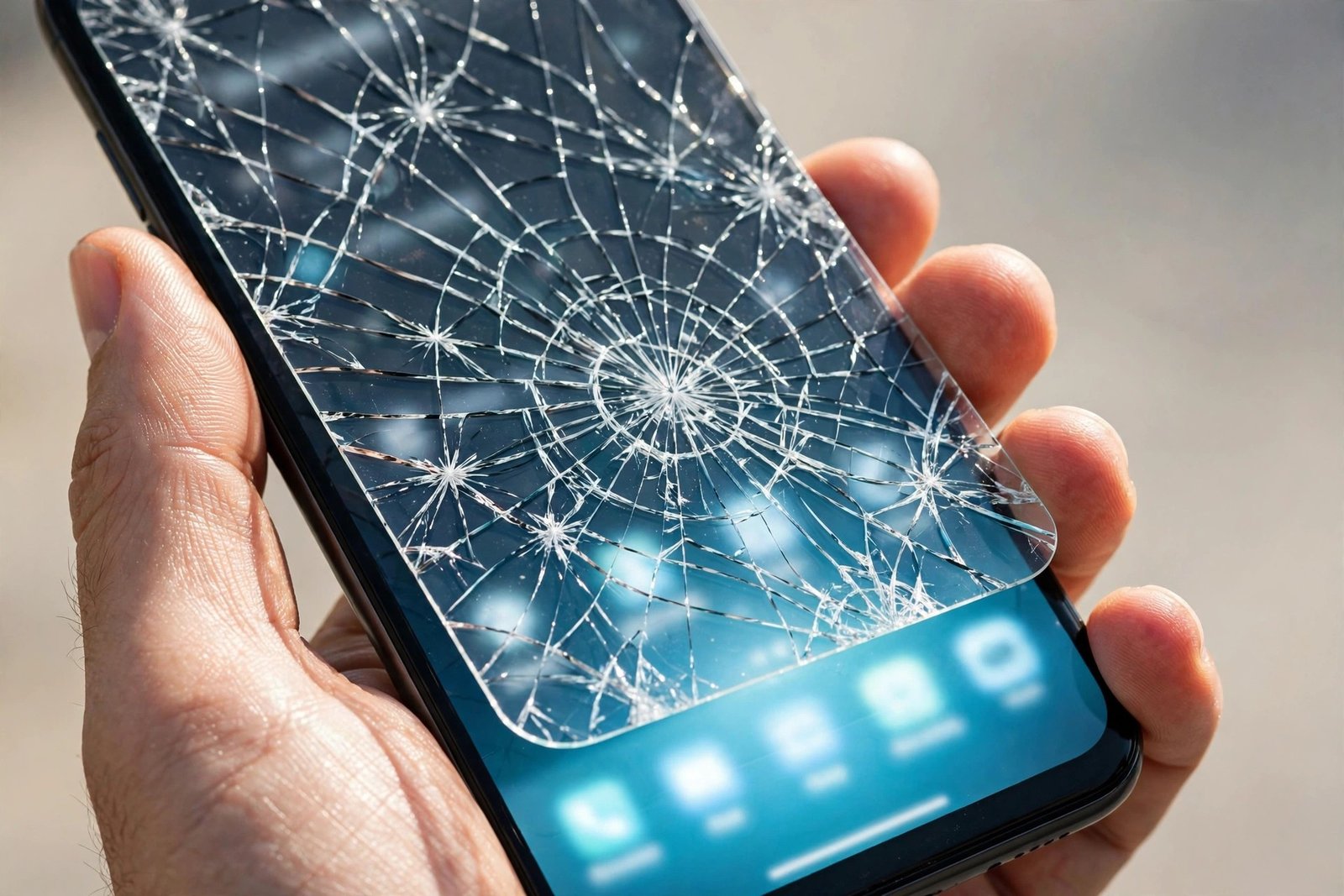
You dropped your phone, picked it up with that familiar sinking feeling, and there it is: a crack running across the display. But before you start pricing up a screen repair, take a breath. If you have a tempered glass protector fitted, there is a very real chance the damage stopped there — because cracking is, quite literally, what a glass protector is designed to do.
Telling the two apart matters, because the difference between them is the difference between a cheap replacement from a multipack and a full screen repair. This guide walks through the checks in order — visual clues first, then feel and touch tests, and finally the one definitive test — so you can work out which layer is actually broken before you spend anything.
Key Takeaways
- A crack that stops dead at the protector’s edge is almost always in the protector only — screen cracks run underneath it, right out to the bezel.
- Drag a fingernail gently across the crack: a cracked protector catches and feels rough on the surface, while a cracked screen under an intact protector feels perfectly smooth.
- Black blotches, coloured lines, or dead touch spots mean the display panel itself is damaged — a cracked protector never changes the picture.
- Look at the phone’s edge in profile: you can often see the crack is confined to the thin top layer of glass.
- The peel test is definitive: lift one corner of the protector slowly and look at the glass underneath.
Why the Answer Matters
These are two completely different problems wearing the same costume. A cracked protector is good news disguised as bad: the protector absorbed the impact energy by fracturing, exactly as intended, and the fix is to peel it off and fit a fresh one. A cracked screen means the phone’s own glass — and possibly the display panel beneath it — needs professional repair, at many times the cost.
There is a second reason to know promptly. A cracked protector has already spent its protective strength, so every day you keep using it, your screen is effectively unprotected. And if the real screen is cracked, sharp glass and spreading fractures only get worse with time. Either way, the answer tells you what to do next.
Check 1: Follow the Crack to the Edge
A screen protector is always cut slightly smaller than the screen itself, leaving a narrow border of bare glass around it. Trace the crack with your eye and see where it ends. If it stops at the protector’s outline — especially if the spiderweb pattern is neatly contained inside that outline — the fracture lives in the protector. If the crack continues past the protector’s edge and runs into the border or under the bezel, the screen itself is cracked, because the fracture has crossed from one layer into the other.
Then look at the phone from the side, in profile, under a bright light. Most tempered glass protectors are visible as a distinct thin layer sitting on top of the screen. If you can see the fracture line sitting within that top layer, with clean glass beneath it, you have your answer.
- Shine a torch across the screen at a low, raking angle. Surface cracks in the top layer catch the light and cast tiny shadows, while damage in a layer underneath looks flatter and duller. Turning the screen off makes this much easier to judge.
Check 2: The Fingernail and Touch Tests
Run a fingernail very lightly across the crack, at a shallow angle. A crack in the protector is a fracture in the surface you are touching, so your nail will catch on it and the area may feel slightly rough or gritty, especially where the glass has spiderwebbed. If the crack is in the screen underneath an intact protector, the surface stays glassy smooth — your nail glides straight over, because the layer your finger touches was never broken.
Touch behaviour is equally telling. A cracked protector does not interfere with the digitiser beneath it, so taps and swipes keep working normally over the damaged area. If part of the screen has stopped responding, registers ghost touches, or behaves erratically, the impact reached the phone’s own display assembly — that is screen damage, whatever the surface looks like.
Check 3: Look at the Picture, Not the Glass
Open a plain white image, then a plain black one, and inspect the whole display. A protector crack is purely cosmetic damage to a sheet of glass — the image underneath stays perfect. Damage to the real panel announces itself: black or ink-like blotches that spread from the impact point, bright green, pink, or white lines running the full height or width of the display, flickering areas, or patches that stay dark. Any of those means the panel itself is hurt, even if the glass on top turns out to be intact.
- Before you peel anything, take a photo of the crack pattern. If you end up at a repair shop, being able to show exactly where the damage sat — and whether it matched the protector’s outline — helps you have a much better conversation about what actually needs replacing.
The Definitive Test: Peel Back a Corner
If the earlier checks leave you unsure, this one settles it. If the protector is shattered, first cover it with clear tape so fragments stay together. Then, working over a table, lift one corner slowly with a fingernail or a plastic card and peel the protector back just far enough to see the glass beneath. If the screen underneath is smooth, glossy, and unmarked, every crack you have been looking at was in the protector. Peel it off completely, clean the screen, and fit a replacement.
One caution: go into this test expecting to replace the protector. Once peeled, tempered glass rarely re-adheres cleanly — dust gets in and the adhesive weakens — so have the new one ready before you start. And if the glass underneath is cracked, stop peeling the phone apart any further, keep the fragments contained with tape, and book the repair.
Frequently Asked Questions
Can the screen and the protector both be cracked at once?
Yes. A protector absorbs a share of an impact, not all of it — a hard drop onto a corner or a pointed object can break both layers. That is exactly why the edge test matters: if any fracture continues past the protector’s outline, assume the screen is involved and verify with the peel test.
My protector is cracked but the screen looks fine. Can I keep using it for now?
For a short while, if you must — but treat it as a countdown, not a solution. The cracked glass has lost its impact strength, its edges can shed fine fragments, and cracks keep spreading with everyday flexing and temperature changes. Replace it as soon as you reasonably can.
The touch screen works perfectly. Does that prove the screen is undamaged?
Not quite — it proves the digitiser and panel survived, which is the expensive part. The phone’s outer glass can still be cracked beneath an intact protector while touch keeps working. Combine the touch test with the fingernail test and the edge check before concluding the glass is fine.
Most “cracked screens” with a protector fitted turn out to be cracked protectors — which is the system working exactly as designed. Run the checks, trust the peel test, and only pay for a screen repair when the glass underneath has actually failed.


