It is one of the most common worries people have before fitting their first screen protector: what if I hate it? What if it is stuck on forever — or worse, what if taking it off ruins the screen? Take a breath. The short answer is yes, a screen protector can always be removed, and removability is not an accident or a hack. It is designed in, from the chemistry of the adhesive upwards.
This guide explains why protectors come off cleanly, how the adhesive actually works, and tackles the persistent myths — that removal damages screens, that old protectors weld themselves on, that film cannot be removed at all — with what is really going on in each case.
Key Takeaways
- Yes — every screen protector is designed to be removable, whether it has been on for a day or for three years.
- Protectors use a silicone-based static adhesive that bonds firmly in use but releases under a slow, steady peel — it is not glue in the superglue sense.
- Removal does not damage the screen: damage stories almost always trace back to metal tools or violent prising, not to the protector itself.
- Old protectors come off more slowly, not less completely — warmth and patience replace force, and any residue left behind wipes away.
- Film protectors are removable too — they stretch and sometimes tear during removal, but they release from the screen just the same.
- The one thing removal usually ends is the protector itself — plan on a fresh one, because removed protectors rarely re-stick properly.
How the Adhesive Works (and Why It Lets Go)
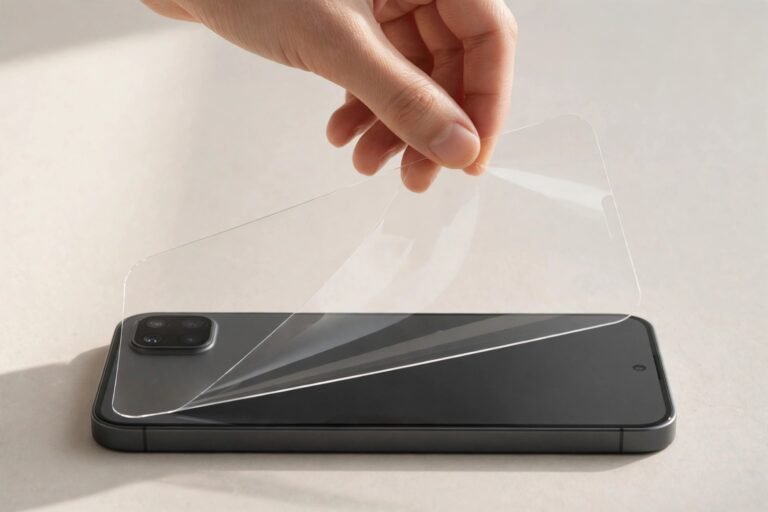
The sticky layer on a tempered glass or film protector is typically a silicone adhesive, and its behaviour surprises people. It bonds through close surface contact rather than chemical curing: spread across a clean glass screen, it clings tenaciously — strongly enough to survive years in a pocket — yet it has a deliberate weakness. Peel it from an edge at a low angle, slowly, and the bond releases progressively, a millimetre at a time, like a zip opening. The adhesive is engineered to do exactly this, because manufacturers know protectors are consumables: cracked, scratched, and yellowed ones are meant to be replaced.
This is also why protectors do not behave like stickers or tape on painted surfaces. There is no solvent, no curing, no permanent chemical weld. Given a slow peel, the adhesive comes away with the protector, leaving the phone’s glass — a harder, smoother surface than the adhesive was designed around — essentially as it was on day one.
Myth One: “Taking It Off Will Damage the Screen”
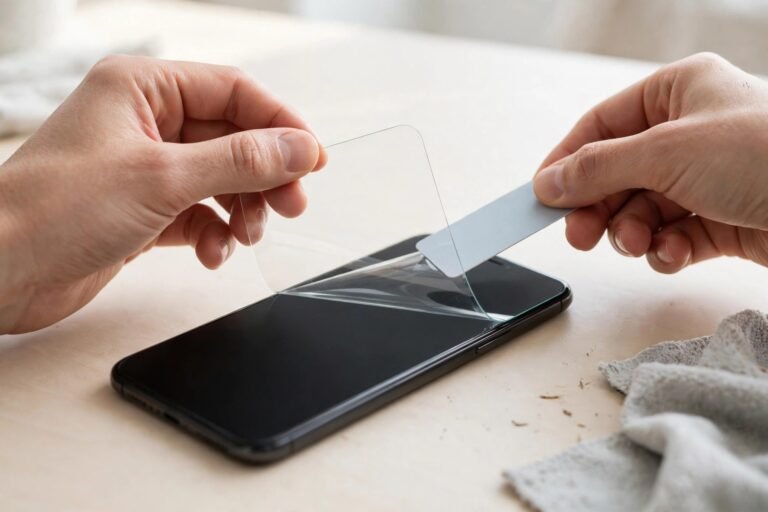
This is the myth that keeps people living with cracked, cloudy protectors for months, and it is essentially false. Normal removal — fingernail under a corner, slow low-angle peel — puts no stress on the phone’s display beyond what it handles in daily use. Where do the horror stories come from? Almost always from how the protector was removed: a knife or screwdriver slipped across the glass, or a shattered pane was levered up so aggressively that fragments were dragged over the screen. The protector did not cause that damage; the tools did. Remove it the unhurried way and the screen underneath is, in the overwhelming majority of cases, pristine — often noticeably cleaner than the rest of the phone, having been sealed away from the world since fitting day.
- If a protector has been on for a long time, warm the phone gently first — a few minutes of use or a hairdryer on low. Warm adhesive releases noticeably more willingly than cold adhesive.
- Work the peel towards the cleanest corner, not the cracked one — a corner that is still bonded gives you control; a broken one gives you fragments.
Myth Two: “Old Protectors Are Stuck On Forever”
Age does change the job, but it changes the timescale, not the outcome. A protector that has served for two or three years has been heat-cycled in pockets and on dashboards thousands of times, and its adhesive will be firmer and less forgiving. It may peel in stages, flex less, and leave more residue behind. All of that is normal ageing, not permanence. The countermeasures are boring and effective: more warmth, a slower peel, and a plastic card worked patiently under the edge to keep the release front moving.
The residue question deserves a straight answer too. Yes, an old protector may leave cloudy adhesive patches on the screen. No, they are not damage — they are leftover adhesive sitting on the glass, and they come off with a microfibre cloth, gentle friction, and occasionally a barely damp cloth. Ten minutes of cleaning is the true worst case for a very old protector, and that is a long way from “stuck forever”.
Myth Three: “Film Protectors Can’t Be Removed”
Film gets this reputation because it misbehaves during removal rather than refusing it. Thin PET or TPU film stretches as you pull, sometimes tears, and can leave the job feeling unfinished halfway through. But stretch is not stuck: the film is still releasing from the screen the whole time. Pull it back low and flat, slowly, supporting it as it comes away, and it will clear the screen — occasionally in two pieces instead of one. Glass, by contrast, comes off as a single rigid sheet, which simply feels tidier. The end result is identical: bare screen, ready to clean.
- If film tears mid-removal, do not pick at the remaining edge with your nails for ten minutes — stick a piece of tape onto the remaining film and use it as a handle to restart the peel.
- For a cracked glass protector, tape over the whole surface before you start; the tape becomes the structure that lifts the fragments away together.
Frequently Asked Questions
Can I remove a screen protector and put the same one back on?
Usually not successfully. The moment a protector lifts, its adhesive collects dust and fingerprints, and it never bonds as evenly again — expect bubbles and lifting edges. The exception is correcting a fresh install within the first minute or two. Otherwise, treat removal as the end of that protector’s life and fit a new one.
Does removing a protector affect my phone’s warranty?
No. Screen protectors are user-fitted accessories designed for removal and replacement, and taking one off is normal use. Nothing about the adhesive or the removal process alters the phone itself. (Fitting one does not affect warranty either — it is the phone equivalent of putting it in a case.)
What if I can’t get a corner to lift at all?
Warmth first, then leverage: slide a piece of dental floss under the corner and saw gently, or work the thin edge of a plastic card along the border until a section releases. Avoid metal under all circumstances. A corner that resists fingernails almost always yields to warmth plus floss — the bond is strong, but it is never absolute.
A screen protector is a tenant, not a fixture: it moves in easily, lives quietly, and moves out when asked — slowly and by the corner. Fit one without fear of commitment.