

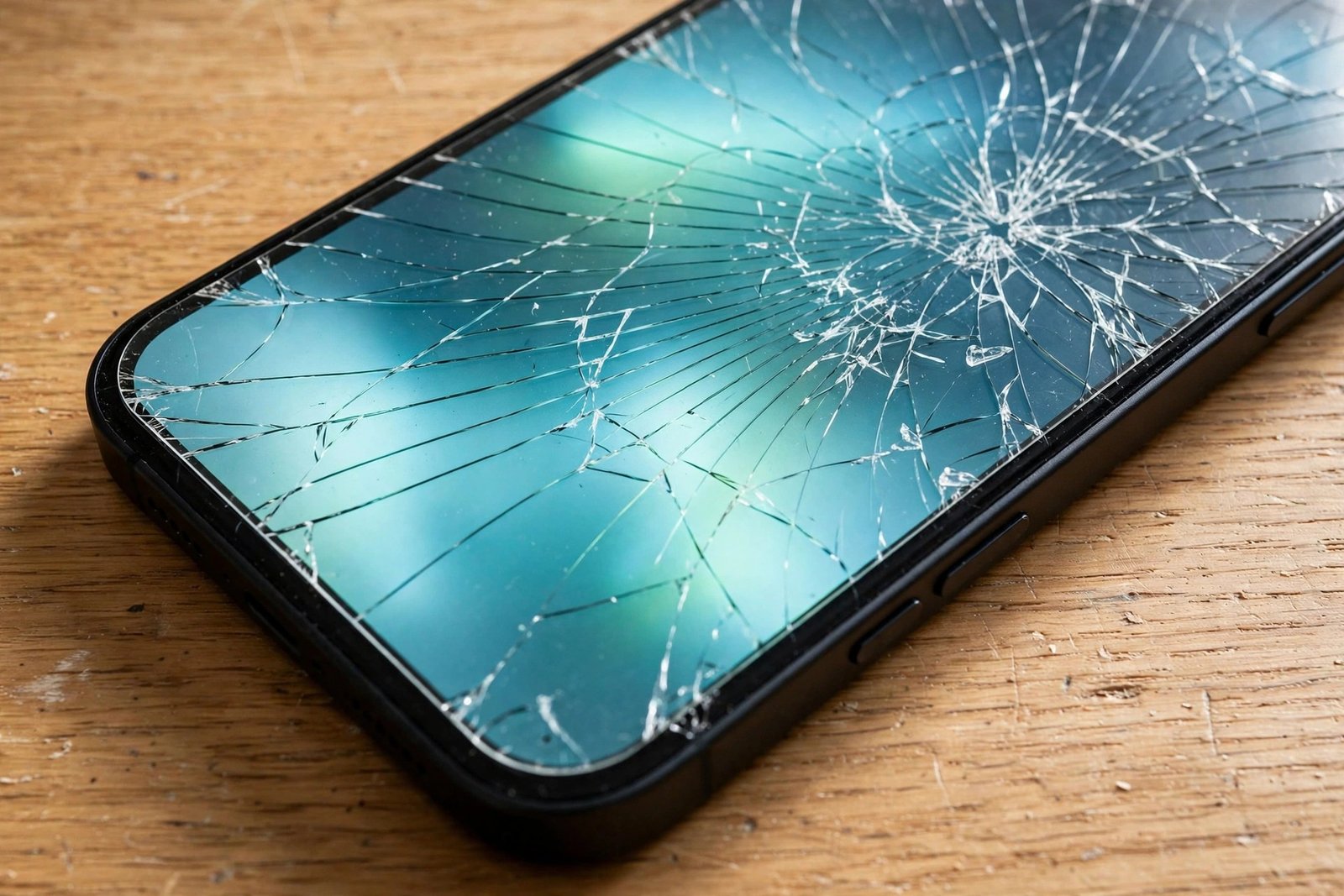
It happens to almost everyone: the phone slips, your heart sinks, and you pick it up to find a crack across the screen — then relief, because it is only the protector that has broken. The phone still works, the touch still responds, and it is tempting to leave the cracked glass in place and carry on. Plenty of people do, sometimes for months. But is the protector still doing its job?
The honest answer is that a cracked tempered glass protector has done its main job once — absorbing a blow that might otherwise have damaged your screen — and is now largely spent. It may still offer a little scratch coverage, but its protective value has fallen sharply, and it brings small risks of its own. This guide explains what changes when a protector cracks, and why replacement is the sensible next step.
Key Takeaways
- A crack means most impact protection is gone — cracked glass cannot absorb a second blow the way intact glass can.
- Touch often still works through a cracked protector, which is why many people delay replacing it.
- Cracked edges can be surprisingly sharp and may irritate or nick fingers, especially around the crack lines.
- Cracks spread over time and let dust and moisture creep underneath, weakening adhesion.
- Film protectors behave differently — they tear or dent rather than crack, and also need replacing once damaged.
- Replacement is cheap and quick compared with a screen repair; most packs include spares for exactly this moment.
Why a Cracked Protector Protects Far Less
Tempered glass protects by being a strong, rigid, sacrificial layer. In a drop, it takes the force, spreads it across its surface, and — if the impact is severe enough — cracks or shatters in place of your phone’s screen. That strength depends on the glass being one intact piece with its internal stresses evenly balanced. The moment a crack appears, that structure is broken: the pane is effectively several fragments held together by its adhesive layer, and it can no longer spread force in the same way.
A second drop onto cracked glass therefore passes far more energy through to the real screen. The fragments may also shift or press against the display under impact. Think of the protector as having spent its protection on the first incident. What remains is closer to a thin cover than a shield: it still guards against light scratches across the uncracked areas, but relying on it for drop protection is false confidence.
- After any drop that cracks the protector, take it off and inspect the real screen underneath before fitting the replacement. Occasionally the screen has hairline damage too, and it is far better to discover that now than weeks later.
Touch, Display, and the Sharp-Edge Problem
People are often surprised that the touchscreen works perfectly well through cracked glass. That is because touch is sensed by the display assembly beneath, not by the protector, and a crack in a layer above it rarely interrupts normal use — unless fragments have lifted, an air gap has opened, or debris has got underneath. Under-display fingerprint sensors can be less forgiving: a crack crossing the sensor area may cause failed reads, which is another sign the protector needs to go.
The more immediate everyday problem is physical. Crack lines in tempered glass can have fine, sharp edges that catch on skin as your thumb crosses them, and small splinters can work loose as the crack spreads. It is rarely dramatic, but it is unpleasant and entirely avoidable. Cracks also look worse over time: they catch the light, collect grime that cannot be cleaned out, and let moisture and dust migrate underneath, which lifts the adhesive and creates cloudy patches across the display.
Glass Versus Film When Damaged
Plastic film protectors do not crack, because there is nothing rigid to fracture. Instead, they tear, stretch, dent, or get gouged. A dented or torn film has also lost protective value in the damaged area — the material is thinner or missing entirely — and torn edges tend to peel further and trap dirt. Self-healing films can disguise minor surface marks, but a genuine tear or puncture does not heal and should be treated as end-of-life for that protector, just as a crack is for glass.
There is one difference in urgency. Cracked glass presents the sharp-edge issue and can shed fragments, so replacing it promptly matters more. Damaged film is less of a hazard to your fingers and can wait a few days if you must, though it offers little protection meanwhile. In both cases, the logic is identical: a protector is a consumable. It absorbed the damage so your screen did not have to, and its job is done.
- When removing cracked glass, cover it with strips of packing tape first and peel slowly from one corner. The tape holds the fragments together so shards do not scatter across your desk or floor.
When to Replace It — and How Long You Can Wait
The straightforward advice is to replace a cracked protector as soon as reasonably possible. If the crack is a single hairline confined to a corner, well away from the part of the screen you touch most, a few days’ delay while a replacement arrives is unlikely to cause harm — provided you accept that drop protection is minimal in the meantime and take extra care. If cracks web across the centre of the screen, edges feel sharp, pieces are lifting, or the fingerprint sensor has become unreliable, replace it the same day.
Replacement is one of the cheapest forms of phone maintenance, especially as most glass protectors are sold in multi-packs precisely so a spare is already in a drawer at home. Prices vary by brand and device and change frequently, so there is no need to chase a particular figure — the point is that it costs a small fraction of a screen repair. Fit the new protector on a properly cleaned screen, and your phone is back to full protection within minutes.
Frequently Asked Questions
Can a cracked protector damage my actual screen?
It is uncommon, but possible if the situation is ignored. Loose fragments and grit that work underneath can rub against the display, and cracked glass no longer cushions the screen in a fresh drop. The greater risk is not the crack itself but the false sense of security it gives. Replacing the protector removes both concerns at once.
The crack is tiny. Does it really matter?
A tiny corner crack matters less today than a web of cracks across the middle, but it rarely stays tiny. Everyday pressure from pockets, cases, and temperature changes tends to extend cracks over days and weeks. Replacing early is simpler than peeling off a protector that has fragmented into many pieces later.
How can I tell whether the crack is in the protector or the screen?
Run a fingernail gently across the crack: if you can feel it on the surface, it is likely in the protector. Display problems — dead pixels, lines, or discoloured patches — suggest screen damage instead. The certain test is to remove the protector and look. If the crack disappears with it, your screen is fine; refit a fresh protector and carry on.
A cracked protector is a protector that has already saved your screen once. Thank it, tape it, peel it off, and fit a fresh one — that small habit is what keeps a cheap sheet of glass standing between your phone and an expensive repair.


