
You fitted a privacy screen protector, and now your display looks dimmer — even when you’re staring straight at it. Is that normal, or did you get a faulty one? It’s normal. To answer does a privacy screen protector reduce brightness: yes, measurably, and by design. Understanding why it happens makes it easy to compensate without needlessly draining your battery.
The same micro-louver layer that blocks sidelong glances also absorbs a slice of the light meant for your eyes. Here’s how much brightness you actually lose, why it’s unavoidable, and the simple fixes that get your screen looking right again.
Key Takeaways
- Yes — privacy protectors cut head-on brightness, typically by 15–30%.
- The micro-louver layer absorbs some light even coming straight at you — it’s unavoidable physics.
- Raising brightness compensates, but draws more battery.
- Auto-brightness usually recalibrates on its own within a day of installation.
- Four-way privacy dims more than two-way; matte finishes dim slightly more than glossy.
- If you work outdoors a lot, weigh the trade-off before committing.
The Short Answer: Yes, and Here’s Why
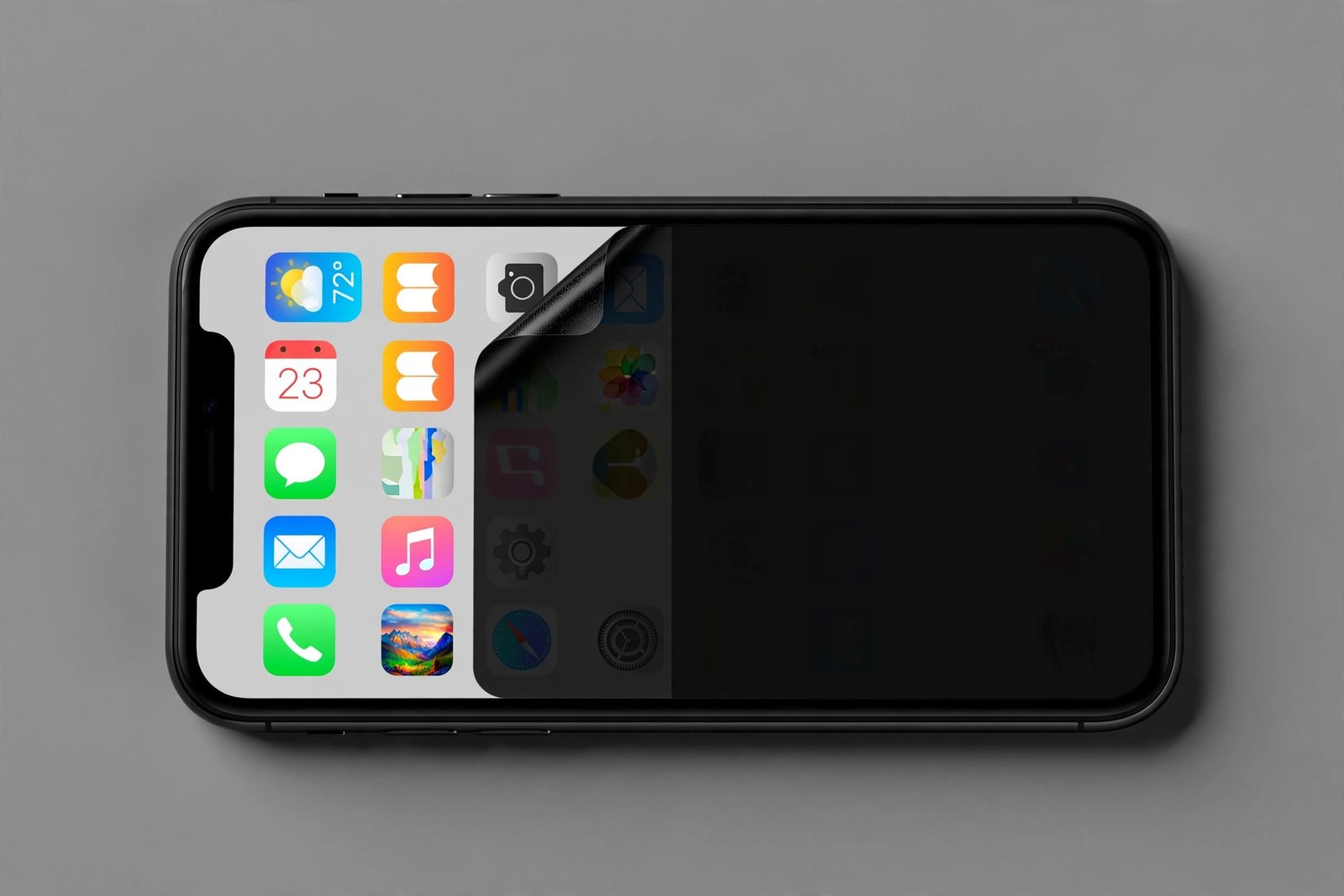
A privacy protector’s micro-louver layer is a forest of alternating transparent and opaque micro-strips. It’s engineered to block angled light — but the opaque strips can’t tell “your” light from a stranger’s. They absorb a percentage of all light passing through the layer, including the rays travelling straight toward your eyes. Less light reaches you, so the screen looks dimmer. No manufacturing defect, no installation error — just optics.
How much? Most quality protectors transmit roughly 70–85% of head-on light, meaning a 15–30% brightness reduction compared to a standard clear protector. The exact figure depends on louver density (tighter privacy angles absorb more), whether it’s two-way or four-way (two louver layers absorb more than one), and the finish.
How Much Dimmer Will It Actually Look?
Measured brightness and perceived brightness aren’t the same thing. Human vision is logarithmic — a 20% measured reduction looks like a modest dimming indoors, not a fifth of the screen going dark. In normal indoor lighting you’ll likely just nudge the brightness slider up a notch or two and forget about it.
Where it bites is bright sunlight. Outdoors, your screen is already fighting glare, and the privacy layer’s dimming stacks on top — a combination that can make the display genuinely hard to read. Four-way protectors suffer most here, and matte privacy finishes add a touch more diffusion dimming than glossy ones. If your day involves a lot of outdoor screen time — navigation, cycling computers, field work — this is the trade-off to weigh most carefully.
- After installing, toggle auto-brightness off and back on once — it forces your phone to recalibrate its ambient-light baseline to the new, dimmer normal.
- On OLED phones, switching to dark mode softens the impact: the privacy layer dims bright whites most noticeably, and dark interfaces simply ask less of the panel.
Brightness vs Battery: The Hidden Cost
The display is already your phone’s hungriest component, and compensating for the privacy layer means feeding it more. Running at 80% brightness instead of 60% to achieve the same perceived brightness draws noticeably more power over a full day — expect a few percent of extra battery drain, more on LCD screens (where the backlight lights the whole panel regardless) than on OLED (where only lit pixels draw power).
In practice, most users report the difference as small but real — the kind of thing you notice on heavy-use days, not a battery catastrophe. If you’re already a brightness-maxer who charges nightly with room to spare, you’ll barely register it. If you nurse every percent, it’s worth knowing about upfront.
Tips to Compensate Without Maxing Everything Out
Start with auto-brightness: leave it on and give it a day to learn the new baseline — modern phones adapt their ambient-light curves quickly, and manual slider-chasing usually ends with the screen brighter than it needs to be. The off-and-on toggle trick above speeds up the recalibration.
Next, check your display settings. Many phones offer a white point or vivid/natural screen mode adjustment — a slightly cooler white point can make a dimmed screen feel crisper without extra nits. And as mentioned, dark mode on OLED is the single most effective pairing with a privacy protector: dark pixels emit little light for the louver layer to absorb, so the dimming penalty shrinks dramatically.
Save maximum brightness for when you actually need it. The “extra brightness” or outdoor-boost modes on many phones push the panel beyond its normal ceiling for short bursts — ideal for a sunny moment, wasteful as a permanent setting.
When the Brightness Loss Matters Most
Three situations deserve honest consideration before you commit. Outdoor-heavy use — delivery driving, hiking with maps, photography — where the screen already struggles against the sun. Older or budget phones with dimmer panels to begin with; losing 20% of 500 nits hurts more than losing 20% of 1,500. And colour-critical work like photo editing, where the louver layer’s slight haze and dimming shift what you see.
For typical indoor use — messaging, browsing, video, office work — the vast majority of users adjust within a day and never think about it again. The privacy benefit, for most people, outweighs a couple of extra brightness notches.
Frequently Asked Questions
Will auto-brightness still work with a privacy protector?
Yes. The ambient-light sensor is usually positioned outside the louver layer’s coverage (or the layer doesn’t meaningfully block the sensor’s readings). Give it a day to recalibrate to the new baseline, and use the off-and-on toggle trick to hurry it along.
Does the dimming get worse over time?
The louver layer itself doesn’t degrade — its light absorption is structural and permanent. What changes over time is the usual protector wear: micro-scratches and a wearing oleophobic coating, which scatter a little extra light. Replacing a worn protector restores the original brightness.
Are glossy or matte privacy protectors brighter?
Glossy is slightly brighter. Matte finishes add a diffusion texture that scatters a small extra percentage of light. The difference is modest — a few percent — but if brightness is already a concern, glossy is the safer choice.
Can I just run brightness at maximum permanently?
You can, but it’s wasteful — battery drain climbs steeply at the top of the range, and sustained maximum brightness can accelerate OLED wear over time. Auto-brightness with an occasional manual boost is the healthier habit.
A little dimmer by design, easily compensated — raise it a notch, let auto-brightness learn, and enjoy the privacy.