

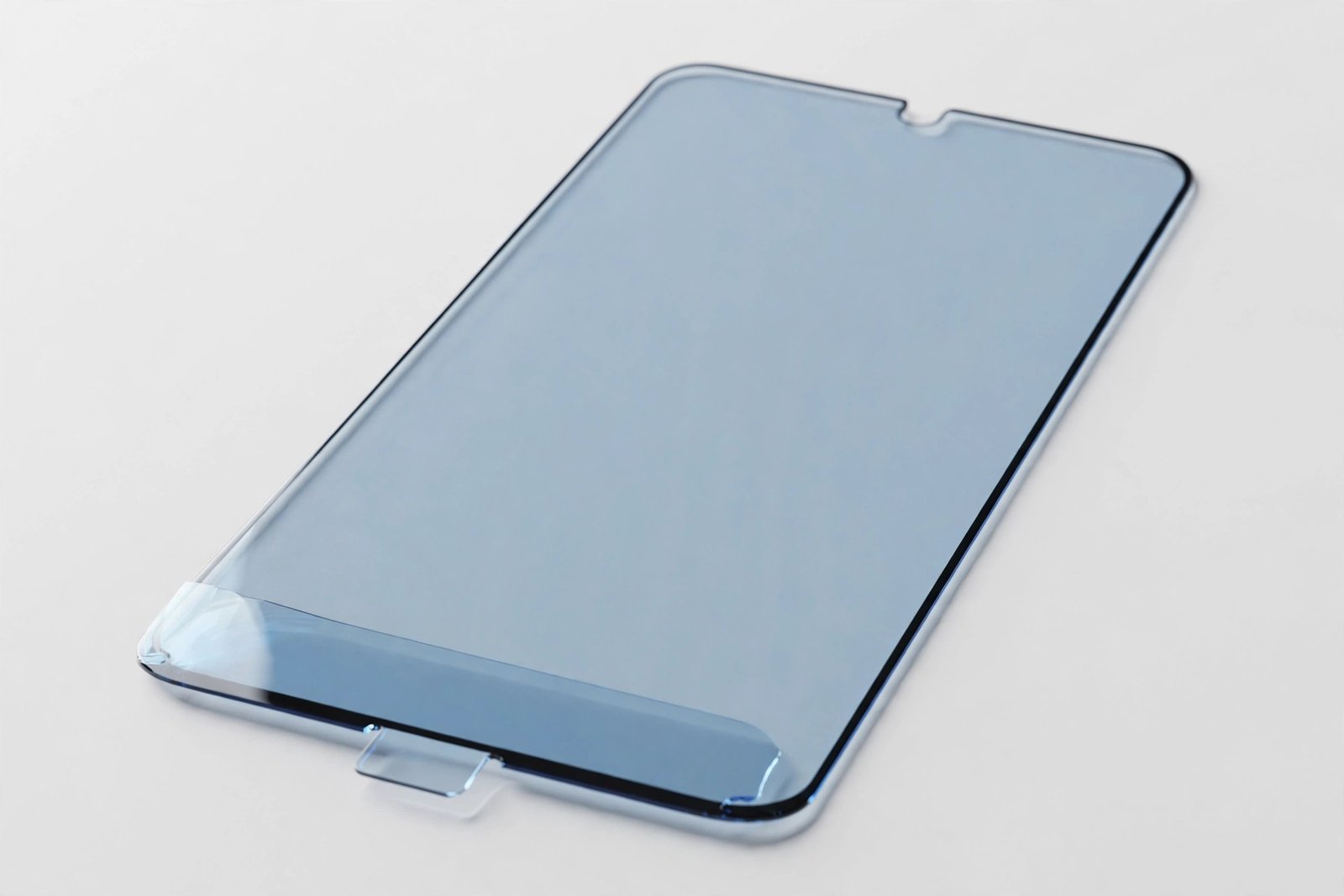
You have just fitted a brand-new screen protector and something looks off: the display has a faint blue cast, as if you are viewing the world through slightly tinted glass. Whites look a touch colder, skin tones seem cooler, and the whole screen feels a few degrees removed from the colour you remember. Before you peel it off in frustration, take a breath — in most cases, this is either intentional or temporary, and both explanations are easy to check.
This guide explains every common reason a screen protector looks blue, how to tell a deliberate feature from a defect, and what to do in each case — so you can decide whether to keep it, get used to it, or send it back.
Key Takeaways
- The most common cause is a deliberate anti-blue-light filter — these protectors are designed to tint slightly blue or yellow to cut high-energy visible light.
- A blue shimmer at viewing angles only is normal for many tempered glass protectors and comes from the oleophobic coating’s interference pattern.
- Moisture trapped under the protector during fitting can cause a temporary blue or rainbow tint that clears as it dries.
- If the whole display looks strongly and uniformly blue on a protector that was not sold as anti-blue-light, the glass batch is defective — replace it.
- Check your phone’s display settings first — Night Shift, blue-light filters, and True Tone can combine with a protector to exaggerate the tint.
Anti-Blue-Light Protectors: Tint by Design
The number one reason for a blue-looking protector is that it is supposed to look that way. Anti-blue-light (sometimes marketed as “eye care” or “blue light blocking”) screen protectors contain a filter layer that absorbs a portion of high-energy visible light in the 400–450 nanometre range. This filtering inevitably shifts the colour balance: most anti-blue-light protectors give whites a faint warm-yellow cast, but some brands’ filter chemistry leans blue — particularly at angles — and the box usually mentions this somewhere in small print.
If you bought a protector explicitly marketed as blue-light blocking, a tint is not a fault — it is the product working. The question is whether you actually want the feature. Blue-light filtering is a comfort choice with modest evidence behind it; some users swear their eyes feel better, others just notice duller colours. If you did not knowingly choose this feature, you have simply bought the wrong variant: swap it for a standard clear protector of the same brand and the tint disappears.
- Check the box and the listing for “blue light”, “eye care”, or “H.E.V. filter” wording. These phrases mean the tint is deliberate. If you want maximum colour accuracy — for photo editing or design work — always buy the standard “HD clear” version instead.
The Angle-Dependent Blue Shimmer
Here is the tint most people actually see: the display looks perfectly normal straight-on, but tilting the phone reveals a faint blue or rainbow shimmer, especially on dark backgrounds. This is an optical interference effect from the protector’s multi-layer construction — the oleophobic coating, the anti-reflective layers, and the glass itself each bend light slightly differently, and at oblique angles the combined effect produces visible colour fringing.
This is completely normal and affects a large share of tempered glass protectors, including expensive ones. It is more noticeable on OLED displays, where the deep blacks make the shimmer stand out, and in bright environments where angled reflections are strongest. It does not indicate a defect, it does not worsen over time, and it has no effect on the display’s actual colour output — what your eyes see straight-on is what the phone is rendering.
Moisture and the Temporary Tint
If the blue cast appeared immediately after fitting and is accompanied by a slightly cloudy or rainbow look, trapped moisture is the likely culprit. Wet-install protectors, humid fitting environments, or even the wet wipe not being fully buffed dry can leave a microscopic film of moisture between the protector and the display. Light passing through this uneven layer refracts into blue and rainbow fringes — the same physics as an oil slick on water.
The good news: this clears on its own, usually within 24 to 48 hours, as the moisture evaporates and the adhesive fully bonds. Resist the urge to peel and refit — that just introduces fresh moisture and fresh dust. Give it two days; if the tint is fading, it was moisture. If it is unchanged after 48 hours, the cause is something else on this list.
- To minimise moisture tint on your next fitting, buff the screen thoroughly dry with the microfibre cloth after the wet wipe — keep going until the glass squeaks slightly under the cloth — and avoid fitting in a steamy bathroom for wet-install film protectors.
When It Is Genuinely a Defect
Sometimes blue is just wrong. A strong, uniform blue cast across the whole display, viewed straight-on, on a protector sold as standard clear glass, points to a manufacturing problem — usually an incorrect adhesive formulation or a contaminated glass batch. The silicone adhesive layer should be optically neutral; when the chemistry is off, it tints everything that passes through it, and no amount of waiting or settings-tweaking will fix it.
The test is simple: remove the protector (or hold a corner lifted) and compare the display with and without it. If the blue vanishes the instant the glass lifts, the protector is the cause. A reputable brand will replace a tinted-from-new protector without argument — photograph the comparison and contact the seller. Cheap no-name multi-packs are the most common offenders, which is another reason to buy from brands with real customer service.
Check Your Display Settings First
Before blaming the protector, rule out the phone itself. Night Shift (iPhone), Night Light (Android), or any scheduled blue-light filter warms the display dramatically — and a new protector fitted in the evening can take the blame for a filter that was already on. Similarly, True Tone and adaptive colour features shift the white balance with ambient light, which can read as a tint when you are scrutinising the screen unusually closely after a fresh install.
Turn off all colour-shifting features temporarily and compare. If the blue disappears, the protector was innocent — it was just the first thing you changed, so it got the blame. This happens more often than anyone admits: a fresh protector makes people stare at their display critically for the first time in months, and they notice settings effects that were there all along.
Frequently Asked Questions
Will the blue tint go away on its own?
Moisture-related tint fades within 24–48 hours. The angle-dependent shimmer never goes away but is normal and harmless. A uniform blue cast from a defective adhesive will not improve — replace the protector.
Do anti-blue-light protectors actually protect your eyes?
The evidence is modest: they do reduce high-energy visible light reaching your eyes, but whether that meaningfully reduces eye strain or improves sleep is still debated by researchers. If your eyes feel better with one, that is reason enough — but buy it knowingly, not by accident.
Can a blue tint damage my phone’s display?
No. A tinted protector changes what you see, not what the display produces. The panel underneath is unaffected — remove the protector and the display is exactly as it was. The only “damage” is to your viewing experience.
A blue protector is usually telling you something — about its filter, its fitting, or your display settings. Read the message before you peel it off: most tints are features or physics, not faults.


