

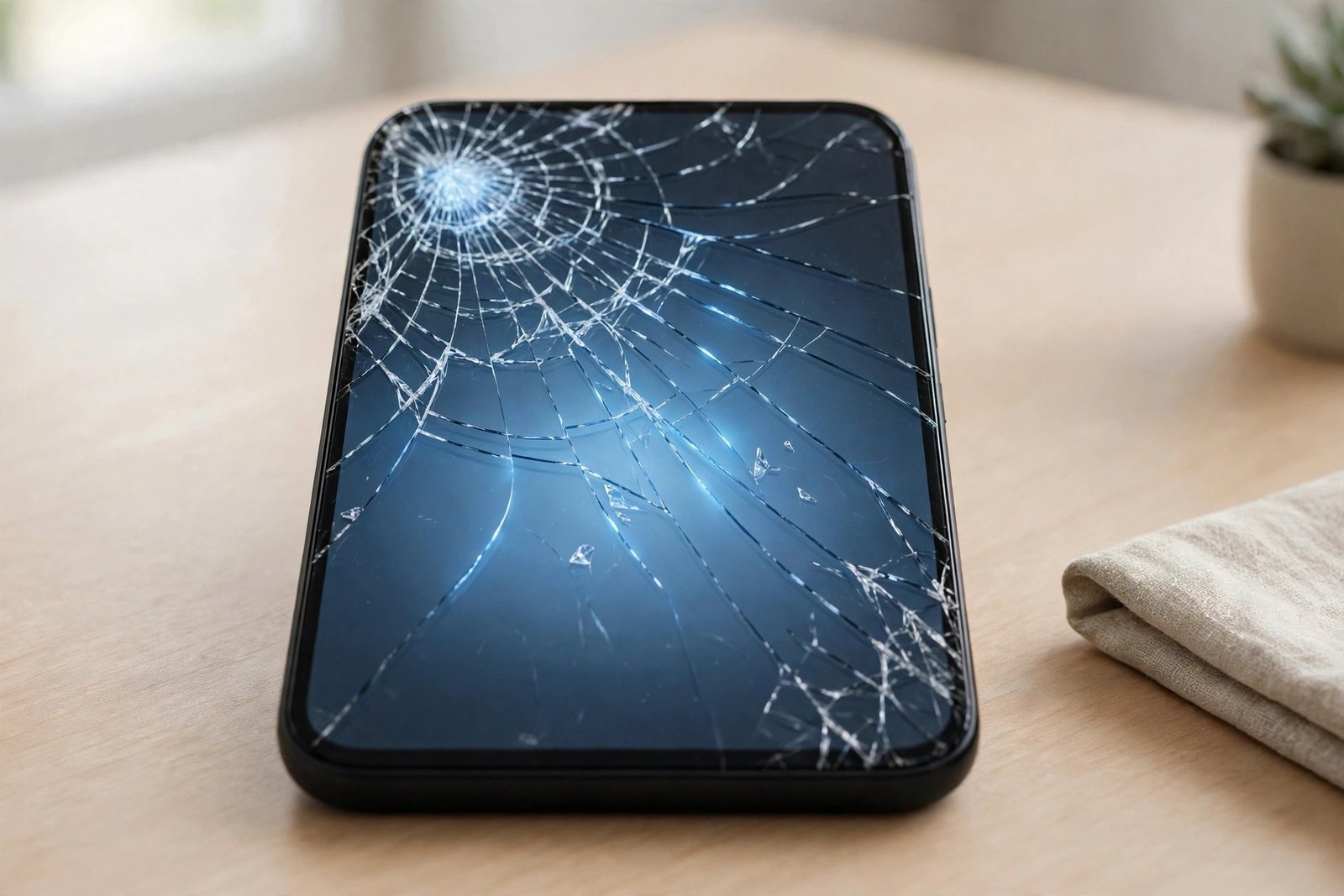
Your screen protector did its job. It took the impact from a drop, a knock or a set of keys it had no business meeting — and now it is cracked. A replacement is a few days away, or the job keeps slipping down the list. In the meantime, is it actually bad to leave the cracked one on?
Mostly, it depends on the crack. A single hairline fracture is a minor problem you can live with briefly. A spiderweb of cracks is a different story — and leaving it can quietly make things worse, including for the screen underneath. Here is how to judge yours.
Key Takeaways
- A cracked tempered glass protector has already spent most of its protective value — the tempering that lets it absorb impacts has been discharged at the crack.
- Crack edges can feel sharp and may shed tiny fragments of glass, especially around the impact point.
- Dirt, grit and moisture work their way into and under the cracks — and trapped grit can scratch the very screen the protector was guarding.
- A hairline crack with smooth, fully adhered edges is usually fine for a few days while a replacement arrives.
- Spiderweb cracks, lifting edges, or any sharpness you can feel with a fingertip mean replace it today.
A Cracked Protector Is a Spent Protector
Tempered glass protects your screen by being sacrificial: its internal stresses are engineered so that, on impact, the protector fractures and dissipates energy that would otherwise reach the display. That is a one-time trick. Once cracked, the glass has released those stresses and lost its structural integrity — the cracks are fault lines along which the next impact will travel straight through to your screen with far less resistance.
This is the point most people miss. A cracked protector still looks like a layer of glass, so it feels as though something is still standing guard. In reality, its impact protection is largely gone. What remains is scratch cover — and even that is compromised wherever the cracks have lifted or opened.
Sharp Edges, Glass Dust and Worse
Tempered glass is designed to break into small, relatively blunt pieces rather than long shards, which is why a cracked protector is rarely dangerous in the way a broken window would be. Rarely is not never. Crack junctions and impact points can have edges sharp enough to catch on skin, snag in a pocket or bag lining, and irritate — or occasionally nick — a fingertip, particularly a child’s.
There is also the matter of glass dust. A cracked protector can shed microscopic fragments around the fracture lines. Those fragments end up on your fingers and from there on your face, your desk and your other devices. It is a minor hazard, but a pointless one to live with when a replacement costs a few pounds.
- Until the replacement arrives, a strip of clear packing tape over the worst of the cracking keeps fragments in place and smooths over sharp edges. It looks dreadful and works perfectly — an ideal temporary fix.
What Gets In Through the Cracks
An intact protector seals the screen. A cracked one does not. Every fracture is a channel for pocket lint, dust, grit and moisture to reach the glass underneath and, where the protector has started to lift, to migrate across the surface. Moisture in the cracks can also cause faint touch inaccuracies and makes the damage look worse than it is, as liquid changes how the cracks catch the light.
The real villain is grit. Hard particles — sand is the classic example — trapped between a loose, cracked protector and the screen are dragged across the glass every time the phone is pressed, pocketed or wiped. The result is the quiet irony of the situation: the protector you left on to guard the screen ends up sanding fine scratches into it.
When It’s Fine to Wait a Few Days
Not every crack is an emergency. If the damage is a single hairline crack, the protector is still fully adhered with no lifting at the edges, and running a fingertip over it feels smooth, you can reasonably carry on for a few days while a replacement is posted. Avoid pressing hard on the cracked area, keep the phone out of gritty environments if you can, and don’t treat the screen as protected — because largely, it isn’t.
- Order protectors in multi-packs and keep a spare in a drawer. A cracked protector then becomes a five-minute job on the day it happens, not a week of waiting with glass dust on your fingers.
Replace It Today If…
Some damage shouldn’t wait. Replace the protector immediately if the cracking is a spiderweb across the screen rather than a single line; if any part feels sharp or catches your fingertip; if the edges have started to lift or peel; if fragments are visibly loose or missing; or if cracks cross the front camera or sensors and are affecting photos or Face ID. In any of these states the protector is providing almost no protection while adding small risks of its own.
When you do remove it, cover the cracked surface with packing tape first and peel slowly from one corner — the tape holds the fragments together so they come away in one piece instead of scattering. Wash your hands afterwards, and bin the old protector wrapped in the tape.
Frequently Asked Questions
Can a cracked screen protector scratch my actual screen?
Yes — indirectly. Grit and dust that work under a cracked, lifting protector can be ground across the display in normal use. The longer a badly cracked protector stays on, the greater the chance it causes the damage it was meant to prevent.
Is it dangerous to keep using a phone with a cracked protector?
The risk is low, because tempered glass breaks into small, fairly blunt fragments. But sharp crack edges can irritate or nick skin, and loose fragments are best contained. If you can feel sharpness, take it off — with tape over it first.
My protector has one tiny crack in the corner. Must I replace it?
Not urgently. A small corner crack with smooth edges and no lifting is mainly a cosmetic issue for a few days. Order a replacement and swap it when it arrives — and remember its impact protection is already reduced.
A cracked protector is a job half-finished: it saved your screen once, and now it’s asking to retire. Leave it a few days if it’s smooth and settled — but don’t let “still on the phone” fool you into thinking it’s still on duty.


