

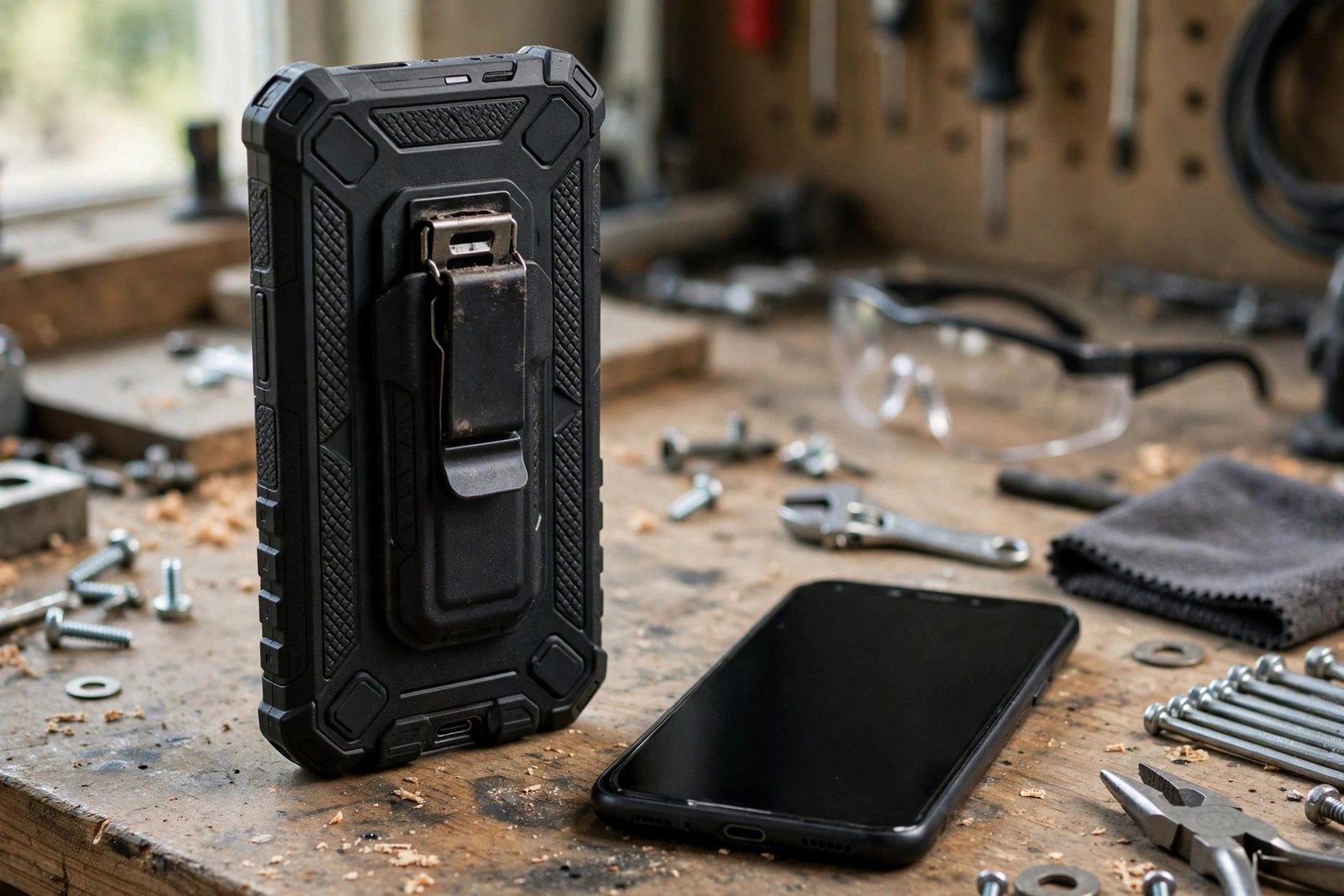
If you’ve just unboxed an OtterBox Defender Pro and you’re hunting for the built-in screen cover you remember from older Defender cases, you can stop looking — there isn’t one. The Defender Pro is sold without a built-in screen protector. The front of the case is open, and your phone’s screen sits behind the case’s raised edges with nothing covering it.
This surprises a lot of buyers, because the classic Defender cases of years ago famously included a plastic screen membrane. This guide explains the screenless design, what protection the Defender Pro does still provide, and your options if you want a screen protector as well.
Key Takeaways
- The OtterBox Defender Pro has no built-in screen protector — the design is deliberately “screenless”.
- Current OtterBox rugged lines are mostly screenless by design, so always check the product page for your exact model before assuming a cover is included.
- The case still protects the screen indirectly with raised edges that hold the display off flat surfaces.
- It retains classic Defender features: port covers that keep out dust and lint, a rigid inner shell with foam, and a belt-clip holster on many versions.
- You can add a separate screen protector — OtterBox sells its own glass, and most slim third-party glass protectors fit underneath the case.
Why OtterBox Dropped the Built-In Screen Cover
The old built-in membranes had real drawbacks. The plastic window sat slightly above the screen, which dulled touch response, trapped dust and moisture underneath, and created an air gap that many users found cheap-feeling. As phone screens became curved and fingerprint sensors moved under the display, a loose plastic cover became even harder to make work well. OtterBox’s answer was to remove it and rely on the case’s structure instead.
It’s also worth knowing that this isn’t unique to one model. Most current OtterBox lines are screenless, including recent Defender and Defender Pro releases for flagship phones. Product ranges and included accessories change over time, though, so treat this as the general picture and check current product details for the exact case and phone model you’re buying.
How the Screen Is Protected Without a Cover
A screenless case is not an unprotected screen. The Defender Pro’s polycarbonate shell and synthetic rubber slipcover extend above the surface of the display, so when the phone lands face-down on a flat surface, the case’s edges take the contact and the glass never touches the ground. The multi-layer construction — rigid shell, internal foam and outer rubber — is designed to absorb and deflect drop energy around the phone rather than through it.
The rest of the classic Defender formula remains. Port covers block the charging port and other openings against dust, dirt and pocket lint, which matters if you work outdoors or on site. Many Defender Pro versions also include a belt-clip holster that doubles as a kickstand — and when the phone is clipped in screen-inwards, the holster itself acts as a face cover during transport. What the design cannot do is stop a sharp object — gravel, tools, the corner of a table — from reaching the screen directly. That’s the gap a separate protector fills.
- If you clip the phone into its holster screen-side in, the holster shields the display in your bag or on your belt — the closest thing to a built-in cover the Defender Pro offers.
Adding a Screen Protector to a Defender Pro
The good news is that a screenless case leaves room for your choice of protector. OtterBox sells its own tempered glass protectors designed to be case-compatible, and most slim third-party glass protectors also fit, provided they’re cut with a small margin from the screen’s edge — often sold as “case-friendly”. Fit the protector before assembling the case, let the adhesive settle, and check that the case’s inner shell doesn’t press on the protector’s edges, which can lift them over time.
If your priority is a fully sealed front, alternatives exist — some rugged cases from other brands still include built-in screen covers, and waterproof pouch-style cases enclose the whole phone. But for most Defender Pro owners, case plus a sheet of tempered glass gives better touch feel and clarity than any built-in membrane ever did. Prices and bundle options vary, so check current terms and prices before buying.
- When combining glass with a Defender Pro, fit the glass, wait 15–30 minutes, then assemble the case — and run a fingertip around the edges afterwards to confirm the shell hasn’t lifted any corner of the protector.
Frequently Asked Questions
Did older Defender cases have a built-in screen protector?
Yes. Classic Defender models included a built-in plastic screen membrane. OtterBox moved the range to a screenless design with later generations, so a second-hand or old-stock case may differ from a current one — another reason to check the exact model before buying.
Will any screen protector fit under a Defender Pro?
Most slim tempered glass protectors do, especially case-friendly cuts that stop short of the screen’s edge. Very thick glass or full-coverage designs that wrap the edges can clash with the case’s shell. If in doubt, OtterBox’s own protectors are designed for its cases.
Is a screenless case still protective?
Yes — for drops, which are the biggest killer of phones, the Defender Pro’s layered construction and raised edges do the heavy lifting. What it lacks is a barrier against direct contact with the screen itself, which is a separate, smaller risk you can close with an inexpensive sheet of glass — check current prices for protectors that fit your model.
The Defender Pro protects your phone the modern way — structure first, screen cover optional. Add a sheet of glass if you want the front sealed, and you’ve lost nothing the old membrane gave you.


