An SD card viewer has one job: show you what is on the card before you get home. I tested ten ways to do it — standalone viewers with their own screens for trail-camera checks in the woods, phone readers for iPhone and Android, and desktop readers for photographers — using the same mixed cards throughout: trail-cam SD cards, a photographer’s UHS-II SD, microSD cards, and one CFexpress Type B card.
Three lessons up front. Screens beat squinting: a dedicated viewer finds the one good buck photo in 400 duds faster than any laptop session back at camp. Connectors are destiny: Lightning readers are stranded on older iPhones, and everything new is USB-C. And a viewer is not a backup — most of these only show you files; unless a reader moves them to a phone, tablet or second card, your photos still live on one fragile card.
Key Takeaways
- Best all-rounder: the Wildgame VU70 — a 7-inch touch screen and dual SD slots make it the field viewer to beat.
- Standalone viewers (VU70, VU60, Stealth Cam, Muddy) need no phone, app or signal — but all four cap cards at 32 GB.
- Connector check first: Lightning readers fit iPhone 14 and older only; iPhone 15 and later, Android and iPads need USB-C.
- UHS-II only pays off end to end: a UHS-II card in a UHS-I reader runs at UHS-I speed, whatever the box claims.
- A viewer is not a backup: copy keepers to your phone or a second card before you format anything.
Our Top Picks at a Glance
More Details on Our Top Picks
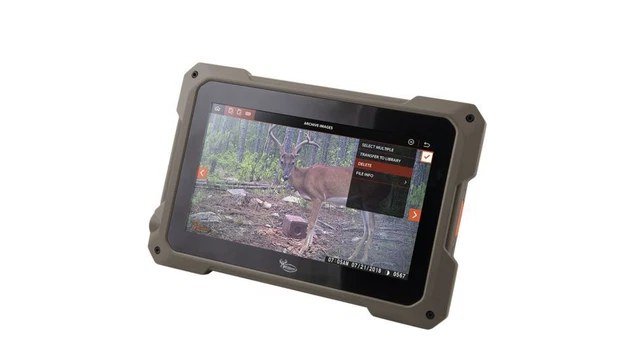
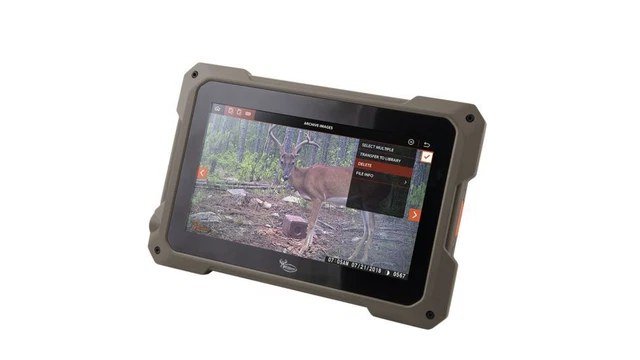
Wildgame Innovations Trail Pad Tablet VU70
The VU70 is what happens when a card viewer grows up into a tablet. The 7-inch touch screen is in a different league from the 4.3-inch viewers here: I could judge whether a night photo was sharp, count points on a buck and read timestamps without pinch-zooming every frame.
The second SD slot is the clever part. View the camera card in slot one, keep a spare card in slot two, and transfer the keepers across before you format anything — the only standalone viewer here that doubles as a field backup. It runs on 4 AA batteries, so spares live in the same pack.
The honest costs: it is bulky, both slots cap at 32 GB cards, and microSD needs an adapter. For hunters running several cameras who review at the truck, it is the best overall viewer I tested.
- Screen: 7 in touch
- Slots: 2 x SD (up to 32 GB each)
- Playback: Photo and 1080p video
- Power: 4 x AA batteries
- Extras: Zoom, delete, transfer to library
- Model: WGIVW0009
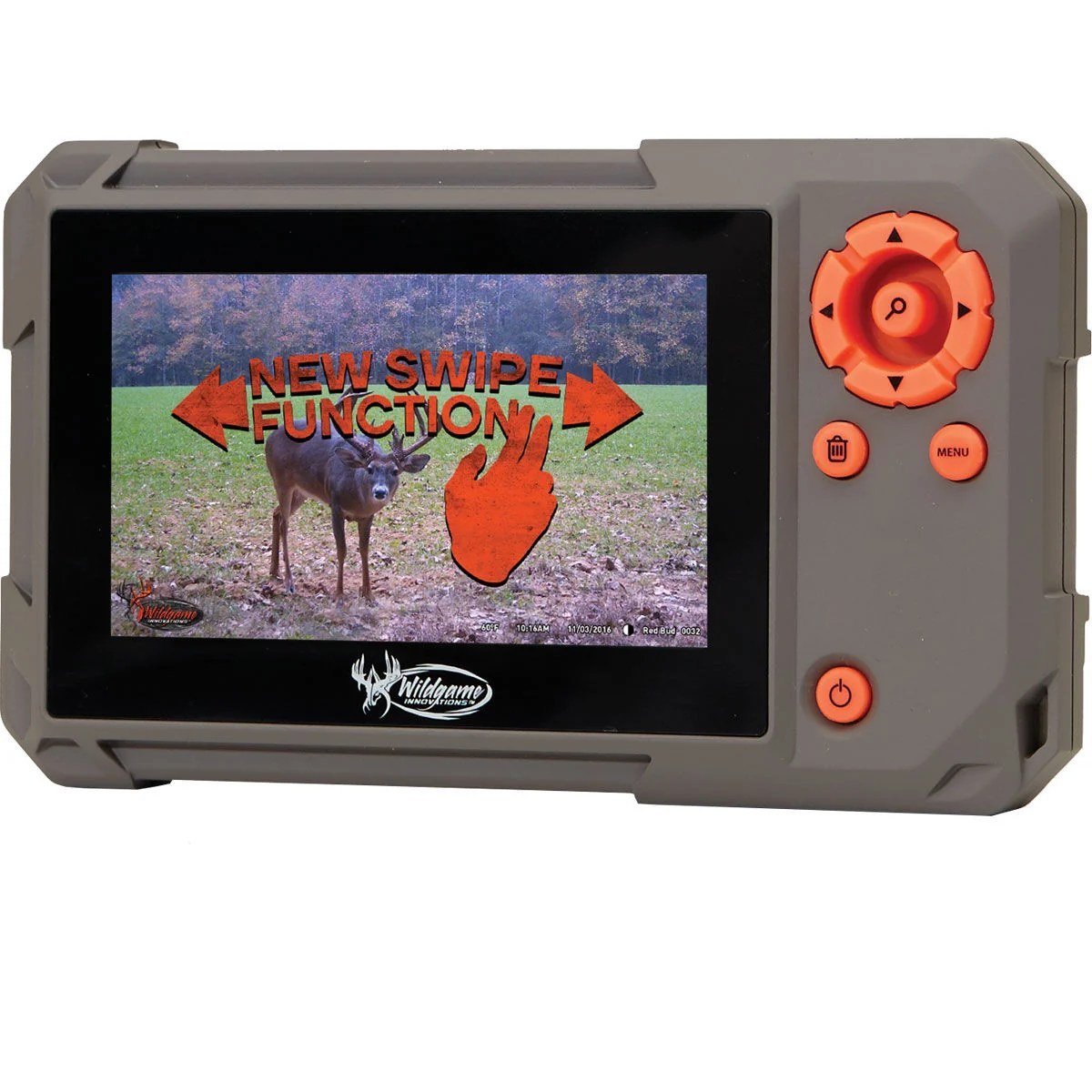
Wildgame Innovations Trail Pad Swipe VU60
The VU60 takes the same idea as its big brother and shrinks it into a coat pocket. The 4.3-inch colour touch screen lets you swipe through a card exactly like a phone gallery, which on a 600-photo card is worth more than any spec on the box.
It plays 1080p video as well as stills, runs on 4 AAA batteries, and asks for nothing else — no app, no account, no signal. At the tree, I scanned the week’s activity in a couple of minutes and had the card back in the camera.
You give up the second slot and the big judging screen of the VU70, and the 32 GB card ceiling is shared with every standalone viewer here. As a compact field viewer for one or two cameras, it is the sweet spot.
- Screen: 4.3 in colour touch
- Cards: SD up to 32 GB
- Playback: Photo and 1080p video
- Power: 4 x AAA batteries
- Controls: Touch plus buttons
- Use: Standalone field viewer
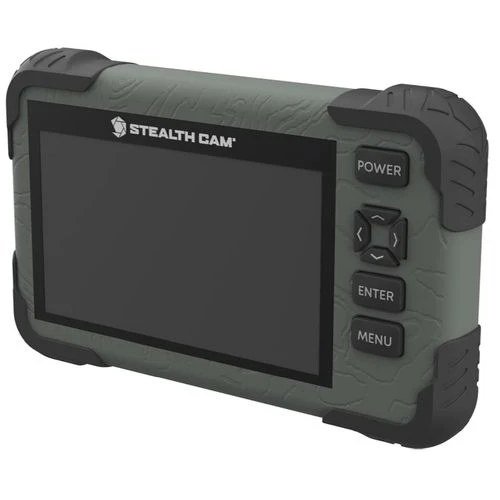
Stealth Cam SD Card Viewer CRV43XHD
Stealth Cam built this viewer for rough days: a water-resistant housing, chunky corner bumpers and a camo finish that does not mind mud, drizzle or being dropped in leaf litter. It feels like a tool, not a gadget.
The 4.3-inch touch screen handles photos and 1080p video, and there are physical buttons alongside for the moments touch screens hate — wet fingers and gloves. Browsing is brisk, zooming is easy, and deleting the hundred empty trigger shots takes seconds.
The limits are the usual ones for this class: SD cards up to 32 GB, no microSD slot without an adapter, and no way to move files anywhere — it views, it does not back up. As a leave-in-the-truck, all-weather viewer, it is my pick.
- Screen: 4.3 in LCD touch
- Cards: SD up to 32 GB
- Playback: Photo and 1080p video
- Housing: Water-resistant
- Model: STC-CRV43XHD
- Finish: Camo with black bumpers
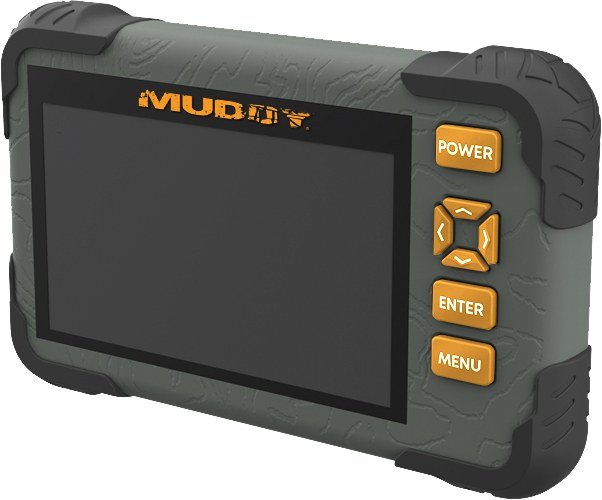
Muddy SD Card Viewer CRV43HD
The Muddy is the budget door into standalone viewing: a 4.3-inch LCD, a water-resistant shell and big physical buttons, at the lowest price of the four screen viewers here. Nothing about it is fancy, and that is rather the point.
Button navigation is slower than swiping, but the buttons never miss with gloves on, which touch screens routinely do. The headphone jack is a thoughtful extra: trail-cam video with sound, reviewed quietly in a stand.
It shares the class limits — 32 GB cards maximum, viewing only, no file transfers — and listings for it come and go, so check the offer before a trip. If you want a screen without phone fuss and the price matters, this is the one.
- Screen: 4.3 in LCD (non-touch)
- Cards: SD up to 32 GB
- Playback: Photo and 1080p video
- Audio: Headphone jack
- Model: MUD-CRV43HD
- Controls: Physical buttons
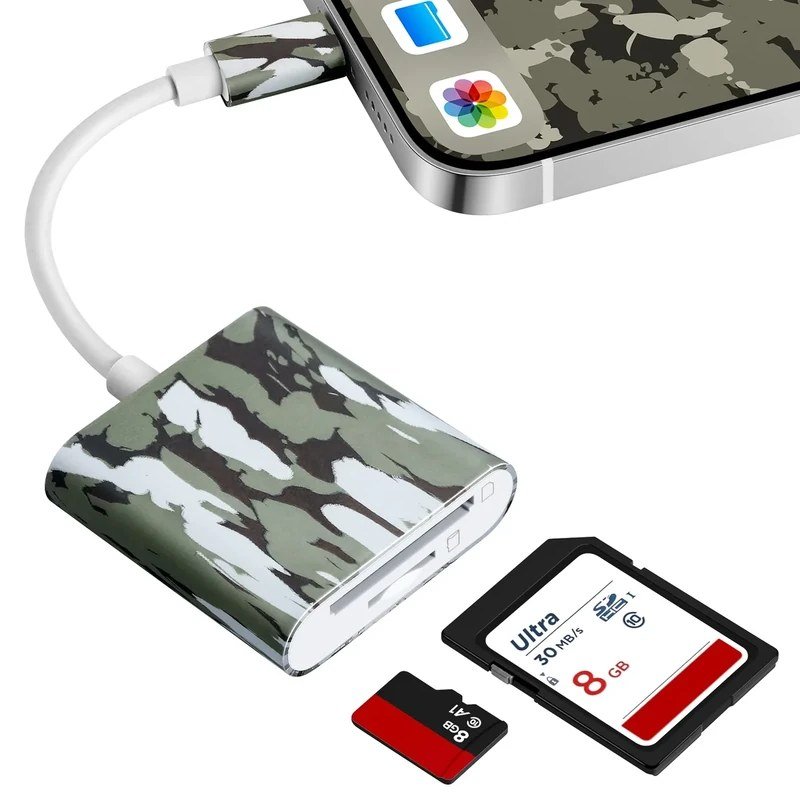
Cabor Trail Camera Viewer for iPhone
If your iPhone has a Lightning port — everything from the 6S to the 14 — this little camo dongle turns it into a trail-cam viewer. Plug in, open the viewer app, and the card’s photos and videos are on the best screen you own, ready to save to your camera roll or share on the spot.
Both SD and microSD slots are built in, it draws power from the phone, and it weighs nothing. For a hunter with an older iPhone, it is hard to argue with the price of admission compared with a standalone viewer.
Now the caveats. Lightning is a dead end: this does nothing on an iPhone 15 or later. And like most budget Lightning viewers it leans on a third-party app rather than Apple’s own Files app — check the app’s update history before relying on it, because neglected viewer apps are the first thing iOS updates break.
- Connector: Lightning
- Cards: SD and microSD
- Fits: iPhone 6S-14, Lightning iPads
- App: Third-party viewer app required
- Power: Draws from the phone
- Note: Not for USB-C iPhones
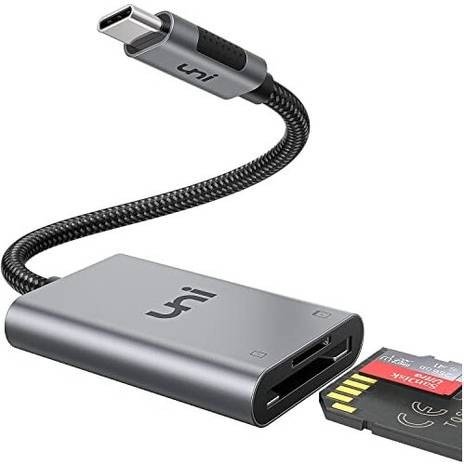
uni USB-C SD Card Reader
The uni is the reader I would hand any Android user. Plug it into a Galaxy or Pixel, open the phone’s Files app, and the card is simply there — photos and videos preview full-screen, copies save to the phone, and no third-party app gets between you and your files.
Build quality is a step above the no-name dongles: an aluminium shell and a braided nylon cable that survives being wound around the reader in a pocket. Both slots read at once, and the same reader plugs into a MacBook or USB-C laptop at the end of the day.
It is UHS-I only, so a fast UHS-II card runs at UHS-I pace — irrelevant for viewing, noticeable on giant offloads. And it is USB-C only: Lightning iPhones need the Cabor above. Within those lines, it is the Android pick.
- Connector: USB-C
- Cards: SD and microSD (UHS-I)
- Interface: USB 3.0, 5Gbps
- Cable: Braided nylon
- Shell: Aluminium
- App: None required
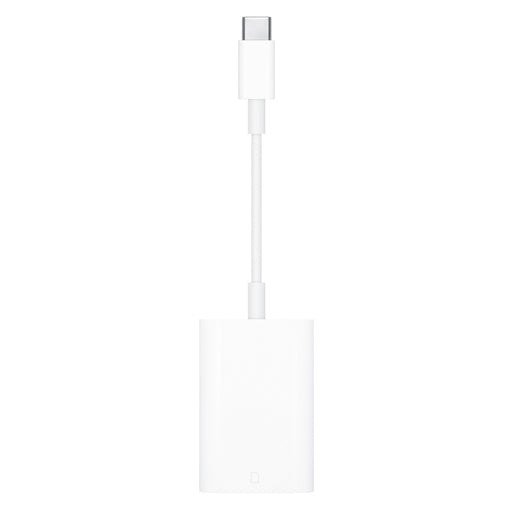
Apple USB-C to SD Card Reader
Apple’s own reader is the boring, correct answer for iPad and Mac users. Plug a camera card into an iPad and the Photos import screen appears; on an iPhone 15 or later it shows in Files. No app to install, no permissions to grant, nothing to break at the next iOS update.
It is also quietly fast: the slot is UHS-II, so a UHS-II card imports at full speed rather than falling back. For photographers checking a card on an iPad in the field, this is the professional habit.
The Apple tax is real: one slot, SD only, microSD needs an adapter, and it costs more than dual-slot rivals. You are paying for certainty. For anyone deep in the Apple ecosystem, it is worth it; for everyone else, the UGREEN below does more for less.
- Connector: USB-C
- Cards: SD, SDHC, SDXC (UHS-II and UHS-I)
- Model: MW5M3AM/A
- Works with: USB-C iPhone, iPad, Mac
- App: None — native Photos and Files
- UPC: 195949396878
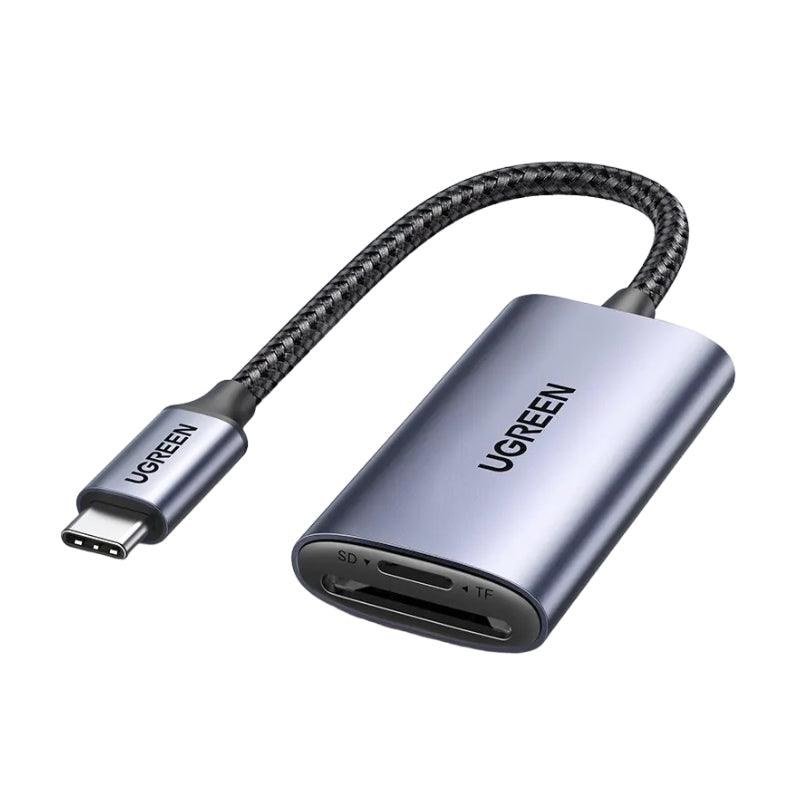
UGREEN USB C SD 4.0 Card Reader
The UGREEN SD 4.0 is the speed bargain of the ten. Its SD slot is UHS-II — up to 312 MB/s with a UHS-II card — performance that usually costs two or three times as much, and it previews on a phone as happily as it ingests to a laptop.
Two connectors, USB-C and USB-A, mean one reader covers a modern phone, an iPad and an older desktop without adapters, and both card slots work at the same time. The braided cable and aluminium body feel a class above the price.
Honesty about the headline number: 312 MB/s needs a UHS-II card and a fast host; a UHS-I card runs at UHS-I speed here, as everywhere. It is also a cable reader, not a leave-in dongle. For the money, nothing else here moves files this fast.
- Connector: USB-C plus USB-A
- Cards: SD and microSD
- Speed class: UHS-II and UHS-I (SD 4.0)
- Max rate: 312 MB/s (UHS-II)
- Model: 65024
- Simultaneous: SD plus microSD
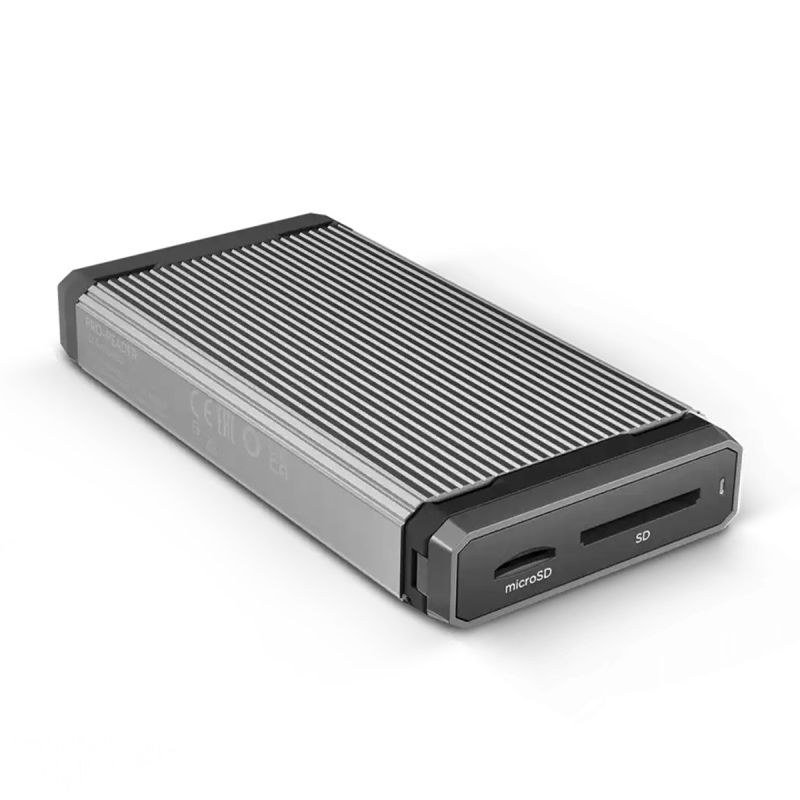
SanDisk Professional PRO-READER SD and microSD
The PRO-READER is a desk anchor, not a pocket dongle: a machined aluminium body with enough heft to stay where you put it while cards go in and out one-handed. It is built for the end of a shooting day, not for a tree stand.
Its party trick is QuickFlow: with SanDisk’s own UHS-I cards it offloads at up to 250 MB/s, well beyond the standard UHS-I ceiling. SD and microSD both get proper slots — no fiddly adapters at ingest time.
The catch is in the name of its class: this is a UHS-I reader, so a UHS-II card will not reach its peak here — the UGREEN or ProGrade will serve that card better. For photographers standardised on SanDisk UHS-I media, it is the fastest, nicest way home.
- Connector: USB-C (USB 3.2 Gen 1)
- Cards: SD and microSD, UHS-I
- Speed: Up to 250 MB/s with SanDisk QuickFlow
- Model: SDPR5A8-0000-GBAND
- Body: Aluminium
- Use: Desktop ingest station
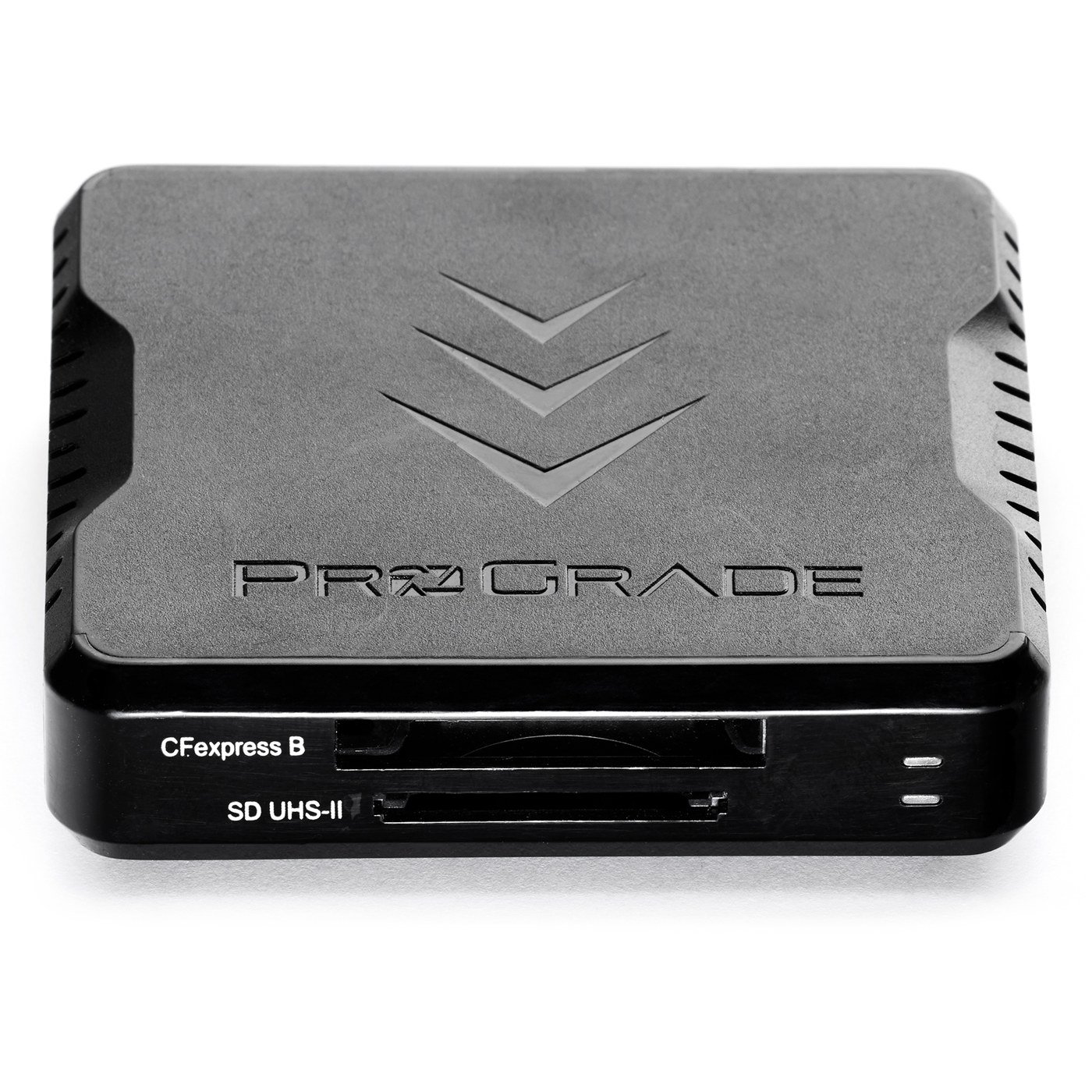
ProGrade Digital CFexpress B and SD UHS-II Reader
Flagship cameras from Nikon, Canon, Sony and Fujifilm record to CFexpress Type B, and this is the reader those shooters standardise on: one slot for CFexpress B, one for SD UHS-II, and a USB 3.2 Gen 2 link that does not bottleneck either of them.
In testing it offloaded a UHS-II SD card at the card’s full pace, and the build is a class apart — a solid body, a magnetic base that snaps onto a metal workstation, and both USB-C and USB-A cables in the box.
For this roundup’s trail-cam and phone-viewing crowd it is frankly overkill, and there is no microSD slot. But if your camera costs more than your car, this is the correct reader, and the SD slot makes it the best pro-grade viewer here.
- Slots: CFexpress Type B + SD UHS-II
- Interface: USB 3.2 Gen 2 (10Gbps)
- Model: PGRWCFXSDANA
- Extras: Magnetic base, USB-C and USB-A cables
- Use: Professional photo and video ingest
- microSD: Adapter needed
Choosing Between Them: Screen, Phone or Desk?
Start with where you will view. In the field, with gloves on and no signal, a standalone screen wins: the VU70 if you review hundreds of photos at the truck, the VU60, Stealth Cam or Muddy for a pocketable check at the camera. At a desk, skip screens entirely — the SanDisk PRO-READER or ProGrade ingests faster and feeds your editing software directly.
Phone readers are the middle path: the screen is superb and you can share a photo on the spot, but you are hostage to connectors and apps. iPhone 14 and older means Lightning — the Cabor is the cheap, cheerful pick. iPhone 15 and later, Android, iPad and modern laptops are all USB-C: the uni for simple viewing, Apple’s own reader for Photos imports, the UGREEN when speed matters.
On speed, be honest about the chain. UHS-II cards carry a second row of pins and need a UHS-II reader — UGREEN, Apple or ProGrade here — to pass roughly 300 MB/s. In a UHS-I reader the same card falls back to UHS-I pace, near 100 MB/s. For scrolling trail-cam JPEGs that hardly matters; for offloading a full card of 4K video, it is minutes versus a long coffee break.
Apps, Backups and Honest Caveats
App quality is the hidden spec on phone viewers. Readers that work through the phone’s own Files or Photos app — uni, Apple, UGREEN — age gracefully. No-name Lightning viewers often depend on a third-party app from a small developer; when iOS updates, those apps can break or vanish from the store. If a viewer needs an app, check its update history first.
Remember what a viewer cannot do. Viewing is not backing up: photos are safe only when they exist in two places. The VU70’s second slot and phone readers that save to your camera roll genuinely protect keepers; a screen viewer that only displays files does not. Never format a card in the field until the shots you care about live somewhere else.
Finally, mind the 32 GB ceiling on the standalone hunting viewers — fine for most trail cameras, a real limit for modern high-capacity cards — and treat ‘up to’ transfer speeds as best-case numbers measured with the maker’s own fastest card.
Final Verdict
Buy by connector and location: the Wildgame VU70 for field viewing, the uni USB-C for Android phones, Apple’s reader for iPad and Mac, and the UGREEN SD 4.0 for speed per pound on a desk. Photographers with CFexpress cards should step straight to the ProGrade — and everyone should back up the keepers before the card goes back in the camera.
As an Amazon Associate, tmtimings.com earns from qualifying purchases made through links on this page, at no extra cost to you. Always check card-capacity limits before a trip, and back up irreplaceable photos before formatting a card.