

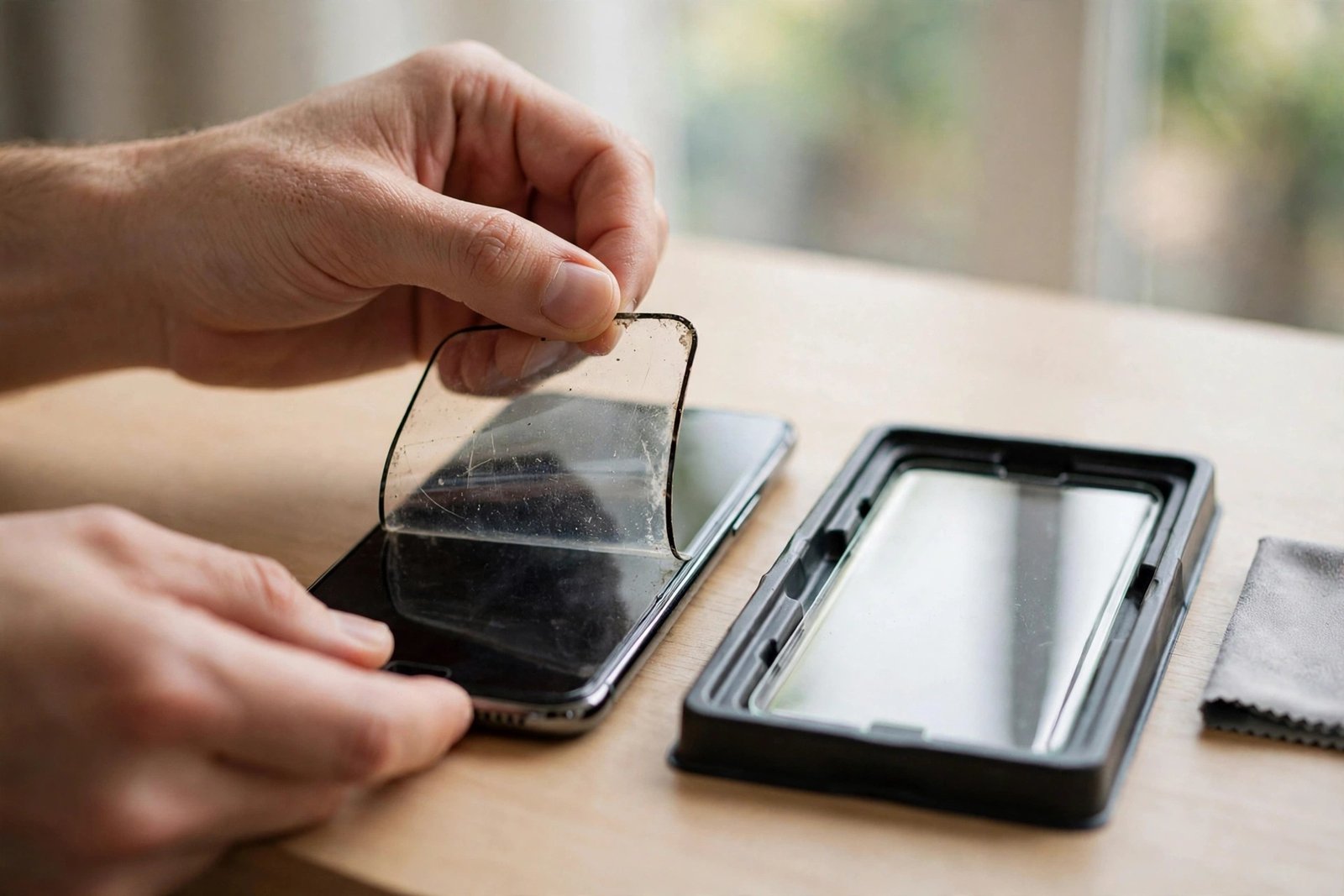
Yes — and that short answer deserves emphasis, because many people treat a screen protector as a permanent fixture. It is not. A screen protector is a consumable, sacrificial part, designed from the outset to take damage, wear out, and be replaced. Nothing about your phone expects the original protector to stay on forever, and replacing one is a normal maintenance task, not a repair.
This guide covers when a protector should be replaced, how long one typically lasts, how to remove the old one without drama, and the two worries people raise most often: whether replacement can damage the screen, and whether it affects your warranty. It cannot, and it does not — read on for the detail.
Key Takeaways
- Yes, you can replace a screen protector — it is designed to be replaceable, and doing so never harms the phone or voids its warranty.
- Replace it when it is cracked or chipped, lifting at the edges, heavily scratched, or cloudy — a worn protector has stopped doing its job.
- There is no fixed schedule. Replacement is condition-based: tempered glass typically lasts 6–24 months, film often less.
- Removal takes two minutes: warm it gently, lift a corner, peel slowly, then clean away any residue.
- A cracked protector should be replaced promptly — it has already spent its impact protection and its edges can shed fragments.
When Should You Replace It?
The clearest trigger is damage. A crack or chip means the glass has absorbed an impact and fractured doing so — that strength is gone and will not come back. Edges that lift and refuse to press back down are another: once the seal is broken, dust migrates underneath, the lifted area grows, and the protector can snag and peel in a pocket. Heavy scratching and a general cloudy, worn look matter too, because a protector you can no longer see through properly has failed at its second job.
The subtler sign is feel. Protectors carry an oleophobic coating that makes the surface slick and easy to wipe clean. When that coating wears away — usually after many months — fingerprints cling, smears resist wiping, and the screen feels draggy under your thumb. The protector is not protecting any worse, but most people find a fresh one transforms how the phone feels. That alone is a legitimate reason to swap.
How Often Is Normal?
There is no expiry date printed on a protector because lifespan depends on your life. A phone that lives on a desk may keep one protector pristine for two years. A phone that shares a pocket with keys, goes to the beach, or is handed to children may eat through tempered glass every few months. Film protectors scratch much faster than glass, so film users should expect to replace every three to six months to keep the screen looking clear.
This is exactly why protectors are sold in multipacks. The sensible habit is to keep the spare from the pack in a drawer, so a replacement is a five-minute job the day it is needed — not an order, a wait, and several days of using a phone with a cracked sheet or no protection at all.
- Fit the new protector immediately after removing the old one and cleaning the screen. The freshly cleaned glass is the cleanest it will ever be — using the phone bare “for a day or two” first just gives grit time to reach the screen you are about to protect.
How to Remove the Old One Safely
If the protector is cracked, first lay clear tape over it to hold the fragments together. Warm the screen gently — a hairdryer on low for 15 to 20 seconds — to soften the adhesive. Then work a fingernail or the corner of a plastic card under one corner of the protector and lift slowly, peeling at a low angle rather than pulling straight up. Slow is the whole technique: a patient peel leaves almost no residue, while a fast rip leaves adhesive behind and can flick glass fragments.
For any residue that remains, dab it with sticky tape, or wipe with a microfibre cloth very slightly dampened with isopropyl alcohol — on the bare screen, briefly, this is fine. Never scrape at residue with metal tools; a plastic card and patience will shift anything a protector leaves behind.
Will Replacing It Damage the Screen or Void the Warranty?
No, on both counts. Protector adhesive is engineered to bond firmly yet release cleanly, and phone screens are far harder than anything in the removal process described above. The only realistic way to damage a screen during replacement is prising at it with metal tools or forcing a stuck corner — which is why the method uses fingernails, plastic cards, warmth, and time.
As for warranty: a screen protector is a user-fitted accessory, and fitting or removing one is ordinary use of the phone. This includes the thin factory-applied film some phones ship with — that film is a protector like any other and can be peeled off and replaced with glass or a fresh film whenever you like.
- If your phone has an under-display fingerprint sensor, check the new protector is sold as sensor-compatible. Most modern glass is, but a few thick or fully-adhesived protectors can slow the sensor down — and re-registering your fingerprints after fitting the new protector improves reliability either way.
Frequently Asked Questions
Can I replace a glass protector with a film one, or the other way round?
Yes. The phone does not care what type was on before. Remove the old protector, clean the screen thoroughly, and fit whichever type suits you now — glass for impact protection, film for a thinner, barely-there feel or for curved screens that glass struggles with.
My protector is only cracked in one corner. Can I just leave it?
You can, briefly — but corner cracks spread, the fractured area no longer absorbs impacts, and the broken corner is where the protector will start lifting and collecting dust. Treat any crack as the protector telling you it has done its job and is ready to be swapped.
The old protector left sticky patches behind. How do I get them off?
Dab repeatedly with sticky tape first — most residue lifts this way. For stubborn patches, a microfibre cloth with a small amount of isopropyl alcohol, used gently, dissolves adhesive without harming the screen’s coating when kept brief. Avoid soaking the edges of the phone, and never use blades or metal scrapers.
A screen protector is the one part of your phone designed to be used up. Replacing it is quick, cheap, and risk-free — the only mistake is leaving a worn-out one in place and expecting it to keep protecting.


