

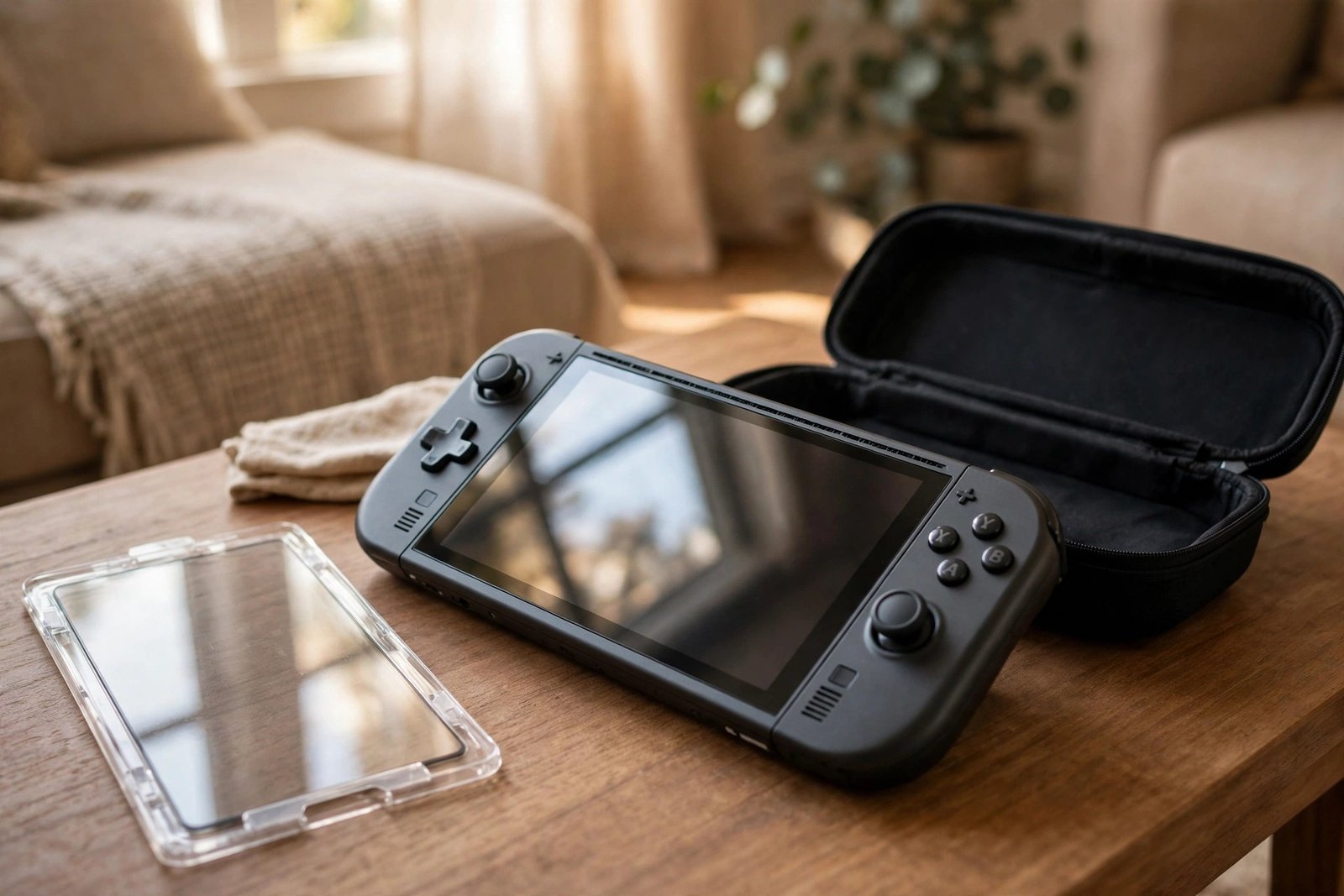
The Steam Deck leads a riskier life than most gaming hardware. It is a touchscreen handheld that gets used on sofas, trains and beds, carried in bags, and docked and undocked on a daily basis — and its large front screen is exposed through all of it. It is no surprise that a screen protector is one of the first accessories most new owners consider, and one of the most common questions they ask.
For most models, the answer is yes: a protector is a wise and inexpensive precaution for a device you intend to keep for years. But there is an important exception. The premium models with etched anti-glare glass — the 512GB LCD model and the 1TB OLED model — behave differently, because covering that special finish with an ordinary protector largely cancels out the very feature you paid extra for. This guide works through both cases so you can decide for your model.
Key Takeaways
- The Deck’s touchscreen is exposed during play, travel and docking, so scratches are a realistic risk over years of use.
- Glossy-screen models benefit most from a protector — tempered glass adds scratch and impact insurance with minimal downside.
- Etched anti-glare models (512GB LCD, 1TB OLED) are the exception: a standard glossy protector largely negates the etched finish.
- A matte protector is the compromise for etched models — it preserves more of the anti-glare character but can slightly soften the image.
- The carrying case protects the Deck in transit only; it does nothing while you are actually playing.
- LCD and OLED models have different screen sizes (about 7 inches versus about 7.4 inches), so buy the protector made for your version.
Why the Deck’s Screen Gets Marked
A games console that lives under a television rarely meets anything harder than a duster. The Steam Deck’s screen has no such luck. It is a touchscreen, so fingers — occasionally with grit on them — sweep across it constantly. The device is set down on coffee tables and armrests, slid in and out of its dock, and carried in bags alongside charging cables and other hard objects. The glass itself is respectably tough, but grit and sand can scratch any glass, and unlike a phone, the Deck is a device most owners plan to keep for many years, so small marks have a long time to accumulate.
There is also the question of consequences. A scratched phone screen is annoying; a scratched Deck screen is annoying and considerably more involved to do anything about, since a screen replacement on a handheld PC is a much bigger job than swapping a phone protector. A thin layer of sacrificial glass that takes the scratches instead is, for most owners, an easy calculation.
The Etched Anti-Glare Caveat
The top-tier models — the 512GB version of the original LCD Deck and the 1TB OLED — use chemically etched glass. Instead of a polished, mirror-like surface, the etching scatters reflections, which makes the screen far more comfortable to use in bright rooms and outdoors. It is a genuinely desirable feature, and it is a large part of what the extra money buys.
The catch is what happens when you cover it. A standard glossy tempered glass protector presents its own polished surface to the world, so reflections come straight back — you have effectively converted your anti-glare screen into a glossy one. A matte protector is the usual compromise for etched models: it keeps much of the reflection-scattering behaviour, though it can introduce a slight graininess and soften sharpness a little compared with the bare etched glass. Some etched-model owners skip protectors entirely and rely on the case and careful handling; others accept the matte compromise. Preferences genuinely vary, and neither choice is wrong.
- If you own an etched model and want protection, hold a matte protector over the screen before peeling any backing and check the image in your usual lighting. If the added grain bothers you at arm’s length, you will be happier relying on the case alone.
Glossy Models: The Straightforward Case
For the glossy-screen models, the decision is much simpler. Tempered glass gives you scratch protection and a measure of impact insurance while preserving the screen’s clarity and touch response almost exactly — capacitive touch works through glass and film protectors without any drama. A matte film is still an option if reflections annoy you, trading a little sharpness for glare reduction, and plain film offers basic scratch cover at the lowest cost. One practical point: the LCD models have an approximately 7-inch display while the OLED models are approximately 7.4 inches, and their protectors are not interchangeable, so check which version you own before ordering.
Fitting One to a Handheld
Fitting a protector to the Deck follows the same principles as fitting one to a phone, just on a bigger canvas — which means dust has more room to cause trouble. The steamy-bathroom trick works just as well here: run a hot shower, let the humidity settle the airborne dust, clean the screen thoroughly, and use any alignment aids supplied in the kit. Fit the protector before the device’s first trip out of the house if you can, while the screen is still factory-clean, and remember that a protector does nothing to interfere with docked or television play — it is purely there for the handheld hours.
- Remove any thin shipping film from the screen before fitting your protector, and fit the protector before the Deck’s first journey in a bag — most early scratches happen in transit, not during play.
Frequently Asked Questions
Will a screen protector affect touchscreen response on the Steam Deck?
Generally, no. The Deck’s capacitive touchscreen works through tempered glass and film protectors in much the same way a phone’s does, and most owners notice no difference in taps or swipes. Quality and fit vary between products, so choose a protector made for your exact model — LCD or OLED — rather than a generic tablet sheet cut to an approximate size.
The Deck comes with a carrying case — isn’t that enough?
The case — included with most models, though bundles can vary — is excellent protection while the Deck is inside it, and you should use it for every journey. But it does nothing during the hours the device is actually in your hands, being docked, or sitting on a table between sessions, which is when a good share of scratches happen. Case and protector protect against different moments, so they complement rather than replace each other.
Can I remove a protector later without harming the etched screen?
Protectors for the Deck are designed to be removable, just like phone protectors. Peel slowly from one corner, easing the sheet away rather than forcing it, and any minor adhesive residue can be cleaned with a soft microfibre cloth. If a protector feels unusually stubborn, gentle warmth from the device having been on can help loosen the adhesive — patience matters more than force.
For a glossy Steam Deck, a protector is cheap insurance on a screen you will look at for years. For an etched model, the question is really whether you value the anti-glare finish or the protection more — and now you know exactly what each choice costs you.


