

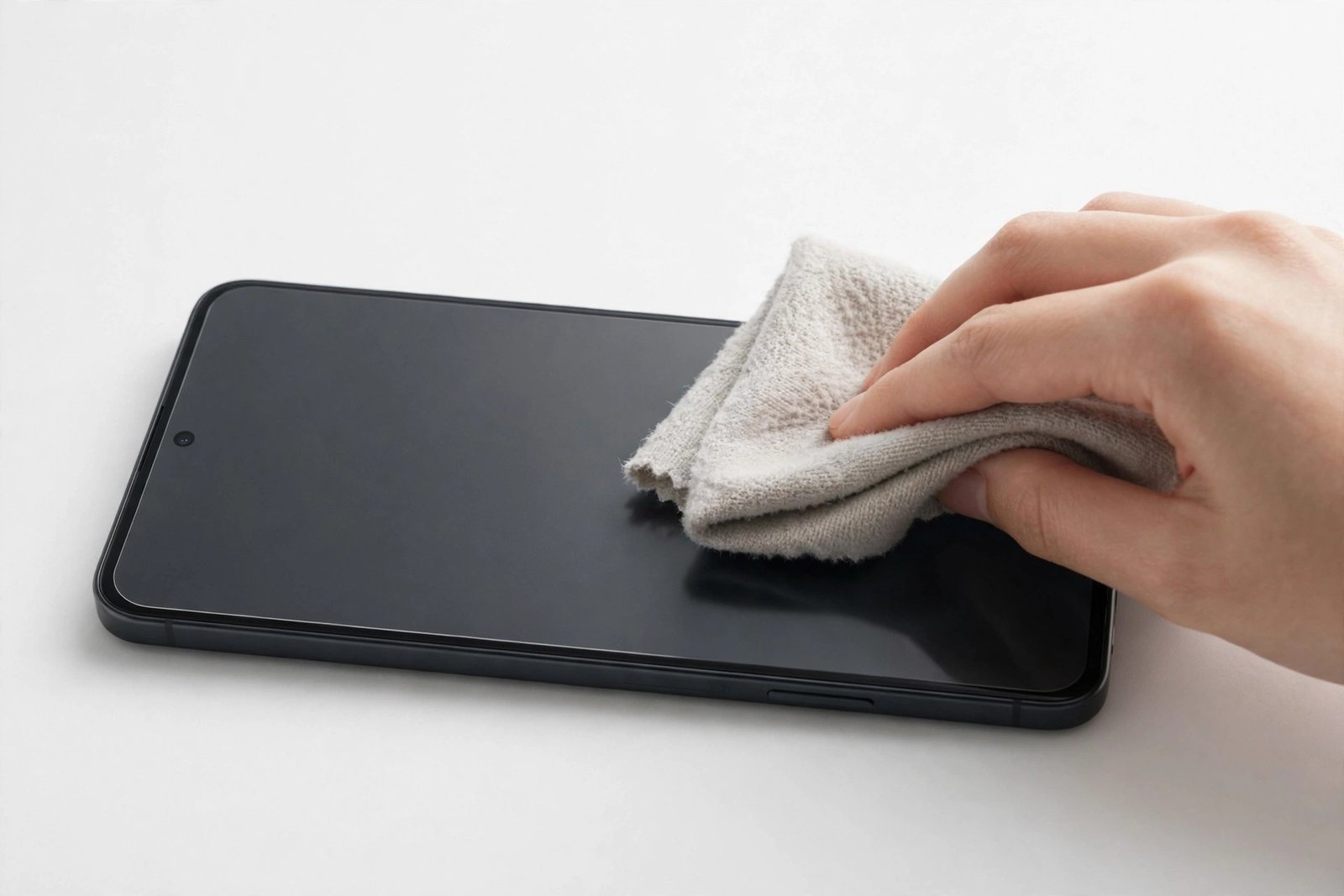
A matte screen protector trades glossy shine for a soft, glare-free finish — but it also changes how your screen gets dirty and how you should clean it. That fine, textured anti-glare surface holds on to skin oils in a way smooth glass never does, and the cleaning habits that work perfectly on a standard protector can slowly ruin a matte one. Scrub it with the wrong product and you can polish the matte coating away in patches, leaving shiny spots that never match again.
The good news: cleaning a matte protector properly is simple once you understand the surface. This guide explains why matte finishes trap grime differently, the microfibre technique that lifts oils safely, and the household cleaners to never let near it.
Key Takeaways
- Matte protectors have a microscopically rough surface that traps skin oils in its texture instead of letting them sit on top.
- Clean with a clean, dry or barely damp microfibre cloth using light circular motions — never paper towels or tissues.
- Harsh cleaners destroy matte coatings: ammonia, alcohol sprays, and window cleaner can strip the anti-glare layer permanently.
- Fingerprints on matte look like dull smudged patches rather than glossy streaks, and they are harder to shift once worked in.
- Little and often beats a deep scrub — wipe the screen daily and oils never get the chance to build up.
Why Matte Protectors Trap Dirt Differently
A glossy protector is essentially flat glass. Skin oil sits on its surface as a thin film, and one pass of a cloth wipes most of it away. A matte protector works differently: its anti-glare effect comes from a fine etched or coated texture that scatters light instead of reflecting it cleanly. That texture is full of microscopic peaks and valleys — and oil, sweat, and grime settle down into the valleys, out of the cloth’s easy reach.
This is why a matte screen can look clean yet still feel slightly draggy under your thumb, and why smudges seem to “come back” after wiping: you removed the surface oil but left oil lodged in the texture. It is also why aggressive scrubbing gradually wears the texture smooth in the middle of the screen, where your thumb works hardest, while the edges stay rough.
What You Need
Keep it minimal. You need a good-quality microfibre cloth — the soft, dense kind sold for glasses and camera lenses, not a scratchy promotional freebie. Keep two: one for everyday dry wiping and one for damp cleaning. You also need plain water, nothing more. A small spray bottle helps dampen the cloth evenly. That really is the whole kit.
Wash your microfibre cloths regularly in warm water without fabric softener, which coats the fibres and turns the cloth into a smearing machine. A dirty cloth does not clean a matte screen — it just redistributes the oil more evenly.
- Dedicate one microfibre cloth to your phone and keep it in the same pocket or bag compartment. A cloth that also wipes desks, glasses, and car dashboards picks up grit — and grit dragged across a matte coating scratches it.
The Right Way to Clean a Matte Screen Protector
Start dry. With the screen off — a dark screen shows smudges far better — wipe the whole surface with the dry cloth using light, overlapping circular motions. Do not press hard. Pressure does not lift oil out of the matte texture; it grinds the cloth across the peaks of the texture and wears them down. Let the fibres do the work.
If dry wiping leaves dull patches behind, dampen the second cloth with water until it is barely moist, never wet, and repeat the same gentle circles. The trace of moisture loosens the oil sitting in the texture so the fibres can pick it up. Follow immediately with the dry cloth to buff away any streaks. Work section by section — top, middle, bottom — and check the screen at an angle under a light as you go, because matte smudges hide when you look straight down at them.
For a stubborn spot — dried-on food splash, makeup, sunscreen — resist the urge to scrub. Hold the damp cloth on the spot for ten seconds to soften it, then wipe gently. Repeat rather than pressing harder. Sunscreen and oily makeup are the worst offenders, so clean them off the same day.
Cleaners That Destroy Matte Coatings
This is where most matte protectors die. Window and glass cleaners containing ammonia are designed to cut through grease on hard household glass; on a delicate anti-glare coating they can dissolve or cloud the coating itself, leaving permanent milky patches. Alcohol-based sprays and wipes — including many products sold as “screen cleaner” — can soften and strip the matte layer, especially with repeated use. The damage is gradual: the centre of the screen slowly turns glossier than the edges, and no cleaning will ever make it even again.
Also avoid anything abrasive, however mild it claims to be: no scouring pads, no melamine sponges, no baking soda pastes, and no paper towels, tissues, or toilet paper. Paper products are made of wood fibres that are rough at microscopic scale; on glossy glass they merely smear, but on a matte coating they act like ultra-fine sandpaper. If a product does not explicitly say it is safe for coated optics and anti-glare screens, keep it away from your phone.
- If you must disinfect your phone, use a cloth very lightly dampened with water and accept that it cleans rather than sterilises. The matte coating’s survival is worth more than a disinfected screen — and your hands touch the screen straight after anyway.
Matte vs Glossy: The Fingerprint Difference
People often buy matte protectors to hide fingerprints, and the truth is nuanced. On glossy glass, a fingerprint is a shiny, sharply defined streak that catches every light — very visible, but it wipes off in one pass. On matte, the same fingerprint appears as a dull, cloudy patch that shows mainly at certain angles — which is why matte screens look cleaner day to day.
The trade-off arrives at cleaning time. Glossy fingerprints lift immediately; matte fingerprint oil works down into the texture with every touch, and the longer it sits, the more firmly it lodges there. A matte protector that is wiped briefly every day stays looking fresh for months. The same protector left for weeks between cleans develops ingrained dull patches that need the full damp-cloth routine — and heavy-handed attempts to shift them are exactly what wears the coating out.
Frequently Asked Questions
Can I use alcohol wipes on a matte screen protector?
It is best not to. Occasional use may not visibly harm a quality protector, but repeated alcohol exposure can soften and strip the anti-glare coating, leaving uneven glossy patches. Stick to a microfibre cloth and plain water.
Why does my matte screen still look smudged after wiping?
Because oil settles into the microscopic texture of the matte finish, below where a dry cloth reaches. Use a cloth dampened very slightly with water, wipe in gentle circles, then buff dry. Also check your cloth — a dirty or fabric-softened cloth smears oil rather than lifting it.
How often should I clean a matte screen protector?
A quick dry wipe once a day is ideal — it takes seconds and stops oil building up in the texture. Do the damp-cloth clean whenever dull patches stop responding to dry wiping, typically once a week for most people.
Matte protectors reward gentle habits: a clean microfibre cloth, a whisper of water, and thirty seconds a day. Treat the coating kindly and it will keep its soft, glare-free finish for its whole life.


