

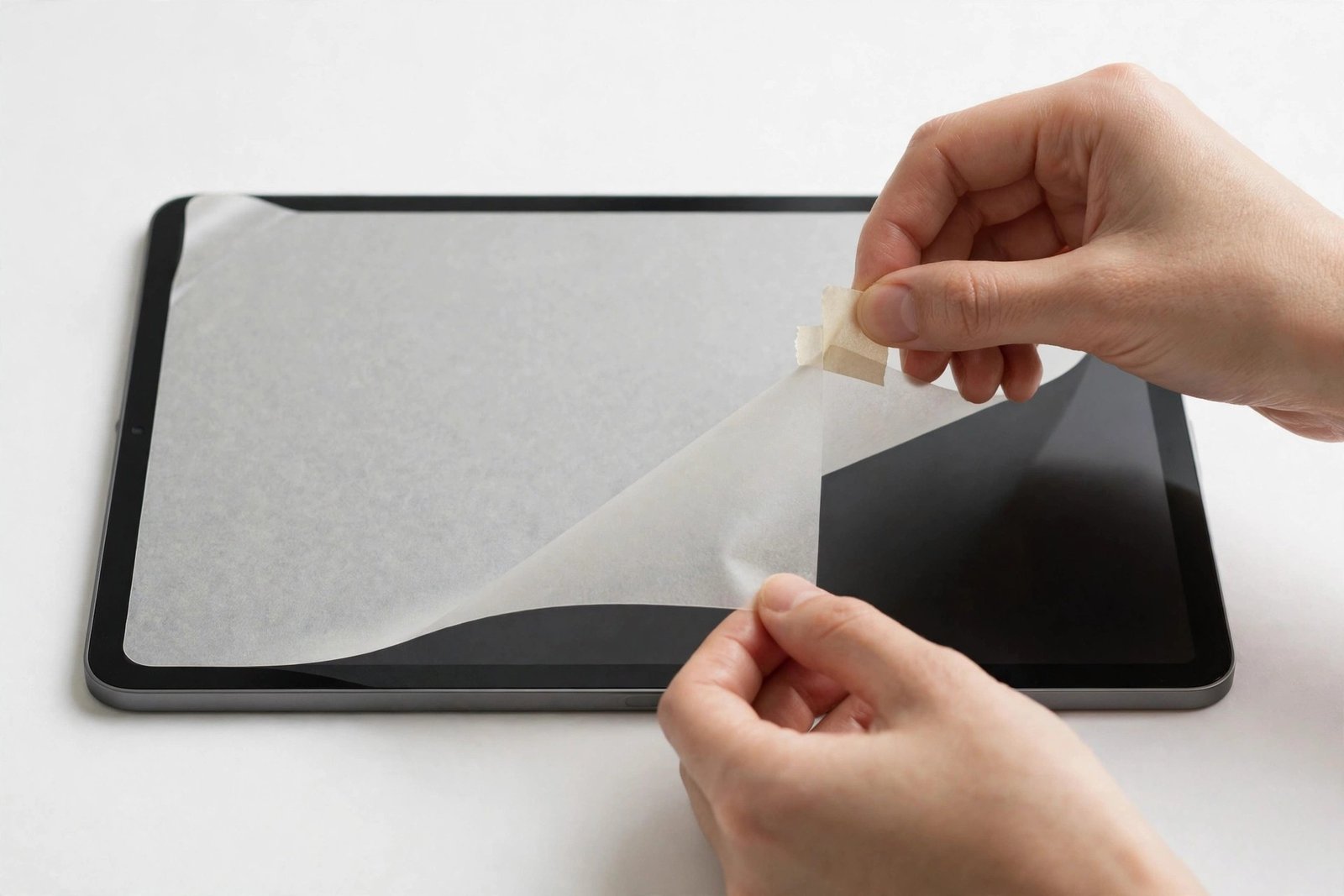
Your paper-feel screen protector has had a good run — months of sketching and note-taking have left it hazy, scratched, and overdue for replacement. Now comes the part nobody looks forward to: getting the old one off cleanly without leaving sticky residue smeared across your iPad’s display or fighting a film that tears into strips.
Matte paper-feel films come off differently from glass protectors — they flex, they stretch, and their adhesive behaves differently too. This guide walks through the tape-lift method, the slow peel, and the clean-up that leaves your display ready for a fresh protector.
Key Takeaways
- Use a strip of strong tape to lift a corner — paper-feel film has no rigid edge for a fingernail to grip.
- Peel slowly and at a low angle, folding the film back on itself; fast peeling tears matte film and leaves adhesive behind.
- Adhesive residue is normal with matte films and removes safely with a microfibre cloth and patience.
- Never use metal tools or blades to pry at the film — one slip marks the display beneath.
- Clean the display thoroughly afterwards before fitting the replacement, or the new protector will show every leftover smear.
Why Paper-Feel Film Removes Differently
A tempered glass protector gives you something to work with: a rigid sheet with an edge you can catch with a fingernail, which either lifts in one piece or cracks and comes away in sections. Paper-feel protectors are thin PET or similar film with a textured matte coating — flexible, clingy, and with edges that sit almost flush to the glass.
That flexibility cuts both ways. The film will not shatter, which is pleasant, but it can stretch and tear if you pull it too fast, turning a two-minute job into twenty minutes of picking at fragments. The matte coating also means the adhesive layer tends to be tackier than on clear film, gripping hard after months of warmth from the device. Knowing this in advance — slow, low, steady — makes the whole removal uneventful.
Step 1: Lift a Corner With Tape
Take a strip of strong adhesive tape — packing tape or duct tape both work better than ordinary sticky tape — and press it firmly onto one corner of the protector, letting it overhang the edge of the device. Rub it down well so it bonds to the film, then lift the overhanging end slowly and firmly. The tape grips the slick surface far better than a fingernail can, and the corner should rise away from the glass.
Choose a corner that is already slightly lifted or bubbled if one exists; that is the film’s weak point. If no corner cooperates, work the tape along one short edge instead. Avoid prying with anything hard: a fingernail is the absolute limit, and even that should only assist the tape, not dig at the display.
- Warming the film gently helps a stubborn protector release — use the device normally for ten minutes, or rest a warm (not hot) towel over the screen briefly. Heat softens the adhesive just enough to make the peel noticeably easier.
Step 2: The Slow, Low Peel
Once the corner is up, grip the film itself and peel back over itself at a low angle — nearly flat against the screen — rather than pulling upward. Keep the pace slow and the tension even, supporting the film so the peel line advances in a smooth front across the display. If you feel resistance spike, pause and let the adhesive release gradually instead of forcing it; yanking is what separates the film from its adhesive.
If the film does tear, do not despair. Tape-lift the new edge of the remaining piece and repeat. Small leftover slivers near the edges can be lifted with tape pressed precisely onto them. Work in decent light so you can see the faint boundary of any remaining film — matte film on a dark, sleeping display can be almost invisible.
Dealing With Adhesive Residue
A fine, slightly tacky residue after removing matte film is common and harmless. It comes from the adhesive layer splitting as the film peels — half stays bonded to the display. The first remedy is the film itself: press the just-removed protector, sticky side down, onto the residue patches and peel it off again. Adhesive lifts adhesive remarkably well, and this dab method clears most of it.
For what remains, breathe on the area and buff with a clean microfibre cloth using small circular motions. Stubborn spots yield to a cloth barely — barely — dampened with water, followed immediately by a dry buff. Resist reaching for solvents: strong cleaners are unnecessary for screen adhesive and risk the display’s own coatings. Given a few minutes of steady buffing, the glass comes back uniformly slick.
- Angle the display under a desk lamp while you clean. Residue that is invisible face-on shows up instantly as smears that catch the light — inspect at an angle before declaring the screen clean.
Cleaning the Display Before the New Protector
Removal is only half the job. Before the replacement goes on, clean the display as thoroughly as you would for any fresh install: wet wipe in overlapping strokes, immediate dry buff, then a dust-removal sticker over the whole surface. The steam of a recently run shower settles airborne dust and makes this far easier — the same low-dust environment that suits installing suits the final clean too.
Pay particular attention to the edges and the camera area, where old adhesive and dust collect in a faint frame that the new protector will seal in permanently if you miss it. Once the glass is spotless, handle the device by its edges and fit the new protector promptly — a pristine display starts collecting dust from the moment you finish cleaning it.
Frequently Asked Questions
Why won’t my Paperlike protector come off?
Usually because there is no edge to grip and the adhesive has bonded hard over months of use. Strong tape pressed firmly onto a corner solves the grip problem; gentle warmth solves the bond. Between the two, even a year-old film releases cleanly.
Will removal damage my iPad screen?
Not if you peel slowly and avoid hard tools. The adhesive is designed to release from glass without harming it, and any residue is a surface smear, not damage. Scratches come from blades, keys, and grit trapped under a cloth — not from the film itself.
Can I reuse the protector I just removed?
Realistically, no. The peel stretches the film, the adhesive is now uneven and dust-contaminated, and a paper-feel surface that has been peeled rarely sits flat again. Treat removal as the end of its service and fit a fresh one.
Slow tape, low angle, patient buffing — removing a paper-feel protector is a two-minute job when you let the adhesive release at its own pace instead of fighting it.


