Removing a screen protector from an iPhone is a two-minute job — but iPhones ask for a little more care than most phones. The top of the screen carries the earpiece speaker and the sensor cluster that Face ID reads your face with, and adhesive residue loves to hide around both. Rush the peel and you’ll leave glue in the speaker slot, or flex a cracked sheet of glass exactly where it can scratch the screen beneath it.
This guide walks through removing both kinds of protector from an iPhone — tempered glass and flexible film — including how to start a stubborn corner, how to deal with a sheet that’s already cracked, and how to clean up the residue that gathers around the sensors and speaker once the protector is off.
Key Takeaways
- Work out whether you’re removing glass or film first — they peel in completely different ways.
- Start at a bottom corner, away from the Face ID sensors and the speaker at the top.
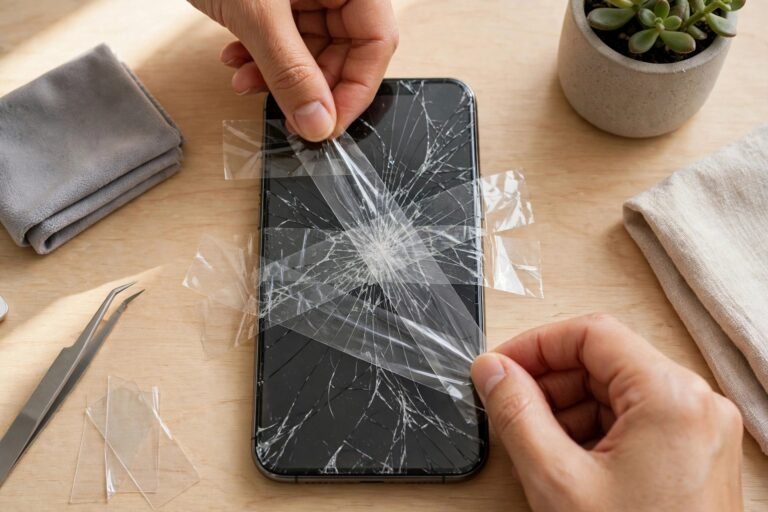
- Cracked glass gets taped over first, so it lifts away in one piece instead of scattering shards.
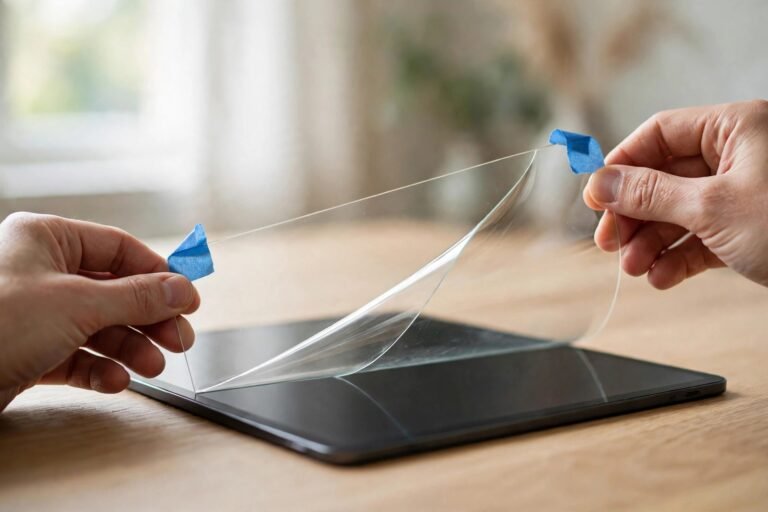
- Peel slowly and at a low angle — that keeps glass in one sheet and stops film snapping back.
- Residue gathers around the speaker slot and sensor cutouts; clean there last, and gently.
- Never lever with anything metal — a fingernail, tape or a plastic card only.
First, Work Out What You’re Removing
Glass and film need different handling, so identify yours before you start pulling. Tempered glass is rigid and noticeably thick: tap it with a fingernail and it clicks like the screen itself, and its edge feels like a hard step. Film is thin and flexible — its edge is barely a step at all, it may have yellowed slightly with age, and soft hydrogel film feels almost rubbery. If the protector is cracked, it’s glass; film doesn’t crack, it creases and tears. Knowing which you have tells you whether you’re peeling a stiff sheet that mustn’t be bent, or a floppy one that will try to stick itself back down behind you.
Peeling Tempered Glass Off an iPhone
Take the case off first. If the glass is cracked, lay a wide strip of tape across the whole surface and smooth it down — this holds the fragments together so the sheet lifts as one piece. Then work a fingernail under a bottom corner until the edge lifts. If no corner will start, press a strip of sticky tape firmly onto the corner and pull up on the tape instead. Once you have a grip, peel slowly, keeping the glass low and close to the screen as it comes away; a shallow angle keeps the sheet in one piece and stops it flexing and snapping. Let the adhesive release at its own pace rather than forcing it — a whole sheet should come off in well under a minute.
- If a corner won’t start, warm the glass gently — a minute in warm hands, or a hairdryer on its lowest setting held well back, softens stubborn adhesive.
- Slide a piece of tape under the lifted corner to extend your grip, instead of digging a fingernail in deeper.
Peeling Film Off an iPhone
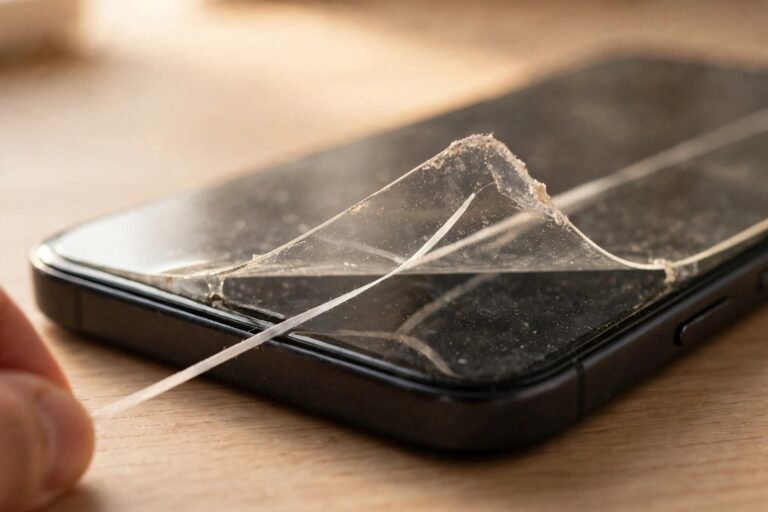
Film comes off differently: it has no rigidity to help you, it stretches if you pull hard, and the part you’ve already freed will flop back and re-stick if you let go of it. Start the same way — tape or a fingernail under a bottom corner — then pull slowly and steadily at a low angle, keeping your grip close to the peel line so the film doesn’t stretch. A slow pull also keeps the adhesive coming away with the film instead of splitting and leaving half of itself on the screen. Hydrogel film in particular can leave a gummy residue behind; don’t panic about it, because it cleans off in the next step. If the film tears mid-peel, simply start the remaining piece again from its nearest corner.
The Sensor Area, the Speaker Slot and the Residue Left Behind
With the protector off, expect a faint sticky outline where its edges sat, and a heavier build-up around the speaker slot and the sensor area at the top — dust and adhesive migrate there and lodge around the cutouts. Wipe the whole screen with the wet wipe from a fitting kit, buff it with a microfibre cloth, and be patient: normal residue comes off with repeated gentle passes. Around the speaker, work with a dry cloth or a dab of sticky tape only, and never poke anything into the mesh or let liquid pool in the slot. Never use solvents or anything abrasive on the bare screen — the display has its own oleophobic coating that you want intact for the next protector. Finish by dabbing the whole screen with a dust-removal sticker, and check Face ID still unlocks the phone before you fit anything new; it should, because the sensors live safely under the screen glass and were never touched.
- Clean the speaker slot with a dry soft brush or a tape dab — never blow into it or wash liquid through it.
- Test Face ID on the bare screen before fitting the new protector; if it struggles, one more wipe of the sensor area is usually why.
Frequently Asked Questions
Will removing the protector affect Face ID?
No. The cameras and sensors Face ID uses sit underneath the iPhone’s screen glass, not in or on the protector, so peeling a protector off can’t disturb them. If Face ID seems unreliable straight afterwards, the cause is almost always a smear of adhesive residue across the sensor area — wipe it clean and it will work as before.
The protector is cracked into pieces. How do I get it all off?
Cover the whole surface with wide tape, pressing it into the cracks, and peel slowly — the tape holds the fragments together so most of the sheet comes away as one piece. Any small shards left behind can be lifted individually by pressing a fresh piece of tape onto them. Work over a bin, keep your fingers off the broken edges, and never sweep loose fragments across the bare screen with your palm.
There’s a sticky outline left on the screen. What removes it?
The wet wipe and microfibre cloth from any fitting kit, plus patience. Work the outline in small circles and it will gradually roll up and come away. Avoid nail varnish remover, alcohol sprays and other solvents: they can strip the screen’s oleophobic coating, leaving a patch that smears and fingerprints differently from the rest of the display.
Slow, low and from the bottom corner — that’s the whole technique. The two minutes you spend peeling carefully and cleaning around the sensors are what make the next protector sit perfectly.