Snap-on bumper cases with built-in screen covers are brilliant at protecting an Apple Watch — until the day you need to take one off. They grip the watch body tightly by design, and forcing one off the wrong way can flex the case, strain the Digital Crown, or drag grit across the very crystal you were trying to protect. The good news: every case has a weak point built into it, and once you find it, removal takes seconds.
This guide walks through removing a snap-on Apple Watch case with an integrated cover — locating the pry point, freeing a corner without levers or tools, keeping the crown and side button out of harm’s way, and cleaning up the moisture and grime that almost always collect underneath.
Key Takeaways
- Most snap-on cases release from one specific corner or notch — find it before you pull anything.
- Work over a soft surface (a towel or bed) so the watch cannot fall onto a hard floor mid-removal.
- Never pry against the Digital Crown or side button — pressure there can bend the crown stem or jam the button.
- Use fingernails, not metal tools. A plastic pick or old bank card is the hardest thing that should touch the case.
- Expect trapped moisture and grime under the cover — clean and dry everything before the case goes back on.
Before You Start: Prep the Watch
Remove the watch from your wrist and take the straps off first. Most snap-on cases overlap the strap lugs, and trying to remove the case with the straps attached just gives the case something extra to grip. Lay the watch face-up on a folded towel on a table — not balanced on a hard counter where a slip means a drop.
Give the outside of the case a quick wipe. Grit sitting around the seam can get dragged across the watch body as the case slides off, and a ten-second clean now prevents the fine scratches that ironically come from protective cases themselves.
Find the Pry Point and Free a Corner
Turn the watch over in your hands and inspect the case edges closely. Most snap-on designs have a subtle notch, lip or slightly thinner section — often at a bottom corner, sometimes along the edge opposite the crown — where the plastic is meant to flex. Some cases have a small gap designed for a fingernail. That is your starting point.
Slide a fingernail into that notch and gently work it along the seam, twisting very slightly to open a small gap. Once a corner pops free, the rest of the case usually releases with light, even pressure as you walk your fingers around the edge. Flex the case, don’t pull the watch — the case is the cheap, replaceable part, so let it do the bending.
- If the case feels stuck fast, warm hands help — a minute of holding the watch softens stiff plastic just enough to flex. Never use a hairdryer or hot water on the watch itself.
- No luck at the first corner? Try the diagonally opposite one. Many cases release from one diagonal pair far more easily than the other.
Protect the Crown and Side Button
The Digital Crown is the most delicate moving part on the watch, and on many bumper cases the cover wraps close around it. As you free the case, keep your prying pressure away from the crown side. If the case resists near the crown, stop and release more of the opposite edge first so the case can lift away rather than slide across the crown.
The same applies to the flat side button below the crown. A case edge levered against it can leave the button feeling mushy or, in the worst case, misaligned. Once the case is off, press the crown and button a few times — both should click and turn exactly as they did before. If anything feels gritty, rinse the bare watch (if its water resistance allows) or wipe carefully around the crown with a barely damp cloth.
Clean Out the Trapped Moisture and Grime
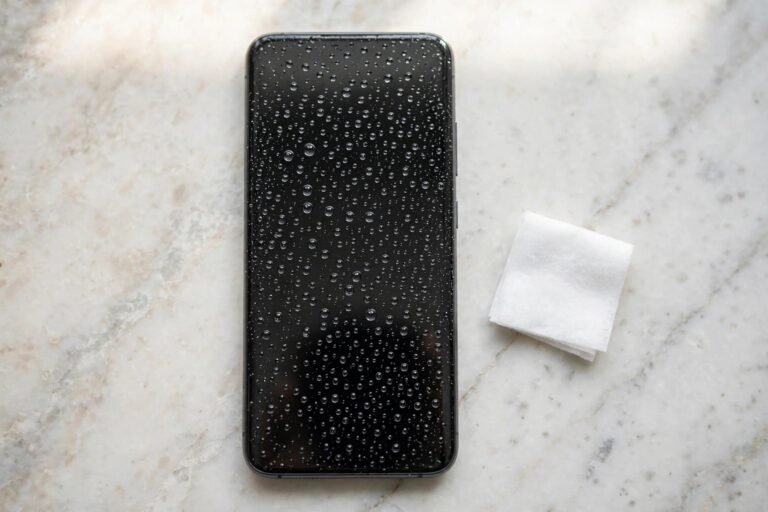
Built-in covers are notorious for trapping what they keep out. Sweat, shower steam, rain and pool water creep under the cover and sit against the crystal, which is why touch response sometimes goes strange with these cases on. When you remove the case, expect a film of moisture and a line of grey grime around the inside edge.
Wipe the watch crystal and body with a clean microfibre cloth. Wash the empty case in lukewarm water with a drop of mild soap, rinse it, and let it dry completely — including inside the cover — before refitting. Putting a damp case back on just seals the moisture in again, and persistent trapped moisture can dull the crystal’s coating over time.
- Make removal a habit: taking the case off once a week for a clean stops grime building into an abrasive paste that can mark the watch body.
- Check the inside of the cover for scratches before refitting — a scuffed cover sitting against the crystal does more harm than no cover at all.
Frequently Asked Questions
Can I remove the case without taking the straps off?
Sometimes, but it is not recommended. Most snap-on cases hook over the strap lugs, so the straps hold the case on. Forcing it past them strains both the case and the lug connectors. Straps slide off in seconds — save yourself the fight.
My case won’t budge at any corner. What now?
Do not escalate to metal tools. Work a plastic pick, an old bank card or a guitar pick into the seam at the notch and slide it gently along the edge to break the grip progressively. If it still refuses, check the maker’s instructions — a few designs have a release tab or need a specific corner first.
Why is there water under the cover if the case is sealed?
These cases are splash-resistant at best, not sealed. Steam and sweat vapour pass the edges easily and then condense on the cooler crystal. It is normal, harmless if you dry it out regularly, and the main reason to remove the case for cleaning every week or so.
A snap-on case should come off with patience and fingernails, not force. Find the notch, flex the case — never the watch — and clean what you find hiding underneath.