
We’ve all been there: checking your bank balance, reading a sensitive work email, or typing a password while the stranger in the next train seat is — let’s be honest — absolutely reading along. A privacy screen protector promises to end the shoulder-surfing: a special filter narrows the viewing angle so only someone directly in front of the screen can see it clearly. But these protectors come with real trade-offs, so the question is whether the privacy is worth the compromises.
This guide explains how privacy protectors work, what they cost you in brightness and clarity, and who genuinely benefits from one — so you can decide before you buy.
Key Takeaways
- Privacy protectors use a micro-louvre filter — like tiny venetian blinds that block side views beyond roughly 30 degrees.
- They dim your screen — expect to raise the brightness, which uses more battery.
- Clarity takes a small hit — the filter layer can add grain and slightly mute colours.
- Most phone versions work in portrait only — rotate to landscape and the side views may open back up.
- Commuters and open-plan workers benefit most — anyone handling sensitive info in public.
- Home users and creatives should skip it — if nobody’s peeking, the trade-offs buy you nothing.
How Privacy Screen Protectors Work
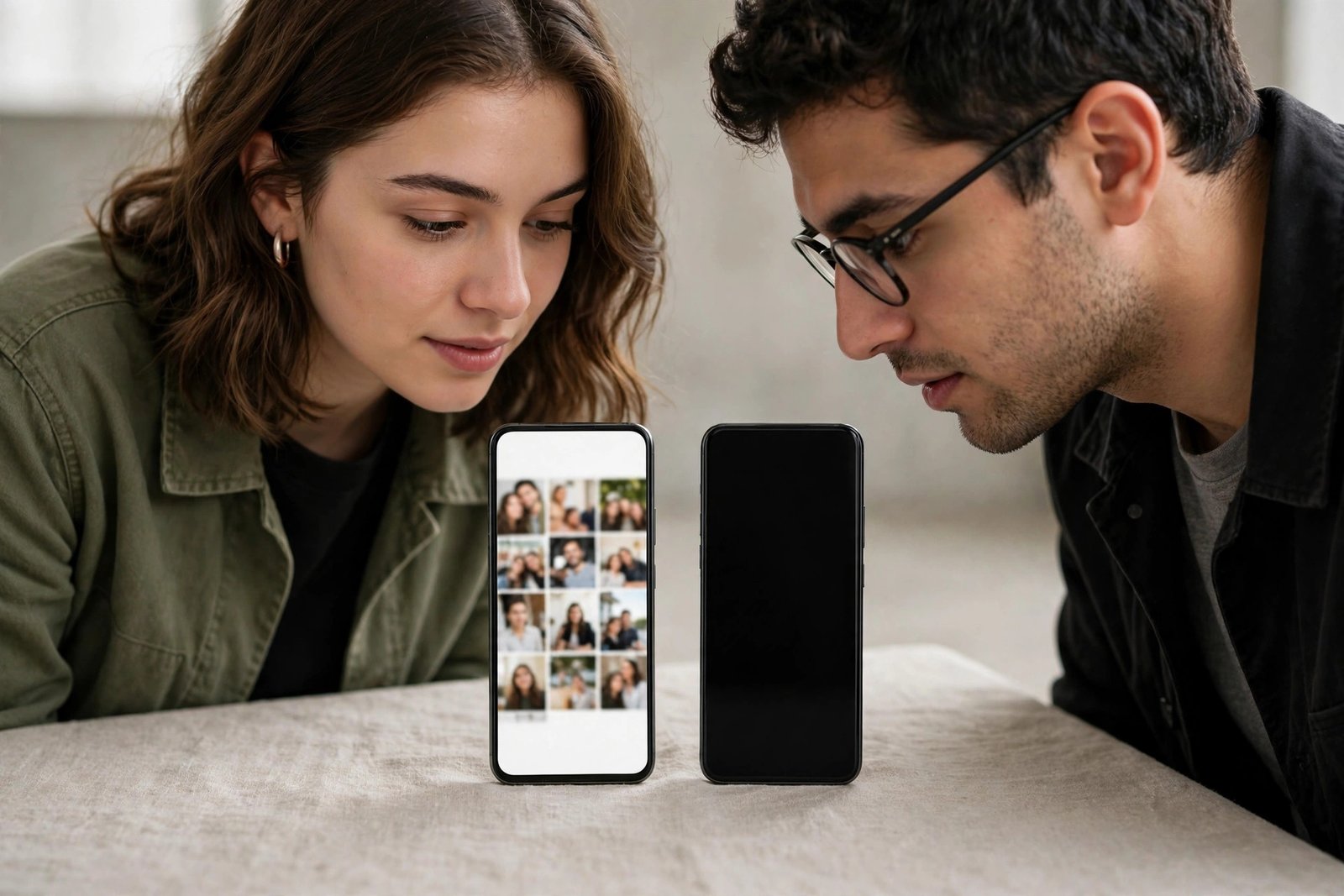
Inside every privacy protector is a micro-louvre layer — thousands of microscopic vertical slats embedded in the film, working exactly like venetian blinds. Light heading straight out toward your eyes passes through the gaps; light heading off at an angle hits the slats and gets blocked. The result: full visibility head-on, and a dark, unreadable screen for anyone sitting to your side. Most two-way filters start blacking out at around 30 degrees off-centre on each side.
There are two main flavours. Two-way privacy blocks left and right views — fine for phones held upright and for most laptop use. Four-way privacy also blocks top and bottom, which matters on tablets and phones you rotate often. The catch with two-way filters: rotate your phone to landscape and the “sides” become top and bottom, so the person next to you can suddenly see everything again. If you watch a lot of landscape video in public, four-way is worth considering.
The Honest Trade-Offs
The privacy isn’t free. Here’s what you give up in exchange for it.
Brightness and battery life
The louvre layer absorbs a noticeable chunk of outgoing light — typically around a fifth to a third of brightness. Indoors you compensate by nudging the brightness slider up, which is fine; outdoors in sunlight, you may need maximum brightness just to read comfortably. Higher brightness means faster battery drain, so heavy users may notice their phone dying a little earlier in the day.
Some phones’ auto-brightness gets confused by the filter and overcompensates. If that happens, a manual brightness setting usually behaves better.
Sharpness, colour, and that “screen door” look
Look closely at a privacy protector and you’ll see the louvre structure as a faint grain or mesh, especially on white backgrounds — some people notice it constantly, others stop seeing it within a day. Colours can look slightly muted and whites a touch grey, which is why photo editors, designers, and anyone picky about display quality tend to dislike them. Gamers may also notice a subtle loss of crispness in fast-moving scenes.
Sharing your screen gets awkward
Privacy works both ways: showing a friend a photo, handing your phone to a cashier to scan a code, or presenting something in a meeting all become exercises in tilting the device toward them. QR and barcodes usually still scan fine head-on, but anything involving a second viewer takes a bit of choreography.
Who Gets Their Money’s Worth
The clear winners are people who handle sensitive information in public, regularly. Commuters checking banking apps or work email on packed trains, open-plan office workers with neighbours on both sides, frequent flyers working on confidential documents, and anyone in healthcare, law, or finance who has a professional duty to keep screens private. For these users, the trade-offs are minor compared to the peace of mind.
Parents have a niche use too: a privacy filter on a child’s tablet makes it harder for strangers to see what the child is watching or typing in public places. It’s not a safety tool on its own, but it’s a sensible extra layer.
Who Should Skip It
If your phone or tablet mostly lives at home, a privacy protector buys you nothing — there’s nobody to hide the screen from, and you’re paying in brightness and clarity for privacy you don’t need. Creatives who care about colour accuracy, mobile gamers, and people who constantly share their screen — showing photos, videos, or directions — will find it more annoying than useful.
And if your main worry is scratches rather than snoopers, a standard clear protector gives you the protection without the compromises. Privacy filters protect against scratches as well as ordinary protectors, but there’s no reason to accept the dimmer screen if privacy isn’t the goal.
- Test the effect before you buy: hold your phone at arm’s length and ask someone to glance from the side — that’s roughly what the filter blocks.
- Check whether the version you’re considering is two-way or four-way, and note that a case with raised edges can add a little extra side privacy on its own.
Privacy Glass vs Privacy Film
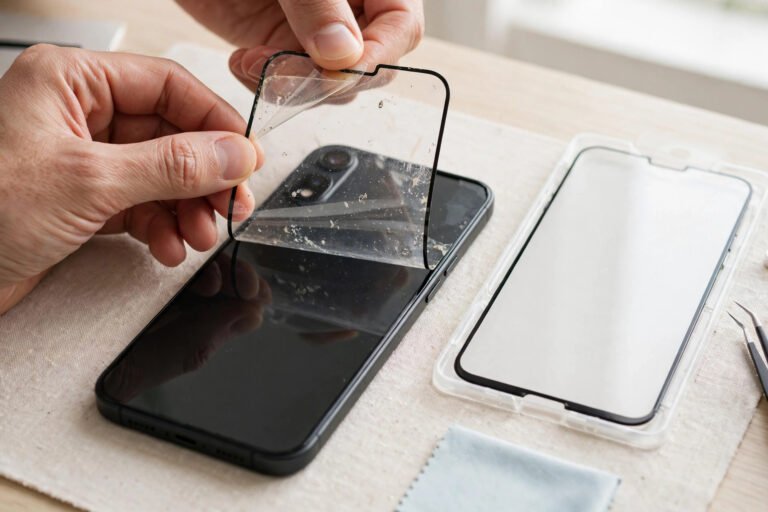
Both use the same louvre technology; the difference is the carrier. Tempered glass privacy protectors feel like a normal screen, resist scratches better, and are easier to fit without bubbles — but they’re thicker and pricier, and the added thickness can marginally reduce touch sensitivity on some devices. PET privacy film is cheaper and thinner, but it scratches more easily and the louvre grain can look slightly more pronounced. Either way, the privacy effect itself is much the same.
One thing to watch on either type: because the filter darkens the screen, make sure your device’s brightness can go high enough for comfortable outdoor use. Most modern phones can, but older or budget models with dimmer displays may struggle in sunlight with a privacy filter fitted.
Frequently Asked Questions
Can someone sitting right next to me still see my screen?
Anyone directly in front of the screen sees it normally — the filter only blocks angled views. Someone leaning in close beside you, inside that roughly 30-degree cone, will still catch glimpses. Think of it as defeating casual shoulder-surfing, not a determined spy: for truly sensitive work, angle the device away and stay aware of your surroundings.
Do privacy protectors work when I rotate my phone to landscape?
Most two-way phone protectors are oriented for portrait: in landscape, the privacy axis rotates too, so views from the left and right open back up. If you often use your phone sideways in public — videos, games, spreadsheets — look for a four-way privacy protector, or accept the gap.
Will it affect my touchscreen?
Barely. The filter layer is thin and touch signals pass through it. Very thick privacy glass can feel a touch less responsive on some phones; if your device has a “touch sensitivity” or “screen protector mode” setting, switching it on usually fixes it.
Does a privacy protector use more battery?
Indirectly, yes. The filter dims the display, so you run higher brightness to compensate — and the display is the biggest battery drain in any phone. The difference is modest for most people, but heavy outdoor users will notice it.
A privacy screen protector is a specialist tool, not an upgrade: brilliant for the commuter guarding their inbox, pointless for the sofa scroller. Match it to your life, accept the dimmer screen with good grace, and enjoy the sweet feeling of an unreadable screen on a crowded train.