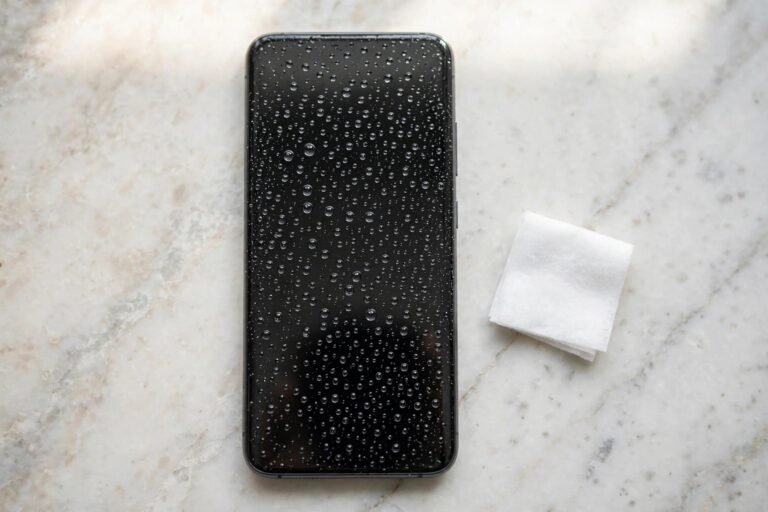
You’ve fitted your new protector, pressed it down, and there they are: pale little pockets trapped under the glass, staring back at you. The question everyone asks at this moment — will they go away on their own? The honest answer is: some will, some never will, and which kind you’re looking at makes all the difference.
This guide explains the 48-hour settling process happening under your protector right now, how to tell a harmless air pocket from a dust-trapped bubble that will outlive the phone, and how to judge your screen properly when day two arrives.
Key Takeaways
- Small, dust-free bubbles usually disappear within 24–48 hours as the adhesive keeps flowing and seals itself against the screen.
- A bubble with a speck of dust in its centre will never go away — the dust props the protector up permanently, and no amount of waiting changes that.
- Don’t judge the fitting in the first hour. The screen that looks spotty at lunchtime often looks flawless the next morning.
- Bubbles at the very edge behave differently — they either seal within the first day or start lifting, so watch them separately.
- On day two, smaller or gone means leave it; unchanged with a visible speck means lift the corner and remove the dust, or start again.
Why Bubbles Get Trapped Under the Protector
A bubble is simply air that couldn’t escape as the protector settled onto the screen. As the adhesive touches down — starting from wherever the protector first makes contact — it seals outward, and any air caught behind that advancing seal line has nowhere to go. Curves in the screen, a slightly hurried drop, or a protector laid down in the wrong order all leave pockets behind.
The important thing to understand is that the story doesn’t end at fitting. Screen protector adhesive — especially the silicone layer on tempered glass — isn’t fully set when you first press it down. For the next day or two it continues to creep, flow, and wet out against the glass at a microscopic level. That slow motion is exactly what rescues many imperfect fittings.
The Bubbles That Settle on Their Own
The bubbles with a happy ending share a description: small, round or oval, with nothing visible inside them, sitting under the central area of the protector. These are pure air pockets. As the adhesive creeps, it slowly squeezes the trapped air, which migrates through the adhesive layer and out, while the pocket visibly shrinks — often noticeably between morning and evening of the first day.
Faint hazy patches and clusters of tiny micro-bubbles behave the same way. They look alarming under bright light straight after fitting, but they are the normal appearance of adhesive that hasn’t finished levelling. Most people who simply use the phone normally and sleep on it wake up to a screen that has quietly fixed itself.
- Photograph the screen straight after fitting. On day two, compare — you’ll see at a glance which bubbles shrank and which haven’t moved, instead of relying on memory.
- Keep the phone at normal room temperature while it settles. Gentle warmth keeps adhesive flowing; a cold windowsill slows the whole process down.
The 48 Hours, Hour by Hour
In the first few hours, expect little visible change — this is when most people panic and start pressing, which usually just moves bubbles around. By the end of day one, small clean bubbles are typically shrinking at the edges, turning from round pockets into faint crescents. Overnight is when the real progress happens: eight undisturbed hours of adhesive flow, with no thumb pressing the screen and no case flexing the edges, clears the majority of what remains.
By the end of day two, the settling process has essentially finished. Whatever the adhesive was going to absorb, it has absorbed. That makes the 48-hour mark the right moment for a verdict — not before, and there’s little to gain by waiting longer.
The Bubbles That Never Go Away
Now for the other kind. Tilt the phone under a lamp and look into the centre of any stubborn bubble. If you can see a tiny speck — a dot of dust, a fibre, a grain — that bubble is permanent. The speck physically holds the protector a fraction of a millimetre off the screen, creating a tent of air around itself. The adhesive can flow forever; it cannot flow through a solid particle.
Dust bubbles also give themselves away by behaviour: they don’t shrink at all between day one and day two, and pressing on them just flexes the protector around the speck. Large bubbles touching the edge are a third category — if they’ve survived 48 hours, they tend to gather dust at the opening rather than seal. None of these fix themselves; all three need either a corner lift and a dust sticker, or a fresh protector.
- The speck test is decisive: shine a torch across the screen at a low angle. Dust in a bubble casts a tiny shadow and glints — plain air bubbles stay clean and empty-looking.
- If you do lift a corner to remove dust, lift the nearest corner only, dab the speck off with a dust-removal sticker, and lay the protector straight back down.
How to Judge Your Screen on Day Two
Give the screen a fair trial. Check it in normal light, the way you actually use the phone — not under a forensic lamp at an angle you’d never hold it. If the remaining marks are invisible in ordinary use, the fitting has succeeded, full stop. Then apply three tests to anything left: has it shrunk since yesterday (settling — leave it), is there a speck inside (dust — act), and is it on an edge that’s lifting (refit or replace). Those three answers cover every bubble you’ll ever meet, and each points to a different, simple next step.
Frequently Asked Questions
How long should I wait before redoing the installation?
Give it the full 48 hours first. Redoing a fitting that’s still settling wastes a protector that was about to look perfect — a large share of “failed” installs are simply interrupted ones. After two days, if bubbles remain and they have specks in them or sit on lifting edges, take the protector off and start again with obsessive dust removal.
Can I push the bubbles out after two days?
You can try — a firm fingertip push toward the nearest edge still shifts some stubborn pockets, and warming the screen gently first helps the adhesive cooperate. But be realistic: after 48 hours the adhesive has set, so pressure alone rarely finishes the job. If a bubble survives honest pressing and contains a speck, lifting the corner is the real fix.
Do bubbles under the protector harm the screen?
No. A bubble is just air; it can’t scratch, stain, or damage the display beneath it, and touch and picture quality through a small bubble are usually unaffected in daily use. The only exception is a lifting edge bubble, which can let grit wander underneath over time — that’s a reason to refit, not a reason to worry about damage already done.
Under your protector, time is doing quiet work for the first two days. Small clean bubbles are already on their way out — give them their 48 hours, speck-check the stubborn ones, and only then reach for a fresh start.