

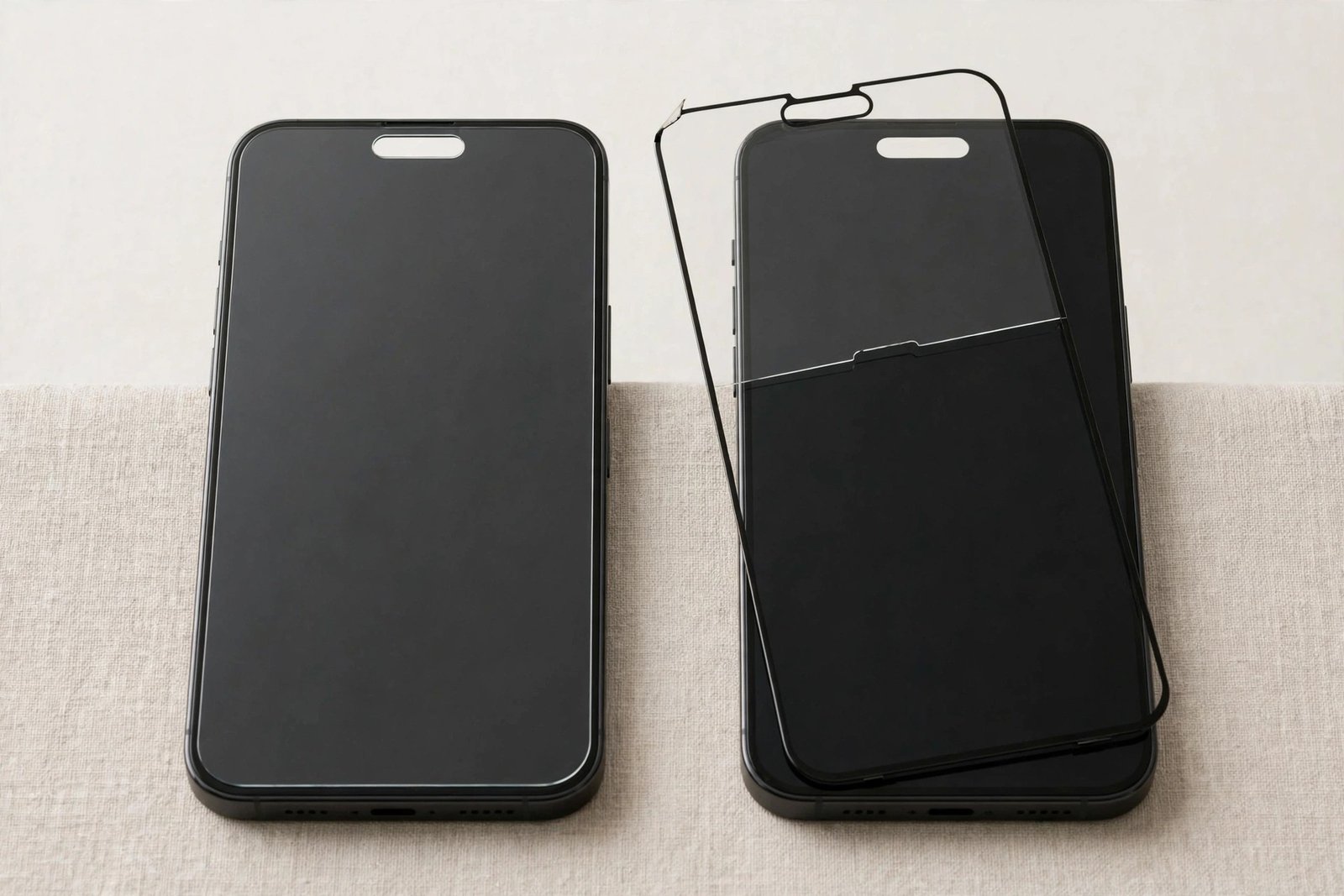
You have just upgraded from an iPhone 14 to an iPhone 15, and there is a spare screen protector sitting in a drawer — or a shop has handed you a 14 protector and insisted it is “basically the same”. Both phones have a 6.1-inch display, after all. So will an iPhone 14 screen protector actually fit an iPhone 15?
The honest answer is: it will stick, but it will not fit properly. Apple changed just enough between the two generations — most importantly swapping the notch for the Dynamic Island — that a 14 protector on a 15 is a compromise you will notice every day. This guide explains exactly what differs and what goes wrong if you try it anyway.
Key Takeaways
- Both phones have a 6.1-inch display, but the glass outline, dimensions, and edge curvature are not identical.
- The iPhone 15 replaced the notch with the Dynamic Island — a 14 protector’s cutout is the wrong shape in the wrong place.
- A misaligned cutout can cover part of the front camera and sensors, dulling selfies and interfering with the Dynamic Island’s display area.
- The iPhone 15’s more contoured edges mean a 14 protector is prone to lifted edges and the halo effect.
- A 14 protector works as a short-term stopgap only — buy a protector cut specifically for the iPhone 15.
The Short Answer: It Sticks, But It Doesn’t Fit
Screen protectors are cut with sub-millimetre precision for one specific model. “Same screen size” sounds reassuring, but the diagonal measurement is only one part of the fit. The outline of the glass, the position of the camera and sensors, the speaker slot, and the curve of the edges all have to match — and between the iPhone 14 and 15, several of those changed at once.
In practice, an iPhone 14 protector will adhere to an iPhone 15 and cover most of the display. If the alternative is a completely bare screen for a day or two, it is better than nothing. But it will sit slightly wrong in ways that range from mildly annoying to functionally problematic, as the next sections explain.
Notch vs Dynamic Island: The Real Problem
This is the decisive difference. The iPhone 14 has the familiar notch — a wide black bar cut into the top of the display housing the TrueDepth camera. The iPhone 15 replaced it with the Dynamic Island: a smaller, pill-shaped cutout that floats below the top edge and doubles as an interactive display area showing timers, calls, music, and alerts.
An iPhone 14 protector is cut around that old notch. On an iPhone 15, its opening lands in the wrong place: the cutout is wider than the Island and positioned differently, so the glass may overlap the edges of the Dynamic Island, covering part of the camera lens or sitting across pixels that are supposed to be live display. The result can be soft or hazy selfies, a visible glass edge slicing through your Dynamic Island animations, and in some cases reduced Face ID reliability if the sensor area is partially covered by glass and adhesive.
- After fitting any protector to an iPhone 15, open the Camera app and take a selfie, then trigger the Dynamic Island with a timer. If the image looks hazy or the Island’s animation is clipped by a glass edge, the protector is the wrong model — no amount of repositioning will fix a wrongly shaped cutout.
Size and Edge Differences
The two phones are close in size but not twins. The iPhone 15 is marginally taller and wider than the 14 (roughly 147.6 × 71.6 mm versus 146.7 × 71.5 mm), and — more importantly — Apple gave the 15 a contoured edge design: the front glass curves away more noticeably at the perimeter, and the frame edges are softer and more rounded.
A protector cut for the flatter 14 glass therefore meets a differently shaped surface on the 15. Because tempered glass is rigid, it cannot follow the changed curvature. The usual outcome is lifted edges or a “halo” of unbonded glass around the perimeter, which catches dust, looks untidy, and gives the protector a head start on peeling off entirely. Film protectors conform better, but they still inherit the cutout problem described above.
What Happens If You Use One Anyway
Plenty of people have done it, and the pattern of complaints is consistent. The protector goes on, seems acceptable for a day, and then the niggles accumulate: a glass border crossing the Dynamic Island, edges that will not stay down, dust creeping under the lifted perimeter, and tap targets near the top of the screen feeling slightly deadened because the glass stack over the Island area is not what the phone expects.
None of this damages the phone — a wrong protector is a cosmetic and functional annoyance, not a hazard. But it does mean you will almost certainly end up buying the correct protector anyway, at which point the “free” spare from the drawer has cost you a fitting, a removal, and a cleaning session. The economics only work if you genuinely need cover for a day or two while the right one is in the post.
- Beware of listings that advertise one protector as fitting “iPhone 13 / 14 / 15”. The 13 and 14 share the notch design, but the 15’s Dynamic Island makes it a different fit. A combined listing usually means the cutout is a loose compromise — buy one labelled for the iPhone 15 only.
Frequently Asked Questions
Will Face ID still work with an iPhone 14 protector on an iPhone 15?
Usually, yes — Face ID is fairly tolerant, and the sensors often sit clear of the glass. But because the 14 cutout is shaped for a notch, part of the TrueDepth array can end up under glass and adhesive on a 15, which may make Face ID slower or less reliable, especially in bright light. If unlocking becomes hit-and-miss after fitting, the protector is the first suspect.
Does an iPhone 15 protector fit an iPhone 14?
No — the incompatibility runs both ways. A 15 protector has a small pill-shaped cutout positioned for the Dynamic Island. On a 14, that cutout lands in the middle of the notch area, leaving parts of the camera and sensors covered by glass while other parts sit oddly exposed. Each generation needs its own protector.
Can I use an iPhone 14 protector temporarily until a 15 one arrives?
Yes, as a stopgap it is reasonable: some protection beats none, and a day or two of slightly lifted edges and a misaligned cutout will not harm the phone. Just treat it as temporary — order the correct iPhone 15 protector straight away rather than letting the compromise become permanent.
Same screen size, different phone. The Dynamic Island makes the iPhone 15 a different fit from the 14 in the one place it matters most — spend the few pounds on a protector cut for the phone you actually own.


