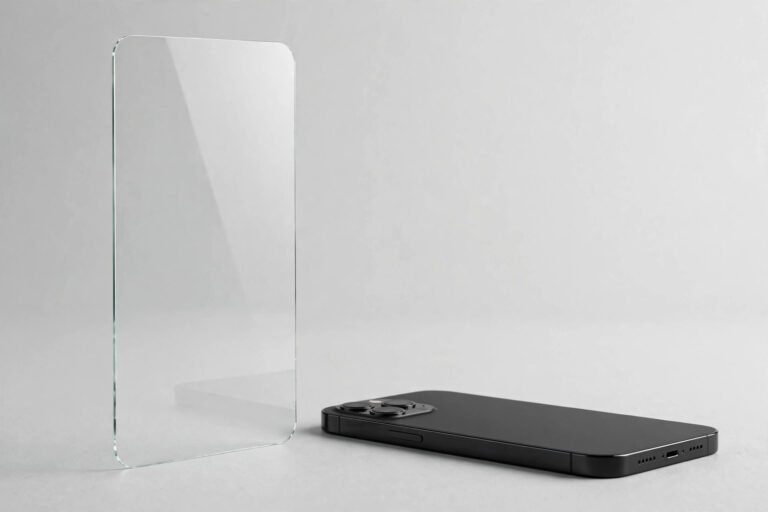

A privacy screen protector is a thin film or tempered-glass layer that fits over your phone’s display and narrows the angle at which the screen can be seen clearly. Looked at head-on, your phone behaves normally — but anyone trying to read it from the side sees only a darkened, blacked-out screen. It is essentially a set of built-in blinds for your display.
They have become a fixture on commuter trains, in open-plan offices and anywhere people handle sensitive information on the go — banking apps, work email and private messages. Unlike a plain protector that exists only to absorb scratches, a privacy protector adds a genuine functional feature: protection against shoulder surfing.
Key Takeaways
- Privacy screen protectors use embedded micro-louvre technology to block side viewing, typically darkening the screen beyond a 30–60 degree viewing angle.
- Two-way privacy blocks left and right views; four-way privacy also blocks views from above and below, at the cost of slightly more brightness.
- Expect a modest trade-off: reduced brightness, a slightly dimmer head-on view, and the need to turn your brightness up — which uses more battery.
- “Privacy” and “anti-spy” screen protectors are the same product under different names; check the viewing-angle specification rather than the label.
- Precise alignment matters more during installation than with a standard protector, and a privacy protector cannot hide your screen from someone standing directly behind you.
How a Privacy Screen Protector Works
At the heart of every privacy screen protector is a micro-louvre layer — thousands of microscopic vertical slats laminated into the film or glass, like the slats of a venetian blind. Light travelling straight out of the display passes through the gaps, so the person holding the phone sees a normal image. Light heading off at an angle hits the sides of the slats and is absorbed, which is why the screen goes dark from the side.
Most are rated at a total viewing angle of around 60 degrees — fully readable within roughly 30 degrees to either side of centre, darkening beyond that. The quoted figure usually refers to the full side-to-side range, so read it carefully when comparing.
Two-Way vs Four-Way Privacy
Two-way privacy protectors have vertical louvres only, blocking peeking from the left and right — the classic shoulder-surfing scenario on public transport. Four-way protectors add a horizontal louvre layer so the screen also darkens from above and below, which suits phones used flat on a desk — at the cost of a slightly dimmer head-on image.
The Trade-Offs to Know About
The micro-louvre layer filters some light even straight on, so the screen looks slightly dimmer than under a plain protector. Most people compensate by raising the brightness a notch or two, which draws a little more battery. Colours can shift subtly too — whites may take on a faint warm cast — though for everyday use the effect is easy to ignore. For colour-critical photo editing, a privacy protector is not the right choice.
Touch Response and Fingerprint Sensors
Touchscreens work normally through privacy film, and glass versions feel identical to standard tempered glass. The one caveat concerns ultrasonic in-display fingerprint sensors on some flagship phones: the extra thickness of a glass privacy protector can occasionally interfere with recognition. If your phone uses an ultrasonic sensor, check compatibility notes and re-register your fingerprints after fitting.
- If your screen looks dimmer after fitting, raise brightness rather than removing the protector — the louvre layer needs the extra output.
- Re-register fingerprints immediately after installing a privacy protector so the sensor learns the new optical path.
Who Benefits Most from a Privacy Screen Protector
Commuters are the classic use case: a crowded train carriage puts a dozen strangers within reading distance of your screen. Open-plan office workers benefit too — spreadsheets and client details stay unreadable to passers-by. Anyone entering passwords or banking details in public gains a cheap, always-on layer of discretion that needs no software or settings changes.
Privacy vs Anti-Spy: Is There a Difference?
None, in practical terms. “Privacy screen protector” and “anti-spy screen protector” describe the same micro-louvre technology — the naming is pure marketing. Ignore the name and compare the specifications that matter: viewing angle, material (film vs tempered glass), and whether privacy works in two directions or four.
Matte vs Glossy Privacy Protectors
Glossy versions keep colours punchy and match the look of your phone’s bare display, but they reflect overhead lights and windows — and reflections can partially defeat the privacy effect by mirroring the screen back at an angle. Matte versions scatter reflections and add a pleasant texture for reading, but soften fine detail slightly. Under bright office lights or near windows, matte is usually the better pick; if sharpness matters most in dimmer settings, go glossy.
Installation: Why Alignment Matters More
Fitting follows the same routine as any other protector — clean, peel, align and smooth — but alignment deserves extra attention. Because the louvres are directional, a protector fitted even slightly rotated can make the screen look dim or uneven head-on. Line the edges up carefully with the bezels before the adhesive settles, and use any alignment frame in the box. If the screen looks oddly dark afterwards, peel it off and rotate it 180 degrees before reapplying.
- Test the privacy effect before committing: hold the phone at arm’s length and swing it side to side — the screen should fade to dark at roughly a 30-degree tilt each way.
- Install in a steamy bathroom after a hot shower; humid air settles dust and gives a cleaner, bubble-free fit.
Limitations: What a Privacy Protector Cannot Do
A privacy protector blocks angled viewing, not viewing itself. Someone standing directly behind you, looking over your shoulder along the same axis as your eyes, will see the screen just fine — in a queue or a lift, the person immediately behind you remains a risk. Reflections are another blind spot: a glossy protector can mirror your display in a train window, readable from angles the protector itself blocks. And a camera captures emitted light differently from the human eye, so a screen that looks dark in person may still photograph.
Finally, a privacy protector is not encryption and no substitute for good security hygiene. It does nothing to protect data on the device, on the network or from malware — it simply makes casual visual snooping harder. Lock your screen promptly, use strong authentication, and stay aware of who is around you.
Frequently Asked Questions
Do privacy screen protectors reduce screen quality?
Slightly. The micro-louvre layer dims the display a touch and can introduce a faint tint. For everyday tasks the difference is barely noticeable once you nudge the brightness up; for colour-critical work like photo editing, a standard protector is the better option.
Can I still use Face ID with a privacy screen protector?
Yes. Face ID and front-facing cameras sit outside the display area, so a properly cut protector does not cover them. Problems only arise if a misaligned or wrong-model protector overlaps the sensor notch — another reason to double-check alignment and buy the version made for your exact phone model.
How long does a privacy screen protector last?
Tempered-glass versions last as long as standard glass ones — typically a year or more, until a drop cracks them. Film versions wear faster and may show fine scratches within months, though they keep providing privacy until the louvre layer itself is damaged. Replace either type if the screen starts looking uneven or the privacy effect weakens in patches.
A privacy screen protector is a simple, inexpensive way to keep your on-screen life to yourself in crowded places — just remember its limits, align it carefully, and accept the small brightness trade-off in exchange for genuine peace of mind.