

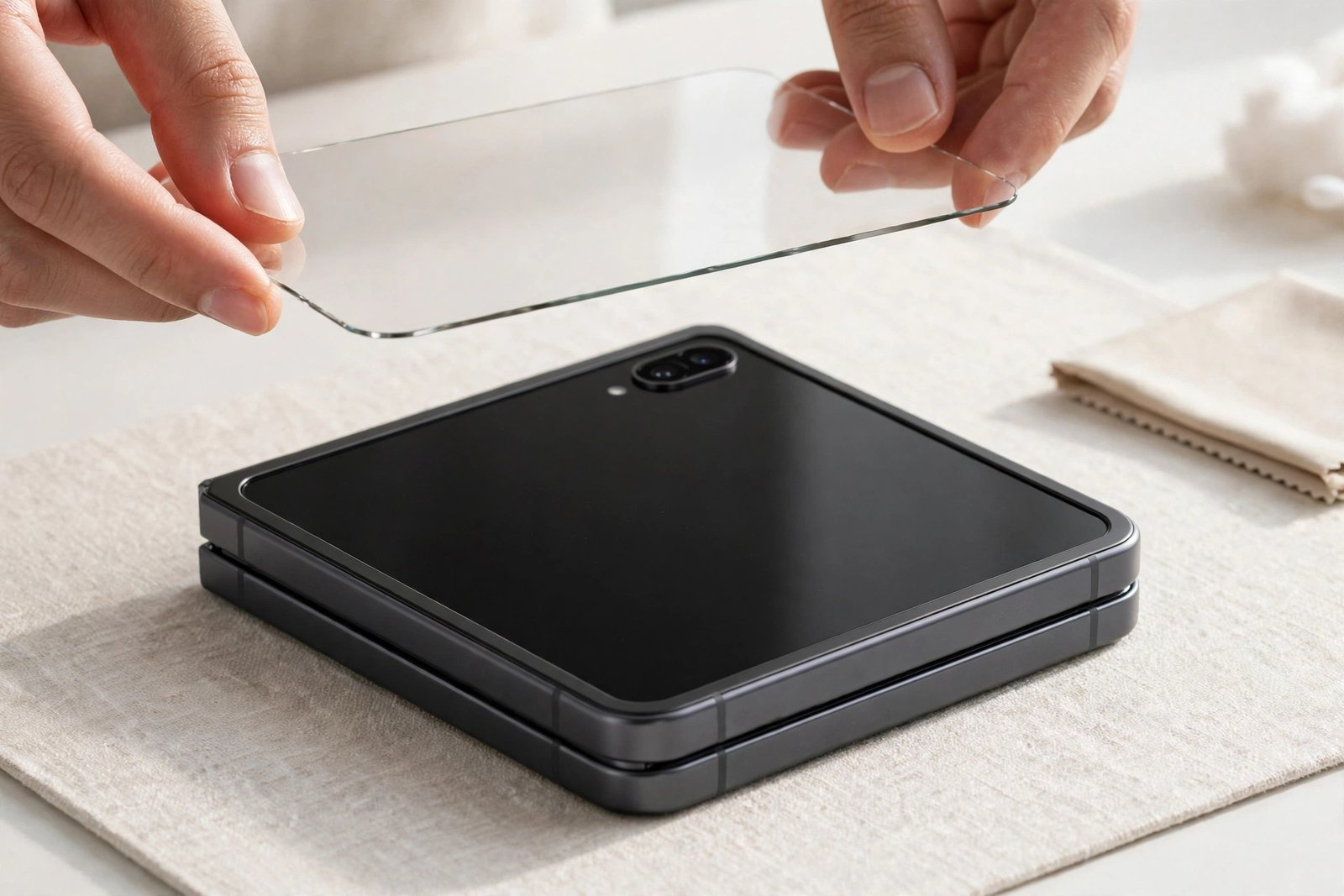
The Galaxy Z Flip 5 has two screens, and they follow completely different rules when it comes to protection. So can you put a screen protector on a Z Flip 5? The answer is yes for the cover screen on the outside, and no for the folding screen on the inside — and mixing those two up is one of the easiest ways to damage a foldable phone.
The large outer display behaves like any normal sheet of phone glass and happily accepts a standard tempered glass protector made for it. The folding inner display, meanwhile, already wears a factory-fitted film that Samsung does not want you layering anything over. This guide walks through both screens so you protect the right one, the right way.
Key Takeaways
- Do not add a third-party protector over the folding inner screen — it already has a factory-fitted film, and Samsung advises against layering another on top.
- The cover screen (Flex Window) is ordinary flat glass, and standard tempered glass protectors made for the Flip 5 fit it normally.
- Extra layers on the fold can stress the crease and interfere with closing, which risks damaging the flexible display.
- If the inner factory film wears out, it is a service-centre replacement, not a DIY job.
- When fitting a cover-screen protector, align carefully around the dual camera cut-outs beside the Flex Window.
Two Screens, Two Different Answers
Foldables confuse the usual screen-protector logic because the two displays are built from entirely different materials. The Flip 5’s main 6.7-inch screen folds in half, so its surface is a thin, flexible layer over ultra-thin glass — comparatively soft, easy to dent, and protected from the factory by a precisely applied film. The 3.4-inch cover screen on the outside never bends at all. It is a conventional rigid glass panel, and it faces the world every time you put the phone in a pocket or lay it on a table.
That is why the guidance splits cleanly in two. The screen that would benefit most from extra protection in normal-phone terms — the soft inner one — is the screen you must leave alone, because its protection is already built in and engineered for the fold. The screen you might overlook — the little one on the outside — is the one that genuinely needs, and can safely take, a protector you fit yourself.
The Inner Folding Screen: Leave the Factory Film Alone
It is tempting to think that if one film is good, two must be better. On a folding display it works the other way. The hinge and crease are engineered around a precise total thickness; adding another layer changes how the screen bends, concentrates stress along the fold, and can stop the phone closing perfectly flat. Adhesives from third-party films can also fight the factory film beneath, causing bubbling, lifting at the crease, or — worst of all — pulling the original film away when the added one is eventually removed, taking the risk of display damage with it.
- If you have already bought an inner-screen film for your Flip 5, don’t fit it. Keep the receipt and return it — and if one is already fitted, have a service centre assess it rather than peeling anything off yourself.
Samsung’s position on its foldables has been consistent: the factory film should not be removed by the owner, and nothing should be stuck on top of it. If that film becomes scratched, cloudy or starts lifting at the crease, the remedy is a replacement fitted by Samsung or an authorised service centre with the correct tools. Programmes and pricing for film replacement vary, so check current terms for your region when you book.
The Cover Screen: Yes, Protect It Like Normal Glass
The Flip 5’s Flex Window is the screen you will actually scratch in daily life. It handles notifications, widgets, selfies and quick replies while the phone stays shut, and it rubs against pockets, bags and tabletops like any other phone’s front. The good news: because it is flat, rigid glass, a standard tempered glass protector made specifically for the Z Flip 5 cover screen fits it exactly as you’d expect, and fitting one follows the normal routine — clean thoroughly, use the alignment aid if the kit includes one, and lower the glass into place.
The one fiddly part is geography. The dual cameras sit right beside the cover screen, and protectors are cut to wrap around or sit clear of those lenses. Take your time aligning before the adhesive grabs, check the glass hasn’t covered a lens or crept over the screen’s edge, and press out any bubbles towards the nearest edge. Note that most cover-screen protectors guard the display area only, so many owners pair one with a case that also shields the camera lenses.
- Fit the cover-screen protector before you snap on a tight case. Some Flip 5 cases grip the edges closely, and fitting the glass first avoids the case lip lifting the protector’s corners as you push it on.
Frequently Asked Questions
What about matte or privacy films for the inner screen?
The same rule applies whatever the finish: Samsung advises against applying any additional film to the folding screen, because the issue is the extra layer at the fold and the adhesive interaction, not the surface texture. If glare bothers you, adjust brightness and viewing angle rather than adding a layer the hinge wasn’t designed around.
Will a cover-screen protector affect the cameras or touch?
A protector made for the Flip 5 is cut to sit clear of the dual lenses and should not affect photos or touch response at all. Problems only arise with misaligned fitting or a protector meant for a different model, which can edge over a lens or lift on the screen’s borders — another reason to take the alignment step slowly.
The inner film is scratched. Can a shop just fit a new one while I wait?
An authorised service centre can replace the factory film — it’s a routine job for them, done with the screen properly supported. Independent shops vary in tooling and experience with foldables, and Samsung’s guidance points to its own service network; check current terms for cost and availability before you go.
Protect the screen that faces the world, and leave the screen that folds to the film it was born with — that’s the whole rule for the Flip 5.


