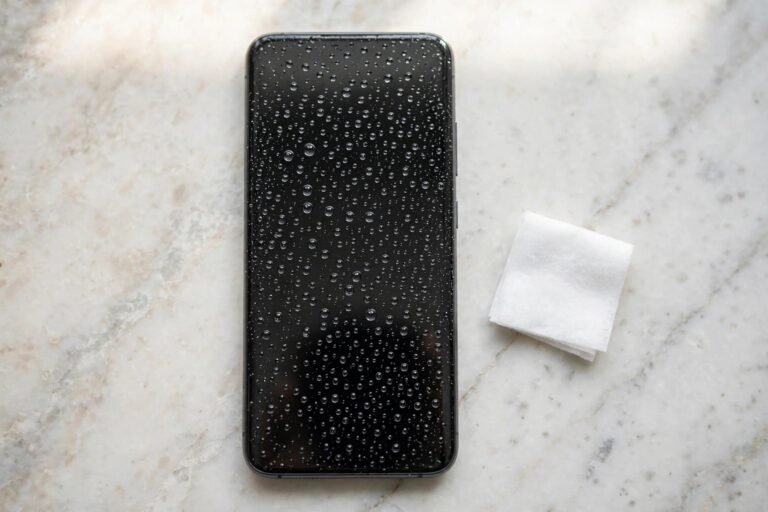
You have pushed, pressed, smoothed and waited — and the bubbles are still there, sitting under your screen protector like they own the place. Before you peel the whole thing off in frustration, it is worth knowing this: a bubble that refuses to move is almost never an air problem. It is a dust problem, and no amount of pressing will fix it, because you cannot push a solid particle out through glass.
This guide explains how to tell what is really inside your stubborn bubble, why pressing fails when dust is the culprit, the lift-and-clean technique that actually works, and — just as usefully — how to recognise the moment a protector is beaten and a refit is the honest answer.
Key Takeaways
- A bubble that will not move when pressed almost certainly has a speck of dust or grit trapped under the protector.
- Look closely: a dust bubble has a tiny visible dot at its centre and a halo where the glass tents up around the particle.
- The fix is lift and clean — raise the nearest corner with tape, dab the speck away with a dust sticker, lay the glass back down.
- Work within the first day or two of installation; fresh adhesive forgives lifting, old adhesive remembers the bubble’s shape.
- Endless lifting makes things worse — after two or three careful attempts, a fresh protector fitted slowly beats a re-fought old one.
- Edge bubbles that keep returning usually trace back to the case pushing the protector up or a pane that is slightly too large.
First, Diagnose What Is in the Bubble
Switch the screen off and hold the phone under a lamp, tilting it slowly. A pure air bubble looks like a clean, smooth pocket — it changes shape when you press near it and will glide a few millimetres when you push behind it with a cloth-wrapped fingertip. That kind of bubble is fixable from the outside: work it patiently towards the nearest edge in short strokes, and it will either leave or shrink noticeably within a day as the adhesive settles.
A dust bubble behaves differently. It stays stubbornly round, it does not travel, and when you zoom in — your phone’s camera macro mode helps — there is a pinhead speck at the very centre. The glass is tented over that speck like a circus top over its pole, and the air around it is just a symptom. Pressing on this bubble does nothing but flex the glass around the particle. Thousands of frustrated presses happen every day because the bubble looks like air; it is not.
Why Pressing Fails (and Can Make It Worse)
Air moves; solids do not. Pressure can squeeze air sideways through the adhesive layer and out at an edge, which is why genuine air bubbles respond to a squeegee. A trapped particle, though, physically holds the glass off the screen. Push hard enough and you can crack tempered glass at that stress point, or drive a sharp grain of grit across the display and scratch it — trading a cosmetic annoyance for real damage.
There is one more impostor to rule out: the bubble that is actually a contour problem. On curved screens, a protector that is a fraction too wide never fully seats at the sides, leaving long edge bubbles no cleaning will cure. And a bubble that vanishes by day and returns by night often belongs to a case whose lip is levering the glass up each time the phone flexes in a pocket. Diagnosis before effort, always.
- Wait 24–48 hours before declaring war. A surprising share of soft, dust-free bubbles quietly disappear as the adhesive finishes flowing.
- Test for case interference by taking the case off overnight. If the edge bubble is gone by morning, the case — not the install — was your problem all along.
The Lift-and-Clean Fix, Step by Step
Wash your hands and work somewhere calm — a steamy bathroom remains the best seat in the house, because the damp air keeps new dust from settling while you operate. Stick a piece of clear tape onto the protector’s surface at the corner nearest the bubble and pull gently upward, lifting only that corner, only until you can see the underside near the speck. Keep the lift small and the angle low; you are opening a door a crack, not removing the protector.
With the corner held up by the tape, press a dust-removal sticker (or a fresh strip of tape, sticky side down) onto the exposed area of the screen, and another onto the underside of the glass if the speck is clinging there instead — check both, because guessing wrong means lifting twice. Peel the sticker away, let the glass settle back down from the lifted edge, and smooth from that corner outward. Then inspect at an angle under the lamp before you celebrate.
When to Give Up and Refit
Each lift exposes the adhesive to more dust and weakens its grip a little, so the repairs obey a law of diminishing returns. As a working rule, allow yourself two or three patient attempts. If the same speck refuses to leave, if new specks keep arriving faster than you remove them, or if the protector has been on for weeks and the bubble is moulded into set adhesive, stop. Peel it off, clean the screen from scratch, and fit a fresh pane slowly — most protector packs include a spare for exactly this moment — in steamy air, with the screen stickered clean immediately before the drop.
- During a lift, keep the protector as close to the screen as possible — a wide-open pane collects dust on its sticky face at a depressing speed.
- Mark the bubble’s position with a tiny dot of tape on the outside of the glass before you start. Small bubbles have a talent for becoming invisible the moment you go looking for them.
Frequently Asked Questions
Can heat or a hairdryer get rid of a stubborn bubble?
Gentle warmth can soften adhesive and help a pure air bubble migrate out, which is why some people swear by it. It does nothing for a dust bubble — the speck is still there when the glass cools — and excessive heat is bad for the battery. Diagnose first; warmth is a supporting act, not the cure.
Why does my bubble come back in exactly the same place?
Same place, same cause. Either a particle is still trapped there, the screen has a barely visible raised blemish at that spot, or something — usually a case lip — is repeatedly lifting the glass at that point. Clean both surfaces under a lamp and test without the case before blaming your technique.
Is one small bubble worth fixing at all?
Honestly, that depends on where it sits and how much it bothers you. A tiny bubble near an edge, outside the main viewing area, harms nothing and many people never think about it again. A bubble over the centre of the display or the camera cutout earns the ten minutes the lift-and-clean fix takes.
A bubble that will not budge is not being stubborn — it is telling you something is trapped beneath it. Stop pressing, start looking, and either lift and clean with patience or refit with confidence. Either way, you will win.