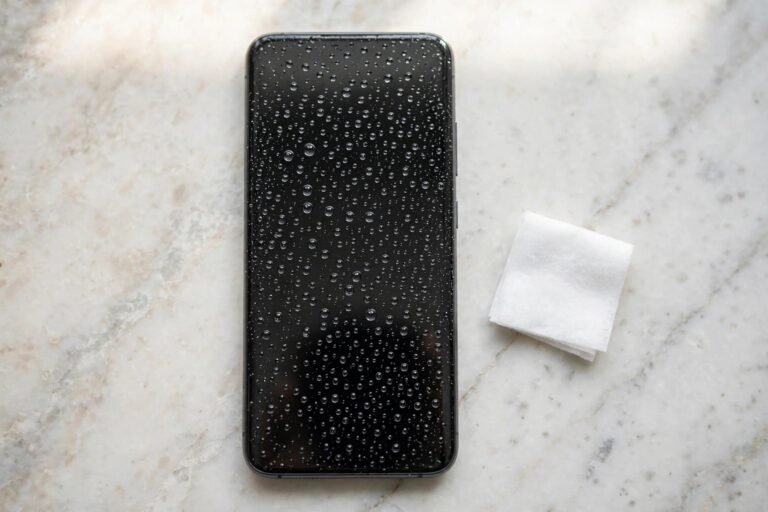
My tablet leads four different lives. It is my sketchbook in the morning, a recipe stand at lunch, the children’s film screen on car journeys, and my armchair reading device at night. When I caught myself wondering whether it needed a screen protector, I realised the honest answer depended on which of those lives I was protecting it from.
This is not a sales pitch either way. It is the decision I worked through for my own device — what I use it for, what a protector would change for better and for worse, and where I landed. If your tablet lives a similar sort of life, the same thinking should get you to your own answer.
Key Takeaways
- For my tablet, the biggest scratch risk is not drops — it is grit in the bag and small hands with sandy fingers.
- A matte protector changes how the stylus feels: more like paper, but it wears the tip down faster.
- On the couch, inside a folio case, my tablet is genuinely low-risk without one.
- A protector only earns its place if I am willing to fit it properly — a dusty, bubbled install protects nothing and annoys daily.
- I landed on yes for the travelling, child-shared life — and it would be an easy no for a desk-only device.
How I Actually Use Mine
Most mornings start with drawing. I sketch with a stylus for an hour or so, often on the sofa with the tablet on my knees rather than at a desk. That matters, because a stylus does not glide over a screen the way a fingertip does — it concentrates all its pressure into one tiny point, and if a single grain of grit is sitting on the glass, the stylus can drag it into a scratch I will see every day afterwards.
Then there are the other lives. The tablet props up in the kitchen while I cook, getting flour dust and the odd splash. It goes into a tote bag with charging cables and whatever else is in there when we travel. And the children borrow it — carefully, by their standards — on car journeys and rainy afternoons. None of this is abuse. All of it is exactly the low-level, everyday exposure that quietly frosts an unprotected screen over a couple of years.
What a Protector Changes — the Good and the Bad
The good is simple: a protector takes the scratches so the screen doesn’t have to. Micro-scratches from bag grit, stylus-dragged dust, and careless table surfaces land on a replaceable layer instead of the glass I actually look through. A matte finish also cuts the window reflections that plague my armchair reading spot, which turned out to be a bigger quality-of-life gain than the protection itself.
The bad is real too, and worth admitting. A matte or paper-feel protector slightly softens the sharpness of the display — text and fine detail lose a fraction of their crispness. It also makes the stylus feel draggy in a way that is wonderful for drawing control but odd for quick note-taking at first. And textured surfaces are harder on stylus tips: the nib wears down noticeably faster, so tips become a small, recurring consumable rather than something I never think about.
- If you draw daily, keep spare stylus tips in the same drawer as your cleaning cloth — on a textured protector, a tip can wear noticeably within a few heavy weeks.
- Fit the protector the night before a trip, at home, not in the car. Dust control at the kitchen table is ten times easier than anywhere on the road.
The Moments That Settled It for Me
Two moments made the decision. The first was hearing the faint scrape of a charging cable’s metal connector sliding across the screen as I pulled the tablet out of a travel bag. The second was watching a small, sandy hand swipe through a film after a beach day. Neither moment damaged anything — that time. But both made it obvious that my screen’s survival was depending on luck, repeatedly, every week.
Against that, I weighed the couch hours. In the evening the tablet sits in its folio, opens for reading, and closes again. In that life it needs nothing. The honest summary is that my tablet is two devices: a pampered armchair reader and a much-abused travelling sketchbook. I bought the protector for the second one.
When I’d Happily Skip One
If my tablet lived on a desk stand, in a room without children, and never went into a bag, I would skip the protector without a second thought and enjoy the untouched display. If I never used a stylus, the scratch maths changes too — fingertips alone are gentle, and a folio case that closes over the screen in transit covers most of the realistic risk. The protector earns its keep in motion, in shared hands, and under a stylus. Take those away, and it is mostly a solution looking for a problem.
- Close the folio before you put the tablet down anywhere outdoors — most mystery scratches happen face-down on gritty tables, not in bags.
- Wipe the screen before the stylus comes out. Dragging a stylus over one grain of grit is how the deep, permanent scratches happen.
Frequently Asked Questions
Does a protector affect stylus accuracy?
No — tracking and pressure response work the same through a protector. What changes is feel: clear glass feels like the bare screen, while matte and paper-feel finishes add drag that most people who draw actually prefer. If you mostly tap and type, you will barely notice any of them.
Will a protector stop the screen cracking if I drop the tablet?
A glass protector can absorb some impact and sometimes takes the crack itself, but a tablet is large and heavy, and corner impacts are the real killer — that is the case’s job, not the protector’s. Think of the protector primarily as scratch defence, with any drop protection as a bonus.
Can I take it off later if I hate it?
Yes. A protector lifts off cleanly with a fingernail under one corner and a slow peel, and any faint adhesive residue wipes away with a microfibre cloth. Trying one is a reversible decision, which is exactly why I stopped agonising over it.
Ask not whether your tablet is valuable enough to protect, but what its week actually looks like. Sketchbooks, travel bags, and small sandy hands say yes; a quiet life on a desk stand says you can skip it and enjoy the glass.