It is a fair question, and the answer has changed over the years. The OtterBox Defender name has been around for a long time, and older versions of the case were famous for having a clear plastic screen built right into the front cover. If you remember that version, you might reasonably expect a new Defender to protect your screen straight out of the box.
For most current models, however, that is no longer the case. The short answer is that most modern Defender cases are screenless designs, which means the case protects the back, sides, and corners but leaves the display itself exposed unless you add a separate protector. Because the line-up varies by phone model and by year, the only safe approach is to check the exact version made for your device before you assume the screen is covered.
Key Takeaways
- Most current Defender cases are screenless — they protect the frame and back, not the display itself.
- Some older Defender models did include a built-in plastic screen cover, which is why the confusion persists.
- The exact design varies by phone model and production year, so two Defender cases can differ.
- Always check the specific model’s current product page and packaging before assuming screen cover is included.
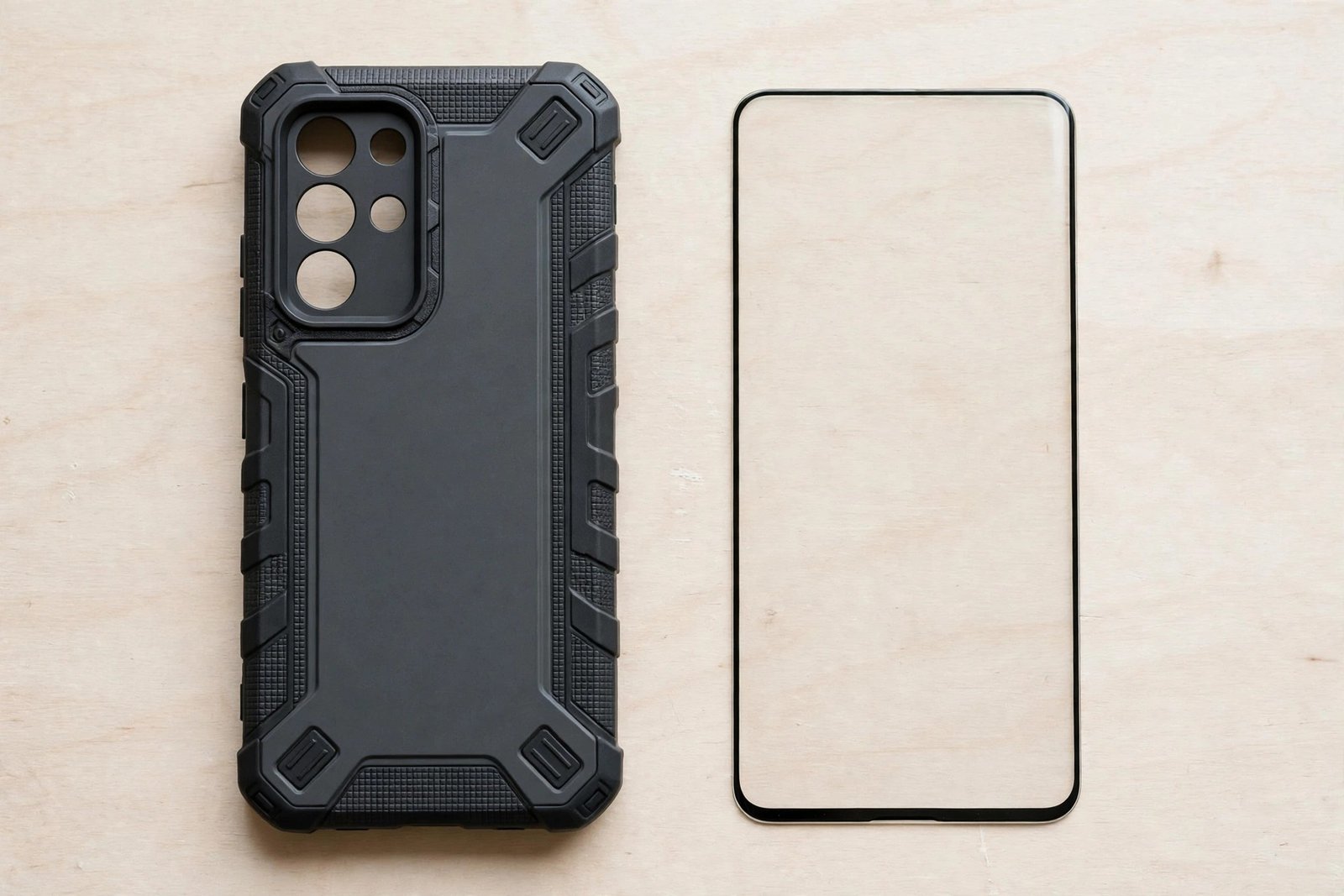
- If your Defender is screenless, a separate tempered glass protector is the usual companion and fits comfortably under most case lips.
- A built-in plastic cover and a glass protector are not the same thing — glass feels better and resists scratches far more effectively.
How the Defender Design Changed Over Time
The Defender was originally built for maximum, no-compromise protection, and for many years that included a rigid front piece with a clear membrane over the screen. That built-in cover kept dust and grit away from the display and meant you did not need to buy anything extra. It was one of the reasons the case earned its reputation with tradespeople, parents, and anyone whose phone lived a hard life.
Over time, phone design moved against that approach. Screens grew larger and curved at the edges, fingerprint sensors moved under the display, and users increasingly wanted to touch the actual glass rather than a plastic film. A built-in membrane can dull touch response, trap dust underneath, and interfere with an under-display fingerprint reader. In response, OtterBox shifted most of the Defender range to a screenless design: the case still wraps the phone in serious impact protection, but the front is open so your fingers meet the screen directly.
That history explains why advice online seems contradictory. A review from several years ago may describe a built-in cover because that was accurate for that model at that time. A listing for a newer phone may show an open front. Both can be correct — they are simply describing different generations of the same product family.
- Look at the product photos closely: a screenless Defender shows the bare display edge-to-edge, while older stock images show a visible clear panel framed inside the front cover.
- If the listing mentions raised edges or a raised lip around the screen rather than a cover over it, you are looking at a screenless version.
How to Check Your Specific Model
Because the answer depends on the exact model, take a minute to verify rather than guess. Start with the current product page for your phone model on the manufacturer’s site and read the description and specifications carefully. Look for explicit wording such as “screenless design” or, conversely, mention of an integrated screen cover. Marketing language can be vague, so the specification list and the photo gallery are usually more reliable than the headline claims.
Next, check the packaging or the box contents list if you already own the case. If the case had a built-in cover, it will be obvious once the case is in your hands: the front frame will have a clear panel you cannot remove separately. If the front frame is an open ring with nothing across the middle, your case is screenless and the display has no cover beyond whatever protector you choose to fit yourself.
Be cautious with third-party marketplace listings, which sometimes reuse old descriptions or old photographs for newer stock. If a listing’s details conflict with the manufacturer’s current page for the same phone model, trust the manufacturer’s page. When in doubt, the safest assumption is that a modern Defender leaves the screen open, and you can plan your screen protection accordingly.
If Your Defender Is Screenless, What Should You Add?
A screenless Defender paired with a tempered glass screen protector is the combination most owners end up with, and it works well. The case handles drops, knocks, and corner impacts, while the glass gives the display the scratch and shatter defence the case no longer provides. Choose a protector described as case-friendly, meaning it is cut very slightly smaller than the full screen so the case’s raised lip does not push against its edges and lift it.
Fit the protector before putting the case on, let the adhesive settle, and then snap the case into place, checking that no edge of the glass is being pried up by the frame. If an edge does lift, the protector is marginally too wide for that case pairing — a different case-friendly cut usually resolves it. Avoid stacking a separate protector under an older Defender that already has a built-in plastic cover, as the two layers together can cause touch problems and trap dust between them.
- If your older Defender has a built-in cover that has gone cloudy or scratched, clean it gently with a microfibre cloth; heavy scratching means the cover has done its job and the case may be due for replacement.
- With a screenless Defender, enable your phone’s touch sensitivity setting if it has one — it helps the screen respond reliably through tempered glass.
Frequently Asked Questions
Does the Defender Pro come with a screen protector?
The Defender Pro line follows the same general pattern: most current versions are screenless designs without a built-in cover or a bundled separate protector. As with the standard Defender, this can vary by phone model, so check the current product page for your exact device before buying if screen cover matters to you.
Can I use a glass protector with a Defender that has a built-in screen cover?
It is generally not recommended. Two layers over the display can reduce touch sensitivity, create a visible gap or rainbow effect, and trap dust between the layers. If your Defender already has a built-in cover in good condition, rely on that alone; if you prefer glass, use a screenless case version instead.
Why did OtterBox remove the built-in screen protector?
OtterBox has not framed it as a single announcement, but the shift lines up with wider industry changes: curved and edge-to-edge screens, under-display fingerprint sensors, and user preference for touching real glass. A screenless design avoids the touch and clarity compromises of a plastic membrane while keeping the case’s drop protection intact.
The Defender still guards your phone like few other cases — just do not assume the screen is part of the deal. Check your exact model, and if the front is open, a sheet of tempered glass completes the armour.