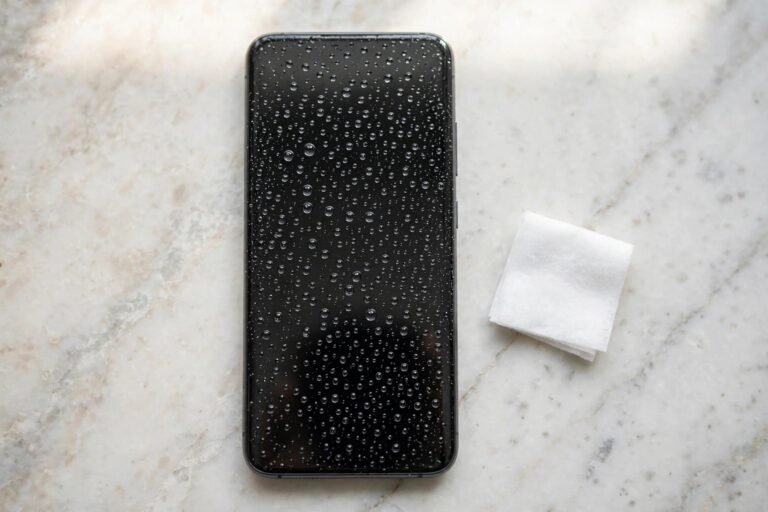
Your screen protector is the hardest-working surface you own. It takes every fingerprint, every swipe through cooking oil and sunscreen, every trip face-down into a handbag — and it shows all of it. A grubby protector makes a flagship phone look tired, scatters reflections, and can even dull the feel of your swipes. The good news is that keeping it clean takes two minutes a day and almost no equipment, as long as you clean the top surface the right way.
This guide is purely about the working surface of a protector that’s staying on your phone: the daily wipe, the weekly deep clean, the products that are safe on modern coatings, and the common cleaners that quietly destroy them.
Key Takeaways
- Dry first, always. A clean microfibre cloth alone removes most daily grime — fingerprint oil wipes off without any liquid at all.
- The oleophobic coating on glass protectors is what makes them feel slick; alcohol, ammonia and abrasive cleaners strip it away.
- Never spray the phone directly. Dampen the cloth, not the screen, so liquid can’t creep into the speaker, microphone or charging port.
- Clean under the case lip weekly — grit migrates to the protector’s edges and hides where the case covers it.
- Wash your cloths. A grease-loaded microfibre cloth doesn’t clean the screen; it just moves the smear around.
- Matte and privacy protectors trap oils in their texture and need a slightly damper cloth and more patience, not harder scrubbing.
The Daily Wipe: Dry Cloth, Small Circles
For everyday fingerprints, dry is not just enough — it’s better. A clean, dry microfibre cloth, worked in small circles with light pressure, lifts skin oil off the oleophobic coating without disturbing it. Ten to twenty seconds is all it takes. Keep a cloth where you actually are: one in the car, one in a desk drawer, one in your bag. A protector gets cleaned by the cloth that’s handy, not the one at home in a drawer.
Technique matters more than effort. Fold the cloth into a pad so no seams or tags touch the glass, and move to a fresh section of cloth as the first one loads up with oil — you’ll feel it start to drag instead of glide. If a dry pass leaves a haze, the cloth itself is probably saturated; swap it rather than pressing harder.
- Dedicate one cloth to screens only. A cloth that’s wiped a kitchen counter carries grit and detergent residue that will haze a protector’s coating.
- Clean the screen before you notice it’s dirty — a daily ten-second wipe stops oils building into the grey film that needs a deep clean.
The Weekly Deep Clean
Once a week — or after illness, travel, or a day at the beach — give the top surface a proper clean. Take the case off first. Lightly dampen a corner of your microfibre cloth with plain water, or with a screen-cleaning spray made for coated displays, and wipe the whole surface, edges included. Follow immediately with the dry part of the cloth, buffing until the surface squeaks slightly and reflections come back sharp.
Pay attention to the border where the protector meets the case. Pocket grit, make-up and dust cake along that line and along the speaker cutout, and a damp cotton bud run gently along the edge clears what a cloth can’t reach. Let everything dry fully before the case goes back on, so you don’t seal moisture and loosened grime underneath it.
What Never to Use on a Protector
The coating is the casualty here. Window cleaner with ammonia, kitchen sprays, bleach wipes, vinegar, and high-strength alcohol all attack the oleophobic layer that keeps fingerprints from bonding to the glass. One use won’t ruin it, but a weekly habit strips the coating within months — after which the protector smears faster, feels draggy, and no amount of wiping restores the original glide. Paper towels, tissues and rough cloths are the mechanical equivalent: their fibres are abrasive enough to leave a fine haze of micro-scratches, on film protectors in particular.
Also keep the protector away from acetone and nail-polish remover, which can attack the adhesive at the edges; hand sanitiser used as a cleaner, whose glycerin leaves a sticky film; and ultrasonic baths meant for jewellery. If a product isn’t made for coated screens, assume the coating pays for it.
- Wash microfibre cloths in warm water with a drop of plain detergent, no fabric softener — softener coats the fibres and turns the cloth into a smearing pad. Air-dry them.
- Glasses-cleaning wipes are fine in a pinch: they’re made for coated lenses, which is exactly the chemistry your protector’s surface uses.
Film, Matte and Privacy Protectors: Small Adjustments
Plastic film protectors have no oleophobic coating to protect, but they scratch more easily, so the rule is a softer cloth, less pressure, and never a dry rub over visible grit — lift grit with a barely damp cloth first. Matte and privacy protectors have a microscopically textured surface that holds oil in its valleys; a slightly damper cloth and slower strokes shift it, where quick dry wipes just skate over the top. All three types, though, obey the same chemistry: water or a screen-safe spray on the cloth, and nothing harsh.
Frequently Asked Questions
Can I use alcohol wipes to disinfect my screen protector?
Occasionally, yes — most makers of glass protectors accept a quick wipe with a 70% alcohol pad, and the coating tolerates rare use. The problem is habit: used daily, alcohol steadily thins the oleophobic layer, and within months the surface smears more easily and feels noticeably less slick. For routine cleaning, water on a microfibre cloth does the job without the cost.
Why does my screen look streaky straight after cleaning?
Almost always one of two causes: the cloth was already loaded with oil and simply redistributed it, or too much liquid was used and dried unevenly on the surface. Buff with a completely dry, clean section of cloth in small circles — streaks are just a thin, even film of residue, and dry buffing breaks it up and lifts it away.
How do I clean around the front camera and speaker cutout?
Use a dry cotton bud or the folded corner of your microfibre cloth, worked gently along the cutout edges where lint and pocket dust pack in. Keep liquids away from the speaker mesh itself — a barely damp bud, never a wet one, and never poke anything into the grille. A soft, clean make-up brush also sweeps the area effectively.
A protector earns its keep every day — give it ten seconds back. Dry cloth daily, a gentle deep clean weekly, and nothing on it that you wouldn’t put on a camera lens.