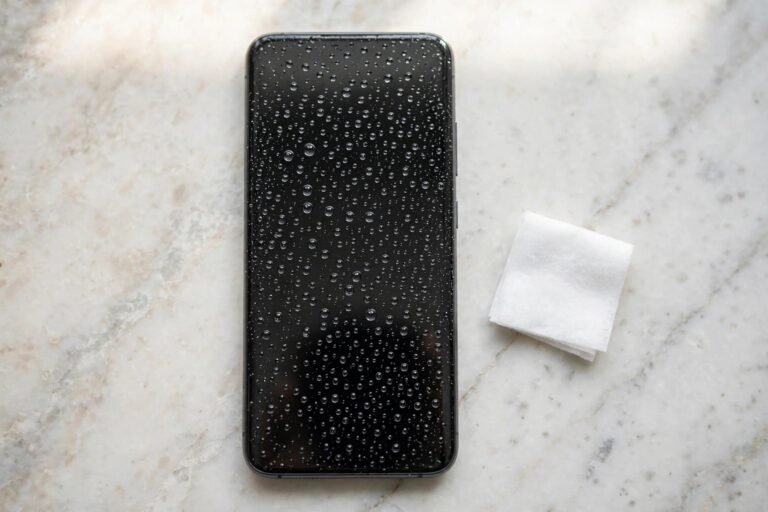
Tempered glass is the most forgiving protector to install — rigid, self-levelling, and fitted with an adhesive that does most of the work for you — yet people still end up with crooked panes and halo edges because they treat it like a sticker. It isn’t one. A tempered glass screen protector is a pane that wants to drop flat, bond itself, and spread its own adhesive from the centre outwards. Your job is alignment and patience.
This guide covers the glass-specific method: using the alignment tray or frame that most glass kits now include, letting auto-adsorption do the bonding, starting the spread with one centre press, and handling the halo edges that curved screens love to produce.
Key Takeaways
- Use the alignment tray or frame if your kit has one — with tempered glass, alignment is the only step that really matters, and the frame makes it almost automatic.
- Once the pane is down, let the adhesive spread by itself (auto-adsorption). Don’t press the edges or chase the spread with your fingers.
- One firm press in the centre starts the spread if it stalls — the bond radiates outwards from where you press.
- Clean thoroughly first: glass shows every trapped speck as a bubble, and its rigidity means it won’t conform around dust.
- A halo edge on a curved screen means the pane is wider than the flat part of the display — it’s a fit issue, not an installation error.
- Handle the pane by its edges only. A fingerprint on the adhesive side is permanent.
Step 1: Clean and Prepare
Glass is unforgiving about dust in a way film isn’t: because the pane is rigid, a single speck tents it and creates a bubble that no pressure will shift. So clean properly — wet wipe, dry microfibre cloth, then the dust-removal sticker over the whole screen — and inspect at an angle under a bright light. Working in a steamy bathroom, where humidity settles airborne dust, is worth the small detour. Lay the phone on a flat, stable surface; a pane that drops onto a wobbling phone drops crooked.
Step 2: Fit the Alignment Tray or Frame
Most tempered glass kits now include one of two helpers. A snap-on frame clips over the phone and leaves a window exactly the size of the pane: drop the glass in, and it can only land in the right place. A tray system holds the phone in a moulded base while the pane slides or drops down rails onto the screen. Either way, fit the frame before peeling the backing, do a dry run so you know how the pane travels, and make sure the frame is seated squarely — a frame sitting one millimetre off will faithfully install your pane one millimetre off.
- No frame in your kit? Use the hinge-tape method: position the pane, tape one long edge to the phone as a hinge, flip it up, peel, and swing it back down into perfect position.
- Before peeling, note which end is up — speaker cut-outs and camera holes make tempered glass handed, and a pane lowered upside down bonds just as enthusiastically in the wrong orientation.
Step 3: Drop the Pane and Let It Bond Itself
Peel the backing off, holding the pane by its edges, and lower it into the frame in one calm motion. Then — this is the part that feels wrong — do nothing. Tempered glass adhesive is designed to wet out on contact: you’ll see the bonded area spread across the screen like a slow tide, usually starting where the pane first touched. This auto-adsorption takes a few seconds to half a minute. Pressing at the edges during the spread traps air and interrupts the wave, so keep your fingers off until it stops moving.
If the spread stalls part-way, leaving an unbonded island, give one firm press in the centre of the pane with your thumb and hold for a few seconds. The bond radiates outwards from the pressure point and usually restarts the tide. If a line of the spread stops along one edge, run a fingertip along that edge with gentle pressure to help it seat. Only once the whole pane has bonded should you remove the frame and do a final firm press around the perimeter.
Step 4: Dealing With Halo Edges on Curved Screens
A halo is the white-ish outline where the pane’s edge hovers over the part of the screen that curves away. It happens because the glass is flat and the display isn’t: if the pane extends past the flat area, its edges physically cannot touch down. Pressing harder won’t fix geometry. First, check it’s really a halo and not dust — a halo is a smooth, even line following the curve; dust makes irregular blobs. Then press the edge down and hold for thirty seconds; freshly applied adhesive sometimes creeps enough to close a marginal halo.
If it persists, the honest fix is a case-friendly pane — one cut slightly narrower so all of it sits on the flat part of the screen. A halo is cosmetic rather than dangerous: the bonded area still protects fully, and the floating edge is not collecting damage. What you shouldn’t do is keep peeling and re-pressing the edge, which only weakens the adhesive and lets dust creep under it.
- Small plain-air bubbles near the centre often fade within 24–48 hours as the adhesive finishes flowing — judge the install tomorrow, not in the first five minutes.
- Wait 15–30 minutes before refitting a tight case, so its lip doesn’t catch a freshly bonded edge and start a lift.
Frequently Asked Questions
The adhesive spread stopped halfway. What do I do?
Press firmly in the centre and hold — the bond spreads outwards from pressure. If an area still won’t wet out, the usual cause is a speck of dust or a fingerprint on the adhesive. Lift the nearest corner with tape, clean the spot with a dust sticker, and let the pane settle again.
Can I lift and reposition tempered glass?
Once, if you catch it within the first minute or two and lift slowly from a corner with tape. After the adhesive has fully wetted out, repositioning risks dust, cracked corners and weak adhesion — a fresh pane from the multi-pack will give a better result.
Why is there a white line around the whole edge?
That’s the halo effect: your screen curves at the edges and the flat pane can’t follow it. It’s a sizing issue, not a mistake you made. Either live with it — protection is unaffected — or switch to a narrower, case-friendly pane that sits entirely on the flat area.
With tempered glass, your hands do the aligning and the adhesive does the rest: frame it, drop it, press the centre once, and leave the spread alone.