You fitted the protector, stood back, and found the screen freckled with dozens of tiny bubbles — each one no bigger than a pinhead, scattered from corner to corner. Before you start pressing at them one by one, some reassuring news: a field of small bubbles on day one is much closer to normal than to disaster, and most of them are already on their way out.
This guide is about small bubbles specifically: why fresh installations produce them, why most vanish overnight on their own, when a fingertip beats a card (and when it does not), and the one pattern in a field of micro-bubbles that genuinely does mean trouble.
Key Takeaways
- Most micro-bubbles vanish within 24–48 hours as the adhesive keeps flowing and settles.
- Tiny bubbles respond best to a warm fingertip — a hard card edge can split one pocket into several.
- A bubble with a dark speck at its centre is dust, not air, and will never settle away.
- A uniform field of pinhead bubbles usually means the screen was not fully clean before fitting.
- Everyday warmth — hands, pockets, charging — speeds up settling, so simply use the phone normally.
- Judge a fresh installation on day three, not in the first hour.
Why Fresh Installs Are Freckled with Tiny Bubbles
A new protector’s adhesive does not make perfect contact the moment it lands. It bonds in patches, and microscopic pockets of air remain trapped in the gaps between them — that is your field of tiny bubbles. Over the following day or two the adhesive continues to creep and flow, filling those gaps and absorbing the air. Installers call it settling, and it is a designed part of how the adhesive works, not a fault in your fitting.
Film protectors settle more slowly than tempered glass, because a flexible film drapes onto the surface rather than bonding under its own weight. Either way, the bubbles visible at hour one are a progress report, not a verdict. Attacking every one of them immediately achieves little that the adhesive would not do itself — and enthusiastic pressing can push separate dust-free pockets together into one bigger bubble that then does need work.
Fingertip or Card? Matching the Tool to the Bubble
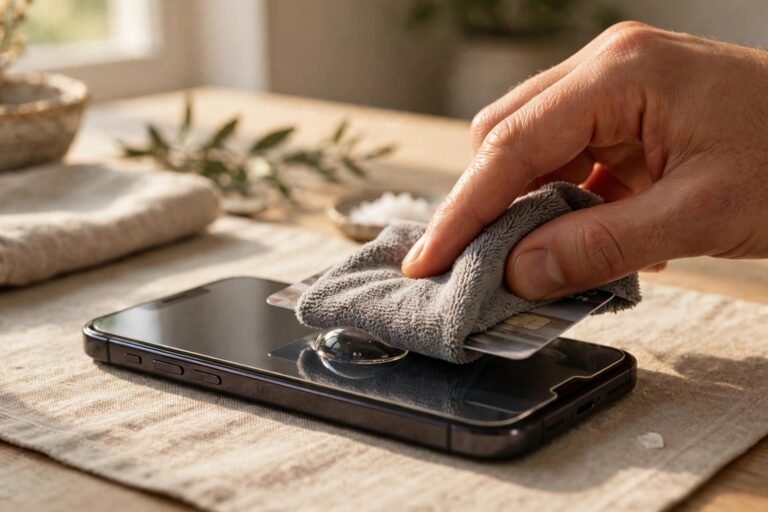
For genuinely small bubbles — a millimetre or two across — your fingertip is the better tool, and it is not close. The pad of a finger is soft and warm: press the bubble gently and roll towards the nearest edge, and the pocket either escapes or shrinks as the warmed adhesive flows around it. A card’s hard edge concentrates all its force onto a tiny line, which can split a small pocket into two or three smaller ones, or shove it sideways under a patch of adhesive that has already bonded.
Cards earn their place on larger pockets: anything pea-sized, or a bubble with a visible channel of air leading towards an edge. Wrap the card in a microfibre cloth and use slow, deliberate strokes. A useful rule of thumb — if the bubble is smaller than the card’s edge is wide, use a finger; if it is bigger, use the card. And whatever the tool, work towards the nearest edge, never the far one.
- Sleep on it — literally. Fit protectors in the evening and let the overnight settle do the work before judging the result in the morning.
- Warm your fingertip first by rubbing your hands together; a warm finger softens adhesive on contact and moves small bubbles that a cold one only slides over.
When a Field of Micro-Bubbles Means Dust
One pattern deserves real suspicion: a dense, even spray of pinhead bubbles spread uniformly across the whole screen, rather than scattered at random. That usually means the display carried a fine film of micro-dust at the moment of fitting. Each speck tents the glass up slightly and seeds its own bubble — and those bubbles cannot settle, because the specks propping them open are not going anywhere.
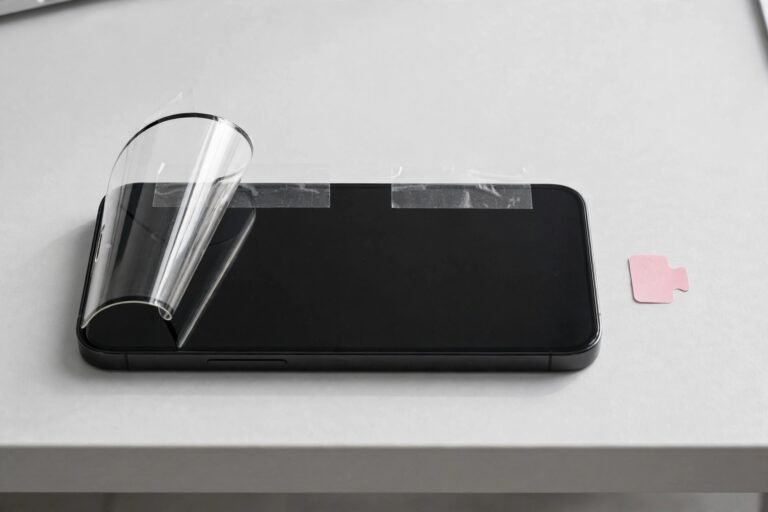
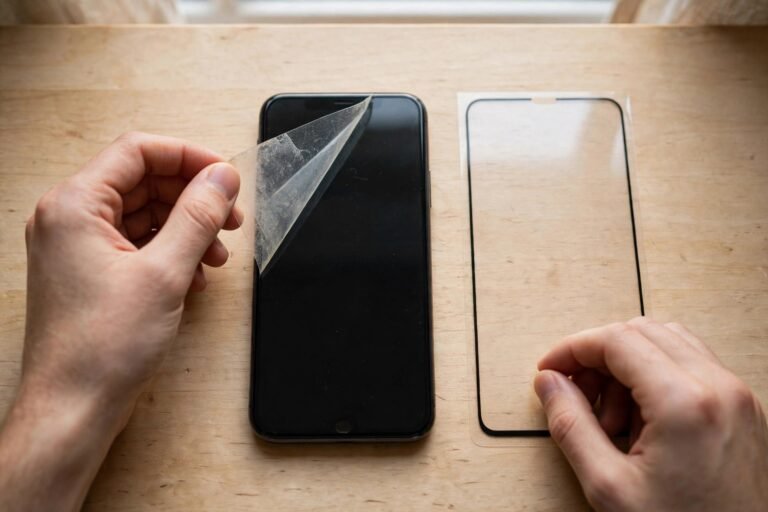
The telltales are easy to check. Look closely under a lamp with the screen off: dust bubbles have tiny dark centres. The edges of the screen may look faintly hazy. And the calendar test is decisive — a dust field on day three looks exactly as it did on day one, while honest air bubbles will have visibly shrunk. The fix is a careful refit: lift the protector from a corner using tape, clean the screen thoroughly with the dust-removal sticker, and lay the pane down again. Tempered glass usually survives one careful relift; if the adhesive itself is contaminated with specks, a fresh pane from the pack is the honest answer.
- Count the bubbles with dark centres under a lamp, screen off. A handful means isolated specks; dozens mean the whole screen needed another pass with the dust sticker.
- Take a photo of the screen on day one. Comparing it with day three tells you objectively whether the field is shrinking or stable.
Frequently Asked Questions
How long should I wait before worrying about small bubbles?
Give it a full forty-eight hours of normal use. By day three, dust-free micro-bubbles should be gone or visibly shrinking. Anything still present and unchanged after seventy-two hours has finished settling and needs an explanation — dust, or a pocket big enough to card out properly.
Why did pressing one small bubble turn it into three?
The hard edge of the card split the air pocket, and the air divided into neighbouring gaps in the adhesive. It looks worse but usually is not — split bubbles often re-merge and settle overnight anyway. For pockets that small, switch to a warm fingertip and a slow rolling motion instead.
The small bubbles are only around the edges. Is that normal?
Yes, completely. Edges settle last, because the adhesive layer is thinnest there and curved screens hold the glass fractionally off the surface at the rim. Edge micro-bubbles may need the full forty-eight hours; if any linger into day two, roll them gently outwards with a fingertip and they will usually seal.
Small bubbles ask for patience before technique. Give the adhesive two days, use a warm fingertip on the stragglers, and save your concern for the one pattern — a dusty field — that genuinely needs a refit.