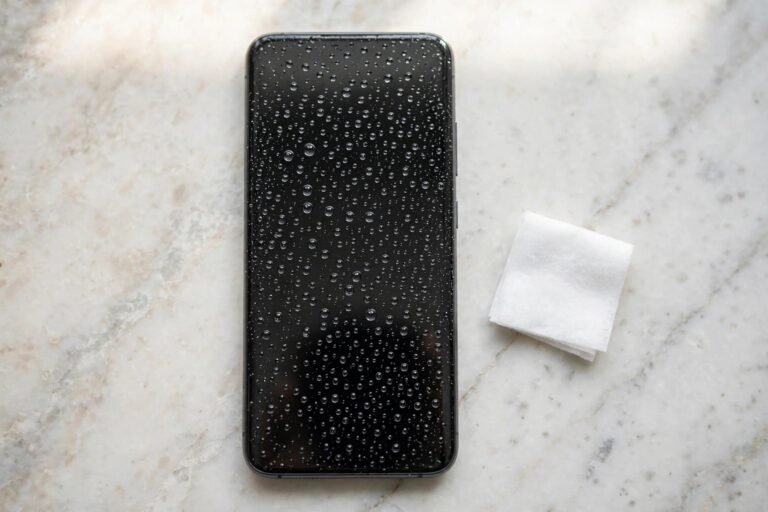
If you have just unboxed an OtterBox Defender and found yourself turning the case over, looking for the plastic sheet that used to cover the screen, you are not imagining things — it probably is not there. Whether a Defender includes a built-in screen protector depends entirely on which generation of the case you bought, and the line has changed more than most buyers realise.
Older Defender cases were famous for their built-in screen cover, a clear plastic membrane moulded into the front frame. Current Defender models, however, ship in what OtterBox calls a screenless design. This guide explains when the change happened, why it was made, and how to check exactly what your case does and does not include.
Key Takeaways
- Older Defender cases included a built-in screen protector — a plastic membrane built into the front half of the case.
- Current Defender models are screenless: they protect the back, edges and ports, but leave the display itself bare.
- The change rolled out gradually from around 2017 onwards, so two Defenders bought for different phones can genuinely differ.
- Look for the words “screenless design” on the packaging or product page — that is OtterBox’s own term for no built-in cover.
- A separate tempered glass protector fits happily under most Defender cases if you want the screen covered as well.
The Short Answer: It Depends on the Generation
The Defender series has been around since the early days of smartphones, and for most of that history a built-in screen cover was part of the deal. The two-piece polycarbonate shell clipped around the phone, and the front piece carried a clear plastic window that sat over the display. It kept grit and scratches off the screen and helped seal the phone against dust, at the cost of a slightly dulled feel under your fingertip.
That changed as phone design moved on. From roughly 2017, beginning with the flagship models of that period, OtterBox started releasing Defender cases in a screenless design. The protective shell, the port covers and the belt-clip holster all stayed; the plastic window disappeared. Today the standard Defender is sold as screenless across the range, and any screen protection is an optional extra you choose and fit yourself.
Why OtterBox Removed the Built-In Screen Cover
The main driver was the screens themselves. Curved-edge displays became common, and a rigid plastic membrane cannot follow a curved screen without lifting at the sides and letting dust creep underneath. At the same time, under-display fingerprint readers arrived — and a loose plastic sheet sitting over the sensor is bad news for fast, reliable unlocking.
Touch feel played its part too. A built-in membrane never sits perfectly flush, so there is always a tiny air gap between the cover and the glass. Typing feels slightly hollow through it, and stylus users notice the difference most of all. By going screenless, the case lets you touch the actual display — and lets you pick your own protector: glass, film, or none at all.
- Still using an older Defender with the membrane? If the window is scratched or cloudy, on many older models it pushes out of the front frame — the case works perfectly well without it.
- Buying a Defender second-hand? Ask the seller for a photo of the front frame. If you can see a clear window in it, that case has the built-in cover.
How to Check Which Defender You Own
Start with the packaging, or the listing you bought from. OtterBox states the design plainly: “screenless design” means there is no built-in protection, while older boxes list a “built-in screen protector” among the features. If the box is long gone, look at the case itself — a built-in cover is easy to spot, because the front frame has a clear window that you can tap and flex with a fingertip.
You can also look up your exact phone model on the OtterBox website and read the case description there; the current listing reflects the current design. And if your Defender is for an older phone, a quick image search for the case’s front piece will settle the question in seconds.
No Built-In Cover? Your Options
A screenless Defender still does the job it is known for: serious drop protection for the body of the phone. If you want the display covered too, the simplest route is a tempered glass protector fitted to the phone before the case goes on. Most glass protectors are deliberately cut slightly small — described as “case-friendly” — so the Defender’s raised edges do not catch and lift them.
Alternatively, you can simply accept the bare screen. Modern display glass is far more scratch-resistant than it was when the original Defender launched, and plenty of Defender owners run screenless by choice. Just be aware that the case’s raised edges protect against face-down drops onto flat surfaces — not against keys, coins and grit sharing a pocket with your phone.
- Fitting glass under a Defender? Fit the protector first and let the adhesive settle for half an hour before clipping the case on — snapping the shell on straight away can shift fresh glass.
- If the case edges do lift your protector, a film protector is the fallback: it is thinner and flexes in places where rigid glass cannot.
Frequently Asked Questions
Did every old Defender case have a built-in screen protector?
Virtually all of them did — the built-in membrane was a signature feature of the line for many years. There were a handful of model-specific exceptions, which is why checking your exact phone’s version is worthwhile, but if your Defender dates from before roughly 2017, it almost certainly includes the cover.
Does the Defender Pro include a screen protector?
No. The Pro version adds refinements elsewhere in the design, but it follows the same screenless approach as the standard Defender. Neither current model includes a screen protector in the box, so screen protection is something you add separately if you want it.
Can I still buy a Defender with a built-in screen cover?
Not in the current range. If the built-in cover matters to you, the realistic options are older stock made for older phones, or a different rugged case line that still includes one. For a current phone, pairing a screenless Defender with a separate glass protector is the practical equivalent.
The Defender’s missing screen cover is not a fault or a cost-cutting trick — it is a design that moved with the phones it protects. Check which generation you have, and add glass yourself if you want it.