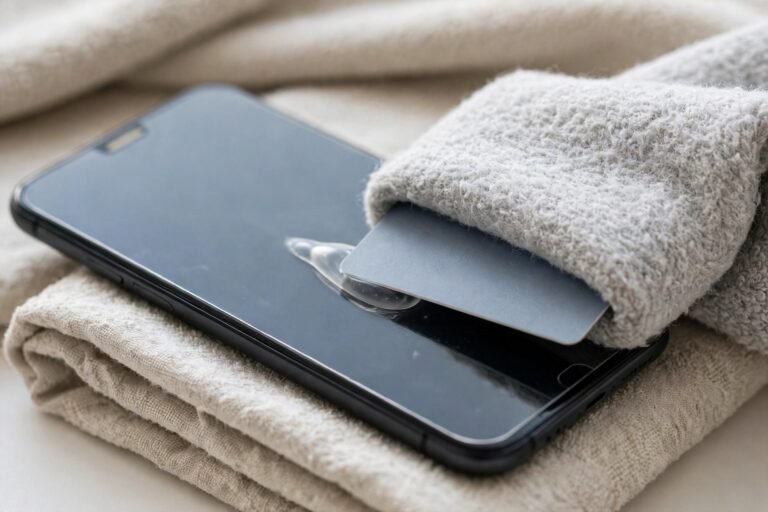
“There’s a bubble under my screen protector” sounds like one problem. It is actually three. A bubble under the glass can be trapped air, a speck of dust holding the protector off the screen, or an edge that has stopped sticking — and each of the three has a completely different fix. Apply the wrong one and you will push on dust for ten minutes, or lift a corner that only needed pressing down.
So this guide is organised diagnosis-first. You will learn how each cause looks — they are easy to tell apart once you know the signs — and then the matched fix for each: carding the air out, lifting to remove the dust, or reseating the lifting edge. Identify first, fix second, and the whole job takes minutes.
Key Takeaways
- A bubble under a protector has three possible causes: trapped air, trapped dust, or a lifting edge.
- Air looks smooth and empty, and moves or changes shape when you press beside it.
- Dust shows a tiny dark speck at the bubble’s centre, and the glass tents up over it like a miniature marquee.
- A lifting edge forms a crescent or halo along the border, and the border itself can be pressed down and felt to spring back.
- Each cause has its own fix — push, lift, or reseat — and using the wrong one never works, however long you try.
The Three Causes, and How Each One Looks
Turn the screen off and tilt the phone under a bright lamp. A trapped-air bubble is a smooth, silvery, empty-looking pocket, usually round or oval. Press gently next to it and it slides or changes shape — air is mobile, and that mobility is its giveaway. Air bubbles can appear anywhere, though they favour the middle of the screen, where the adhesive spread reached last during fitting.
A dust bubble announces itself with a dark speck at its exact centre, visible once the light catches it. The glass rises over the speck in a neat little tent, and pressing achieves nothing at all, because the speck is a physical object holding the surfaces apart. A lifting edge is different again: a pale crescent hugging the border, often with a visible line where contact stops, and if you press it down it flattens — then quietly springs back up when you let go.
- Run a fingertip slowly across the bubble. Air feels like nothing; a lifting edge can be felt as a faint step; dust sometimes makes a tiny gritty catch under the nail at the tent’s peak.
- Still unsure? Wait 24 hours. Air pockets often shrink as adhesive settles; dust and lifting edges do not change at all — the waiting itself is a diagnostic.
Fix One — Air: Push It Out
For confirmed air, wrap a card in a microfibre cloth, place its edge behind the bubble, and push in one slow, firm stroke towards the nearest edge of the screen, keeping the pressure on until the card has left the glass entirely. Air has to travel to a border to escape; give it a short, direct route and do not drag it across the screen.
Deal with large pockets first — they move the most air, and smaller ones often get swept out alongside them. If a stroke splits a bubble into two, start further back and sweep the whole area in one wider pass so the air gathers back into a single pocket. A clean air bubble that survives four or five honest strokes will frequently finish the job itself overnight as the adhesive continues to settle.
Fix Two — Dust: Lift and Dab It Away
Dust cannot be pushed, squeezed, or waited away, because the speck is physically in the way. Stick a piece of tape to the corner of the protector nearest the bubble and lift just that corner — only far enough to reach the spot. Dab the speck off the screen (or off the protector’s underside, if that is where it stuck) with a dust-removal sticker, never a fingertip, which only adds oils.
Lower the corner back down slowly, smoothing from the lift point outwards so no new air is trapped on the way. Work in a steamy bathroom if you can — damp air carries far less floating dust, so the corner you have opened is much less likely to collect a replacement speck while it is up. One careful lift should do it; repeated lifting weakens the adhesive and invites more dust each time.
Fix Three — Lifting Edge: Reseat It
A lifting edge is an adhesion problem, not an air problem, so the fix is contact. First make sure the border is clean — a single fibre under the edge can hold it up. Then press the edge down firmly with a cloth-wrapped fingertip and hold it for twenty to thirty seconds, working along the whole affected border. The warmth of your thumb helps the adhesive take hold again.
If the edge springs back, look for the cause before repeating yourself: a tight case lip prising the glass up is the usual culprit, so leave the case off for a few hours and test again. On curved screens, a faint halo that survives everything may simply be glass that cannot follow the curve — cosmetic, harmless to touch, and cured only by a protector designed for that screen shape.
- Keep a note of what you found the first time — air, dust, or edge. Protectors tend to repeat their one fault, and next time you will diagnose it in seconds.
- Never start with the lift. It is the only fix that costs adhesive strength, so it must earn its place by diagnosis, not by guesswork.
Frequently Asked Questions
Can a bubble be more than one cause at once?
Yes — most commonly, a lifting edge lets a speck of dust creep in, producing a dust bubble right at the border. Fix them in order: lift minimally, remove the speck, lower the glass, then reseat the edge with press-and-hold and leave the case off while it cures. Treating only one half is why some bubbles seem to come back from the dead.
How certain can I be before I start lifting corners?
Very certain, if you run the checks in order: screen off, lamp light, look for a central speck; press beside the bubble and watch whether it moves; press the edge and feel whether it springs back. Those three tests, which take under a minute, separate the causes reliably. If a bubble moves and has no speck, it is air — and lifting would be the one response guaranteed to make things worse.
When is replacement the only honest answer?
When the glass itself is the problem: a pane warped out of flat, edges that never adhered anywhere from the first day, cracks, or dust in so many places that lifting would mean opening half the protector. Protectors are inexpensive and sacrificial by design; a fresh one fitted on a well-cleaned screen beats an hour of surgery on a pane that was never going to sit right.
Every bubble under a protector is telling you its cause — you only have to read it. Air moves, dust sits at the centre, and edges spring back. Match the fix to the cause, and each one is a few minutes’ work.