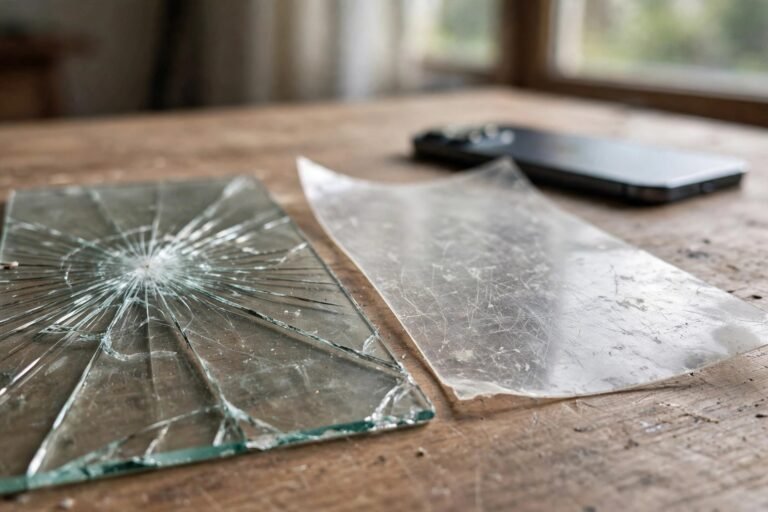
An iPad is not just a big phone, and the question of whether to put a screen protector on one deserves its own answer. The screen is larger, more exposed in a bag, and — for many owners — it is a drawing and writing surface, not just something you look at. That changes the calculation completely.
This guide works through the iPad-specific factors: what an Apple Pencil does to a bare screen over time, the real difference between matte paper-feel protectors and glossy glass, and how your answer should change depending on whether the iPad is a sketchbook, a notebook, a family tablet, or a sofa media screen.
Key Takeaways
- A protector on an iPad is a sacrificial surface — it wears so the screen doesn’t have to.
- Grit trapped under a Pencil tip is the main scratch risk for artists and note-takers.
- Matte paper-feel protectors add drawing friction but wear Pencil tips faster and soften the image slightly.
- Glossy glass protectors preserve the display’s clarity and feel closest to the bare screen.
- Travellers, students, and households with children gain the most protection value.
- A desk-bound iPad used mainly for video can reasonably go without.
The Apple Pencil Question
If you write or draw with an Apple Pencil, the wear pattern on your screen is different from a phone’s. The Pencil itself does not scratch the glass — its tip is softer than the screen. The danger is what gets trapped between the tip and the glass: a single grain of dust or grit dragged under pressure, stroke after stroke, can engrave a visible scratch exactly where you work most.
A protector turns that risk into a non-event. The grit scratches the replaceable layer instead, and when the surface eventually looks worn, you peel it off and start again with a fresh one over a flawless screen. Heavy Pencil users also gain a consistent drawing surface: protectors wear evenly, whereas a bare screen can develop subtly different-feeling patches where the coating has polished away in your most-used areas.
- Whatever you choose, wipe the screen before long Pencil sessions and check the Pencil tip — a worn, sharp-edged tip holds grit and is worth replacing.
- On a protector, the same habit doubles its life: most “scratches” happen in the first stroke over fresh dust.
Matte vs Glossy: Two Very Different Choices
The biggest iPad decision is not whether to fit a protector — it is which surface you want to work on. A glossy tempered glass protector keeps everything familiar: the display stays crisp and vivid, colours look exactly as intended, and the Pencil glides the way it does on bare glass. If you mostly watch, read, browse, or colour-edit, this is the natural choice, because it changes almost nothing except adding protection.
A matte, paper-feel protector trades a little image quality for a lot of control. Its fine texture adds friction that mimics pen on paper, which many artists and handwriters find transforms the Pencil from skiddy to precise — strokes slow down, lines steady, and handwriting looks more like your own. The costs are honest ones: a slight grain or sparkle over the image, marginally muted clarity, faster wear on Pencil tips because of the friction, and a little more glare-cutting in bright rooms — which some users count as a benefit. Trying one is reversible; that is the beauty of a protector deciding for you.
Travel, Children, and the Big Exposed Screen
Set the Pencil aside and consider simple exposure. An iPad screen is a large, flat target that travels in bags alongside chargers, keys, and zips, gets balanced on kitchen counters, and is propped on café tables. That is a lot of contact with grit and hard edges, and a screen that size shows every mark. For students carrying one daily and travellers throwing one in a carry-on, a protector is close to essential.
Households with children multiply the argument. Shared family iPads get dragged, dropped, drawn on, and eaten over, often by hands that have just been in a sandpit. A cheap sacrificial layer between that life and an expensive display is the easiest decision in this whole guide. The only group who can serenely skip a protector is the desk-and-sofa user: the iPad lives at home, in a stand or a case, watched more than touched, and rarely travels. For them, the bare screen’s perfect clarity is a reasonable luxury.
- A protector is not a case substitute: pair it with a folio or cover that closes over the screen in a bag — the two protect against different things.
- If you are torn between matte and glossy, start with glossy glass. It preserves the screen you paid for, and you can always switch to matte later if the Pencil feels too slippery.
Frequently Asked Questions
Does a screen protector affect Apple Pencil responsiveness?
No meaningful difference. Pressure sensitivity, tilt, and palm rejection all work through a protector as they do on bare glass — the Pencil was designed with protectors in mind. What changes is feel, not function: matte surfaces add friction, glossy ones keep the original glide.
Will a matte protector wear out my Pencil tip quickly?
Faster than glossy glass, yes — the friction that gives the paper feel abrades the tip over time, especially with heavy daily drawing. Tips are inexpensive consumables designed to be replaced, and most artists consider the trade worthwhile, but light note-takers may not need to pay it.
My iPad never leaves the house. Do I still need one?
Probably not for protection alone — a home-bound iPad in a stand faces few scratch risks beyond dust and the occasional knock. The remaining reasons would be Pencil feel or glare: if you write on it for hours or use it in a bright room, a matte protector may still earn its place for comfort rather than defence.
For Pencil users, travellers, students, and families, an iPad protector is cheap insurance with a bonus: you get to choose the surface you work on. Only the home-bound video watcher can skip it without missing anything.