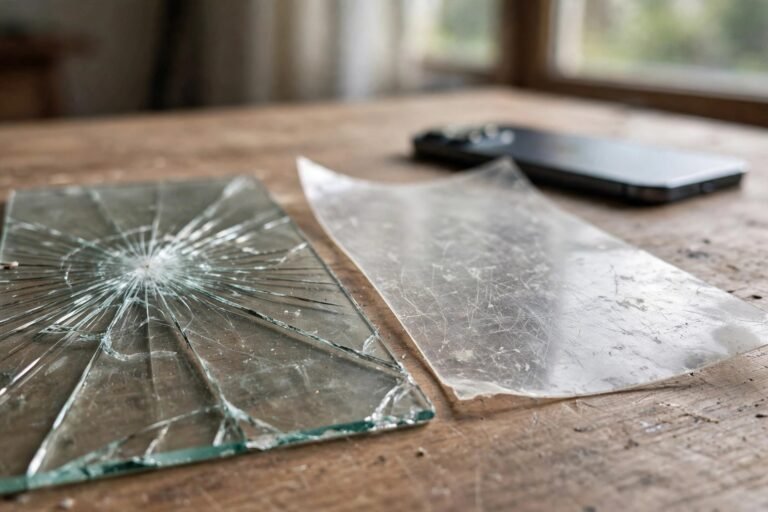
Most people only think about replacing a screen protector when it cracks. But some of the most worn-out protectors have never been dropped, never been chipped, and never cracked — they have simply worn out quietly, one swipe at a time. If your screen feels different from when the protector was new, it probably is different, and the coating you rely on may already be gone.
Wear is a slower kind of damage than a drop, and it is easy to miss because it arrives gradually. This guide covers the wear-based signs that tell you a protector has done its job — a faded oleophobic coating, a build-up of fine scratches, edges that are starting to lift, and a screen that has lost its original clarity — even when the glass underneath looks perfectly intact.
Key Takeaways
- A protector can be fully intact yet completely worn out — wear is damage too, just slower.
- The oleophobic coating fades first: when fingerprints start smearing instead of wiping away cleanly, the coating is largely gone.
- A web of fine surface scratches scatters light and dulls the display long before anything cracks.
- Lifting edges let dust and moisture creep underneath, and once an edge lifts it rarely seals back down.
- Yellowing or a hazy film, especially on older film protectors, means the material itself is breaking down.
- As a rough guide, heavy users wear a protector out in six to twelve months; gentler use can stretch that to two years.
The Coating Wears Out First
Every quality protector ships with an oleophobic (oil-repelling) coating on its surface. That coating is why a new protector feels silky under your thumb and why fingerprints wipe away with a single pass of a cloth. It is also the first thing to go. The coating is only a few molecules thick where your thumbs land most, and thousands of swipes, pockets, and cleaning cloths gradually polish it away.
The test is simple. Breathe on the screen and wipe it once. On a fresh protector, the smear lifts away cleanly. On a worn one, fingerprints smear and streak, the screen feels draggy under your thumb, and you find yourself polishing it far more often than you used to. Once the coating has gone, the surface also picks up grease faster, so the screen looks grubby again within the hour. At that point the protector is still physically present, but the smooth, easy-clean surface you paid for no longer exists.
Fine Scratches Add Up
Keys and coins get the blame, but most scratch damage comes from grit, sand, and everyday dust — tiny hard particles dragged across the surface in pockets, bags, and on café tables. Individually, each scratch is almost invisible. Together, hundreds of them form a fine web that scatters incoming light, so the display looks slightly milky in bright conditions and blacks look washed out in the evening.
To see the true state of your protector, switch the screen off and hold it under a lamp at an angle. If you can see a dense criss-cross of hairline marks, the protector has been absorbing exactly the wear it was meant to take — which is good news for the screen underneath, but it means this layer has little left to give. Heavy scratching also roughens the surface, which speeds up coating wear and makes swiping feel less precise.
- Run the fingernail test: if your nail catches in a scratch, it is deep enough to matter; a screen full of nail-catching scratches is due for a change.
- Compare the centre of the screen with the corners under a lamp — the corners show you what the surface looked like when it was new.
Lifting Edges and Lost Clarity
Adhesive ages too. Heat from charging, repeated trips through warm pockets, and cases pressing against the rim all work on the bond over months. The first sign is a pale halo along one edge or a corner that no longer sits flat. Once an edge lifts, it becomes a funnel: dust, pocket lint, and moisture migrate underneath, and the lifted patch spreads a little further each week. Pressing it back down rarely works for long, because the debris underneath stops the adhesive from re-sealing.
Clarity is the other quiet casualty. Older film protectors can yellow slightly with age and sunlight, and both film and glass can develop a faint haze from micro-abrasion. Whites start to look cream, colours lose a little punch, and you may catch yourself turning the brightness up to compensate. None of this harms the phone, but it steadily taxes your eyes and your battery — and it is entirely the protector, not the display, that has aged.
- Photograph a plain white screen at full brightness in a dark room; yellowing and haze that you barely notice in daylight show up clearly in the photo.
- If one corner lifts but the rest is perfect, check your case rim first — a case pressing on the edge will lift the next protector in exactly the same spot.
So, When Should You Actually Change It?
There is no fixed schedule, because wear depends on how you carry and use your phone. As a practical rule, change the protector when any two of these are true: fingerprints smear instead of wiping clean, the scratch web is visible with the screen off, an edge has lifted and will not stay down, or the display looks hazy or yellow compared with how it began. Heavy users — phones carried loose in bags, used outdoors, handled all day — typically reach that point within six to twelve months. A phone that lives on a desk can go much longer.
The important mindset shift is this: a worn-out protector is not a failed protector. Every scratch in it is a scratch your real screen never took. Changing it on wear, rather than waiting for a dramatic crack, simply renews the sacrificial layer while the surface underneath is still pristine — which was the whole point of fitting one in the first place.
Frequently Asked Questions
Can a worn oleophobic coating be restored?
Not in any lasting way. Wipe-on coating refreshers exist and can improve the feel for a few weeks, but they sit on top of a scratched, aged surface and wear away quickly. If the protector is also scratched or lifting, a fresh protector is the simpler and cheaper fix.
My protector looks fine after a year. Should I change it anyway?
If it passes the tests in this guide — fingerprints wipe clean, no visible scratch web, edges flat, no haze — then no. Protectors should be changed on condition, not on a calendar. A lightly used phone can keep the same protector for two years or more without any downside.
Does a worn protector still protect against drops?
Mostly, yes — surface wear and a faded coating do not remove the glass’s ability to absorb an impact. But heavy scratching and lifting edges do weaken it at the margins, and a protector that has lifted lets grit underneath that can scratch the real screen. Once wear is advanced, replacement restores both the feel and the full protection.
Your screen protector is a sacrificial layer with a service life, not a permanent fitting. When the coating fades, the scratches web over, and the edges start to lift, it has quietly done the job you bought it for — thank it, peel it off, and start fresh.