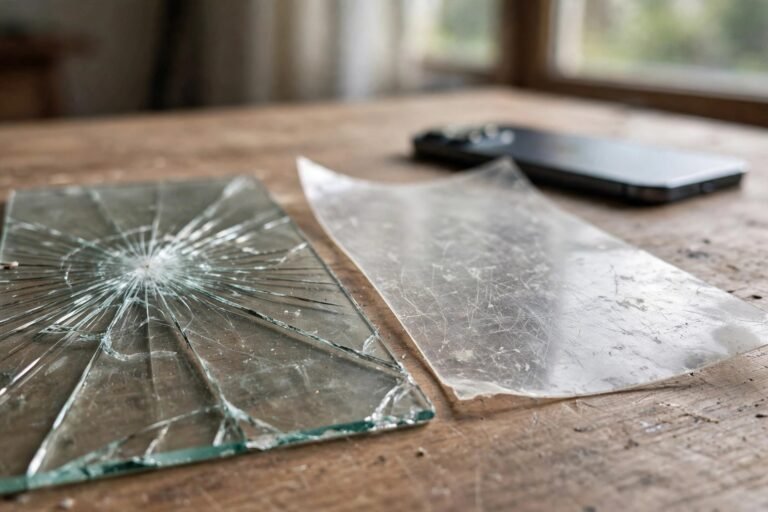
If you’ve just opened a new OtterBox case and found no screen protector in the box, you’re not alone in being confused. OtterBox built its reputation on a case that included one, then quietly changed the design — so whether your case has a built-in protector depends entirely on which line you bought and how old the design is.
This guide explains which OtterBox cases include a built-in screen protector, which never did, how to check the case you already own, and what to use instead if yours came without one.
Key Takeaways
- The Defender Series is the line historically known for a built-in screen protector — but only on older models.
- Newer Defender cases are “screenless” editions: the built-in protector was dropped as phones moved to edge-to-edge displays.
- The Commuter and Symmetry Series never included built-in screen protection at any point.
- If your case is screenless, OtterBox expects you to pair it with a separate screen protector bought on its own.
- A built-in protector is a clear plastic sheet fixed into the case’s front frame — if you can see straight through the frame, there isn’t one.
The Defender Series: Where the Built-In Protector Lived
For most of its life, the Defender Series was a three-piece system: a polycarbonate inner shell, a synthetic rubber outer slipcover, and — snapped into the front half of the shell — a clear built-in screen protector. That integrated plastic membrane covered the whole display, sealed out dust, and was a big part of why the Defender earned its bombproof reputation. If you owned a Defender for an older iPhone or Galaxy — roughly the iPhone 8 generation and earlier — that built-in screen cover was almost certainly part of the case.
Some Defender models for tablets kept the integrated screen cover in their design longer than the phone versions, because a large, flat tablet display is easier to cover with a membrane than a curved phone screen. But across the phone range, the built-in protector’s days were numbered once displays started wrapping around the edges of the device.
Why Newer Defender Cases Are “Screenless”
From around the iPhone X era onwards, OtterBox redesigned the Defender — including the Defender Series Pro — as a screenless edition. The reasons were practical. Edge-to-edge displays with curved glass don’t sit happily under a loose plastic membrane: the sheet could reduce touch sensitivity, trap dust and moisture against the screen, and produce rainbow-like “oil slick” marks where the two surfaces touched. Many owners were cutting the built-in protector out of their old Defenders for exactly these reasons.
So OtterBox removed it and left the front frame open, with a raised bezel that still keeps the display off flat surfaces when the phone is face down. Modern Defender product pages describe the case as screenless, and the packaging no longer lists a built-in screen protector among the features. If you’ve bought a Defender for a recent phone, there is no hidden protector you failed to notice — it was never in the box.
- Check the product description for the words “screenless edition” — that phrase tells you instantly there is no built-in protector.
- Look at the case’s front frame: a built-in protector is a fixed clear sheet you can’t peel off. If you can see straight through the frame to the table, your case is screenless.
Lines That Never Included One
The Defender was the exception, not the rule. The Commuter Series — OtterBox’s slimmer two-layer case — has always been an open-face design with no screen cover of any kind. The Symmetry Series, the style-focused line that comes in clear and patterned finishes, likewise never included a built-in protector. The same applies to OtterBox’s other slim and folio lines: a folio’s leather flap folds over the screen, but that’s a cover, not a bonded screen protector, and it offers no protection while you’re actually using the phone.
In short: if your OtterBox isn’t an older Defender, assume it has no screen protection at all beyond whatever the raised edges provide when the phone lands or rests face down.
How to Check the Case You Already Own
Three quick checks will settle it. First, look and feel: run your finger across the front frame of the empty case. A built-in protector feels like a smooth, slightly flexible sheet of clear plastic stretched across the opening, and it reflects light like a window. An open frame is just a hollow border. Second, check the packaging or listing: older Defender packaging lists a built-in screen protector as a headline feature, while newer boxes say “screenless”. Third, look up the exact model: OtterBox’s product page for your device states plainly whether that version includes one.
One wrinkle if you bought the case second-hand: some owners of older Defenders deliberately cut the built-in membrane out because they preferred bare glass or their own tempered glass. A second-hand Defender with an open frame may once have had a protector — but either way, it doesn’t have one now.
No Built-In Protector? Your Options
The straightforward fix is a separate screen protector. OtterBox sells its own glass protectors designed to fit alongside its cases, and third-party tempered glass works just as well — look for “case-friendly” sizing, which means the glass is cut a fraction smaller so the case’s edges don’t lift it. For phones with strongly curved displays, a film protector or a full-adhesive glass model will sit better than cheap edge-glue glass. Even without any protector, remember that a Defender’s raised bezel does real work: it keeps the screen off the ground in most face-down drops, which is where cases earn their keep.
- If your Defender is screenless, choose a case-friendly protector cut slightly smaller — the Defender’s tight shell can lever full-size glass off at the edges.
- Still using an older Defender with its built-in membrane? Clean underneath it regularly — grit trapped between the membrane and the screen will scratch the display it’s meant to protect.
Frequently Asked Questions
Does the Defender Series Pro have a built-in screen protector?
No. The Defender Series Pro follows the same screenless design as the standard modern Defender — for current phones, neither version includes a built-in protector. Only older standard Defender models, made for earlier phone generations, shipped with the integrated screen cover.
My old Defender’s built-in protector is scratched. Can I replace just that part?
The built-in membrane isn’t sold as a separate replacement part. Your practical options are a warranty claim if the case is covered, replacing the whole case, or carefully removing the damaged membrane and fitting a separate tempered glass protector underneath the frame instead — a common and effective fix.
Is a built-in plastic protector as good as tempered glass?
Not quite. The plastic membrane is good at stopping scratches, scuffs and dust, but it sits slightly above the display, so clarity and touch feel are a step down from glass, and it adds little impact absorption of its own. Tempered glass feels like the bare screen and takes the hit sacrificially — which is why OtterBox moved to selling it separately.
The short answer: unless your OtterBox is an older Defender, there’s no screen protector in it — and there never was. Pair a modern case with a case-friendly glass protector and you get the protection the old built-in promised, with better clarity.