You cleaned the screen, lined everything up, pressed the protector down — and there they are: bubbles. It’s natural to assume you simply did it wrong, but bubbles are rarely random. Each one forms for a specific reason, and what the bubble looks like, and where it sits, tells you exactly which cause is to blame.
This guide is a diagnosis, not a repair manual. It walks through the five root causes of bubbles — dust, trapped air, adhesive problems, screen contamination, and bubbles that creep in days later — so you can work out what happened.
Key Takeaways
- Most stubborn bubbles are caused by a speck of dust trapped underneath — the bubble is the protector tenting over the particle.
- Smooth, empty bubbles are trapped air, usually from dropping the protector flat instead of letting it settle progressively.
- A pale outline around all the edges — the “halo” — points to edge-only adhesive or glass that doesn’t match your screen’s curve.
- Skin oils and cleaning residue stop adhesive bonding properly, leaving cloudy patches that never clear.
- When a bubble appeared is a clue: instant bubbles mean a fitting problem, but bubbles on day three usually mean heat or your case.
Cause 1: Dust Specks — the Bubble With a Dot in the Middle
The single most common cause of a bubble is a particle you probably can’t even see at arm’s length. A fibre from your sleeve, a fleck of skin, a grain of household dust — when one of these lands on the screen in the seconds between cleaning and fitting, the rigid glass can’t lie flat over it. The protector tents up around the particle, and the ring of adhesive around it can’t reach the screen. The result is a round bubble with the offending speck sitting at its centre.
Dust bubbles have two tell-tale signs: they appear the instant the protector goes down, and they never shrink. Air can migrate out of a bubble over a day or two, but a particle is a physical obstacle — the glass will still be tented over it a month later. Tilt the phone under a lamp and look closely: if there’s a tiny dark dot at the heart of the bubble, dust is your culprit, not technique.
Cause 2: Trapped Air From a Rushed Fit
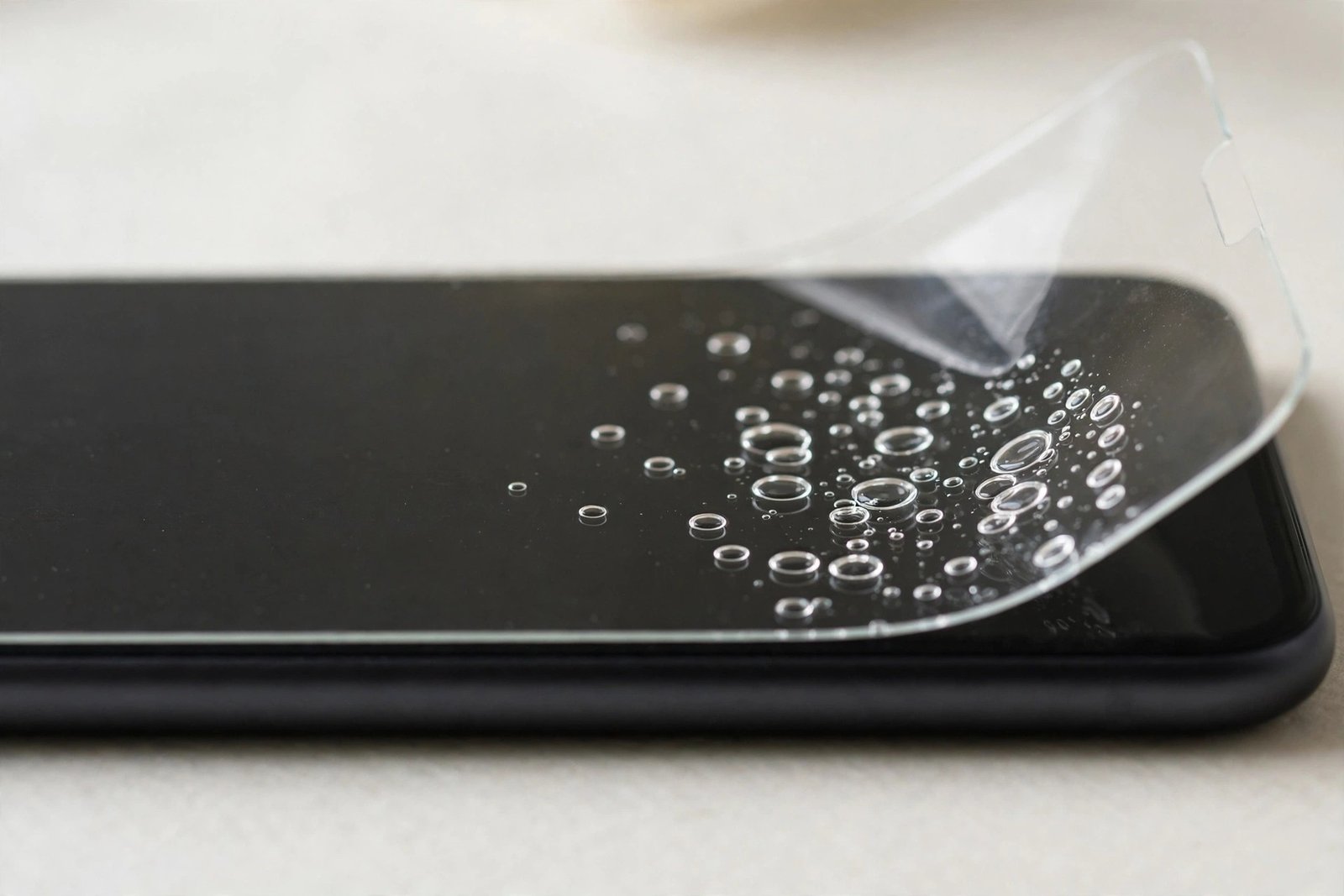
Air bubbles are the empty kind: smooth, round or oval pockets with nothing inside them. They form when the protector is dropped flat onto the screen in one go, or pressed down in the centre first. Either move seals the edges before the air underneath has anywhere to escape, trapping a pocket in the middle. Fitting in a cold room makes it worse, because stiff adhesive flows more slowly and seals around the air before it can be pushed out.
These are the bubbles that sometimes “fix themselves”. Over the first 24 to 48 hours, the adhesive continues to wet out and the trapped air gradually works its way to an edge, so small air pockets often shrink or vanish without you touching them. Large ones — especially the classic single bubble dead centre — are usually there to stay, and they exist because the protector went down too fast, not because it was faulty.
- Diagnose by eye before you do anything: a bubble with a tiny dot in the centre is dust; a smooth, empty bubble is trapped air. They have completely different causes.
- Next time, fit the protector in a steamy bathroom — the humidity pulls airborne dust down, removing the number-one bubble cause from the air entirely.
Cause 3: Adhesive Problems — Halos and Cloudy Patches
Sometimes the bubble isn’t a bubble at all, but a failure of the adhesive itself. Budget glass protectors often carry adhesive only around their edges. On a screen with even a gentle curve, that perimeter bond leaves the middle sitting a hair above the display, producing a permanent halo outline and a faint rainbow shimmer in the centre. No amount of pressing fixes it, because the glass and the screen simply aren’t the same shape.
A related adhesive failure is the cloudy patch — a dull, fingerprint-shaped smudge that appears under the glass and never clears. That’s almost always a fingerprint on the sticky side: a thumb brushed the adhesive during fitting, the skin oil prevented that spot from bonding, and the patch you can see is the outline of the touch. Uneven adhesive from the factory causes a similar effect, which is why a bubble pattern that repeats across two careful fittings usually indicts the protector, not you.
Cause 4: The Screen Wasn’t as Clean as It Looked
A screen can look spotless in normal light and still carry an invisible film that defeats the adhesive: residue from a previous protector, a trace of cleaning spray, moisture from a damp wipe that hadn’t fully dried, or lint shed by the cloth itself. Adhesive needs direct contact with glass; anything in between becomes a weak patch where air gathers and a bubble forms.
Edges and corners are the worst offenders, because wipes tend to push oils and residue outward and deposit them along the borders — which is exactly why so many bubbles appear near the edges rather than in the middle of the screen.
Cause 5: Bubbles That Appear Days Later
If your install looked perfect on day one and bubbles arrived later, the cause is different again. Heat is a prime suspect: a phone left in a warm car or direct sun expands the air in microscopic voids under the glass, and softened adhesive lets those voids grow into visible bubbles. Your case is the other: if a case lip overlaps the protector’s edge by a fraction of a millimetre, every press and flex levers the glass up slightly, opening a channel at one corner that air slowly creeps along. Delayed bubbles almost always start at an edge or corner — the signature of something prising the protector up from outside.
- Bubbles that appear after you fit your case make the case the prime suspect — its lip is levering the glass up at one corner.
- Photograph your bubbles on day one. Comparing on day three shows whether they’re shrinking (air) or static (dust) — and that distinction decides whether patience is worthwhile.
Frequently Asked Questions
Do bubbles always mean I fitted the protector badly?
No. A speck of dust can land in the two seconds between your final wipe and the glass going down, and even professional installers get caught by it. Environment and materials cause as many bubbles as technique does — which is why the same person can fit one protector perfectly and bubble the next.
Why is there a single bubble in the exact centre of my screen?
A dead-centre bubble usually means the protector went down flat, or was pressed in the middle first. That seals the perimeter while air is still underneath, and the pocket has no route out. It’s the classic signature of trapped air rather than dust or a faulty protector.
Can the protector itself be faulty and cause bubbles?
Yes. Warped glass, uneven adhesive, and edge-only adhesive fitted to a curved screen all produce bubbles no technique can prevent. If a careful, dust-free fitting produces the same bubble pattern twice, the protector — or a mismatch between the protector and your phone’s screen shape — is the cause.
Bubbles aren’t bad luck — they’re evidence. A dot in the middle means dust, a smooth pocket means trapped air, a halo means mismatched adhesive, and a late arrival means heat or your case. Read the bubble, and you’ll know exactly what to do differently next time.