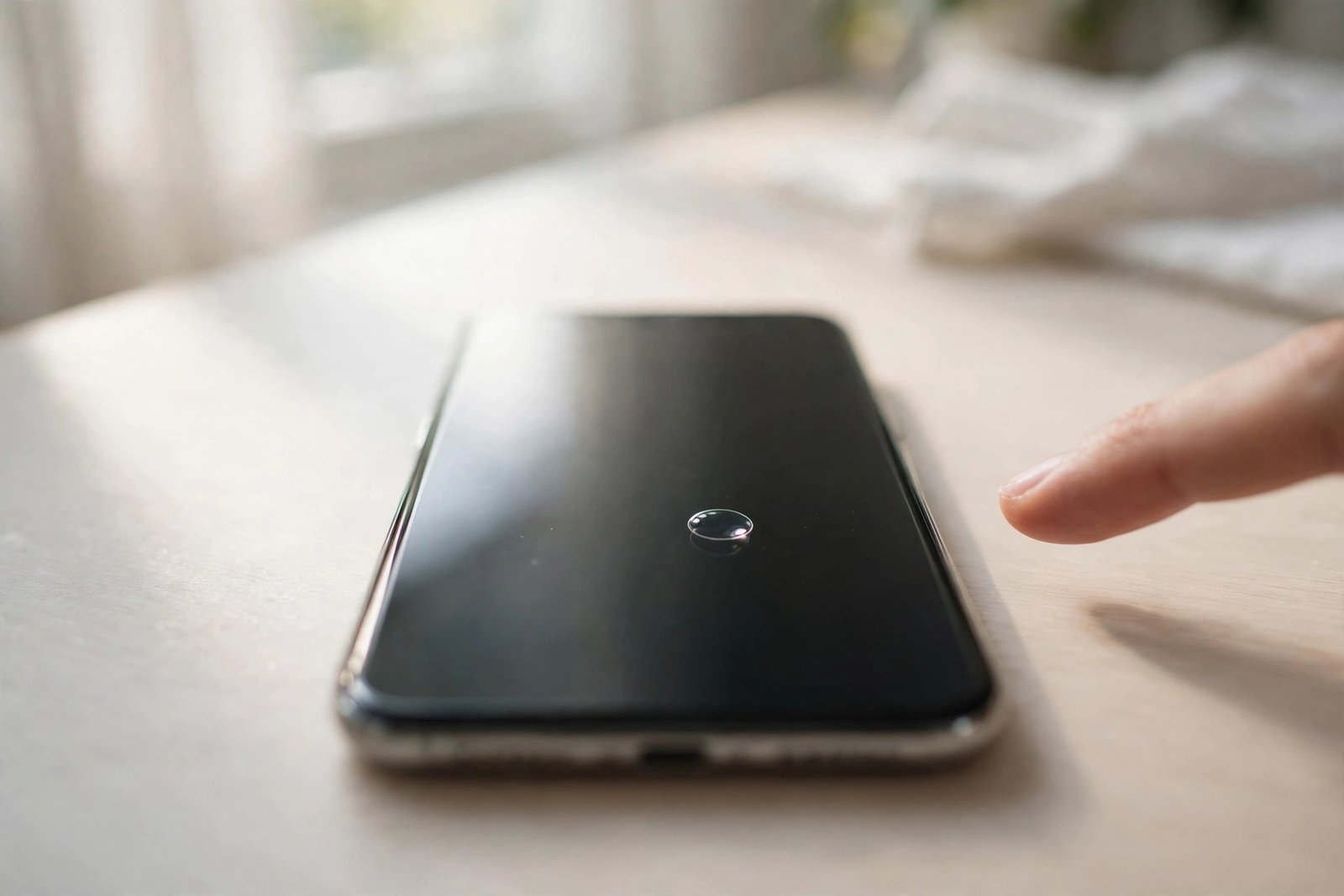
The install went well. The alignment was straight, the edges sealed, and by the next morning the tiny bubbles had vanished — all except one. Days later, that single leftover bubble is still there, sitting smugly in the middle of your screen, untouched by everything you’ve thrown at it. You are not imagining it, and you are not bad at this. A lone survivor bubble is a specific problem with a specific cause.
This guide is about that one bubble: why it outlived all the others, how to work out which of the three possible causes you’re dealing with, and how to evict it for good — without lifting the whole protector and starting again.
Key Takeaways
- A bubble that survives the first 48 hours has a physical cause — it is not still “settling in”.
- The three causes are a sealed-off air pocket, a speck of dust tenting the glass up, or a contaminated patch of adhesive.
- Diagnose before you push. Pressing harder on the wrong kind of bubble makes it worse.
- Work the bubble towards the nearest edge, never across the whole screen.
- If it is dust, only a small corner lift fixes it — no amount of pushing ever will.
- Give each fix one proper attempt. Repeated poking fatigues the adhesive around the bubble.
Why One Bubble Survives When the Rest Vanish
In the first day or two after fitting, a protector’s adhesive is still flowing microscopically, and it slowly swallows small pockets of air. That is why most bubbles disappear overnight. But that flow can only rescue a bubble that is plain air in contact with healthy adhesive. The bubble that remains after 48 hours is different in kind, not just in size.
Look at it closely under a bright light, screen off, tilting the phone slowly. A plain air bubble is a soft-edged oval that changes shape slightly when you press beside it. A dust bubble has a tiny dark speck or hair at its centre and a crisp, tent-like outline — the glass is physically propped up by the particle. An adhesive bubble looks cloudy or milky rather than clear, because the sticky layer underneath was touched, breathed on, or contaminated during fitting. Each one needs a different cure.
First Cure: Chase Plain Air to the Edge
If your bubble moves or deforms when pressed, it is air that got sealed in — the ring of adhesive around it closed before it could escape. The fix is to give it a route out. Using the pad of your thumb or a card wrapped in microfibre, start a centimetre behind the bubble and push it in one slow, firm stroke towards the nearest edge. Keep constant pressure; a stop-start motion lets air slip back behind the card.
Sometimes the bubble reaches the edge and simply parks there, because the perimeter seal has closed over its exit. In that case, lift just that corner of the protector a few millimetres with a piece of tape — enough to vent the air, no more — then lay it back down and smooth from the centre outward. The bubble should leave through the gap as the glass settles.
- A warm room makes this easier — adhesive is slightly softer when warm, so stubborn air travels more willingly. Never use direct heat on the phone; just work somewhere comfortably warm.
- Take a photo of the bubble today. If it is visibly smaller tomorrow, it is still curing — leave it alone for another 24 hours before intervening.
Second Cure: Evict the Dust Speck
If there is a speck at the centre, pressing is pointless — the glass cannot lie flat over a particle, full stop. Work in the steamiest room you have (a bathroom after a shower is ideal) so airborne dust is at its lowest. Stick a piece of tape to the corner nearest the bubble and lift the glass only far enough to reach the speck. Dab the particle off the screen — or off the protector’s sticky side — with a dust-removal sticker, then lower the glass slowly and smooth it down from the centre.
The discipline here is restraint: one lift, one dab, one relay. Every extra lift invites fresh dust in and weakens the adhesive a little more. If a second speck sneaks in during the fix, repeat once — and if it happens again, the room is the problem, not your technique.
Third Case: When the Adhesive Itself Is the Problem
A cloudy patch that neither moves nor has a speck in it usually means the adhesive was touched by a fingertip during fitting, or the backing film brushed it as it was peeled. Skin oil kills tack in that spot, and no pressure will restore it. Warmth and a long, firm press — hold a microfibre-wrapped thumb on it for a full minute — occasionally improves a mild case. Beyond that, be honest with yourself: this one will not fully heal. If the patch sits somewhere you constantly look at, a fresh protector from the multipack is a five-minute cure. If it hides in a corner you never notice, living with it costs nothing.
- Before you start any cure, take the case off. Some stubborn “bubbles” near an edge are actually the case lip levering the glass up — remove the case, press the edge down, and the bubble may simply stay gone.
- Mark the bubble’s outline with a dry-wipe pen dot on top of the glass so you can tell at a glance whether it is shrinking, stable, or growing.
Frequently Asked Questions
How long should I wait before deciding a bubble is permanent?
Give a fresh install a full 48 hours. Micro-bubbles of plain air are routinely absorbed in that window. If the bubble looks identical on day three — same size, same position — it has a physical cause and waiting longer will not change it. That is the moment to diagnose and fix it using the steps above.
The bubble keeps coming back after I push it out. Why?
A returning bubble means air is being re-admitted or the glass is being lifted in that spot. The usual culprits are a case lip pressing on the nearest edge, a protector cut slightly too large for a curved screen edge, or a dust speck you have been pushing around rather than removing. Check the case first, then inspect for the speck under a bright light.
Can one bubble damage my screen or spread?
No. A bubble is only an area where the protector is not in contact with the glass; it does not harm the screen underneath, and a stable bubble does not grow on its own. The only practical effects are visual and a very slight dulling of touch response directly over a large bubble. It is an annoyance, not a fault — fix it when it suits you.
One bubble, three possible causes, one correct cure for each. Diagnose it properly, fix it once, and the screen you fitted will finally look the way it was supposed to.