A matte, paper-textured film transforms how an iPad feels to draw and write on — but when it wears out, it doesn’t come off quite like the glass and glossy films you might be used to. The textured surface grips adhesive differently, worn patches let go before the rest, and the film flexes and stretches where glass would simply lift. It needs its own approach.
This guide covers removing a Paperlike-style film from an iPad specifically: why the corners your pencil travels over lift first, how to peel a flexible matte film without it tearing into strips, and how to clear the residue it leaves so the screen underneath is clean and ready — for a fresh film, or for going back to bare glass.
Key Takeaways
- Matte film stretches and can tear as it peels — slow, steady tension beats short tugs.
- The areas your pencil crosses most wear smooth and lift first — start your peel there.
- A large iPad screen means a long peel; work the film off in stages, edge by edge.
- Use tape as a lifting handle rather than digging a fingernail under a tightly bonded corner.
- Residue hides in the film’s texture — dab it off with tape, don’t scrub at it.
- Afterwards, clean the screen gently and inspect it under a lamp before fitting anything new.
Why Matte Film Peels Differently From Glass
Tempered glass is rigid, so removal is about keeping a stiff pane flat. Matte film is the opposite problem: it’s a thin, flexible sheet that stretches under tension. Pull too hard in one spot and it necks down, thins out, and tears — leaving a ragged strip still bonded to the screen and a fiddlier second job.
The matte texture matters too. That fine grain is what gives the pencil its paper-like bite, but it also means the adhesive keys into a rougher surface. A well-worn film can feel more stubborn than a glossy one in the unworn areas, even while the polished centre is ready to fall off. Expect an uneven peel, and plan for it.
Start Where the Pencil Has Worn It
Look at the film under a lamp. The sweeping arcs where you sketch, shade and take notes will have been polished almost smooth by thousands of pencil strokes, and the adhesive beneath them is the most tired. Corners and edges along those paths are usually already micro-lifting, even if you can’t see it yet.
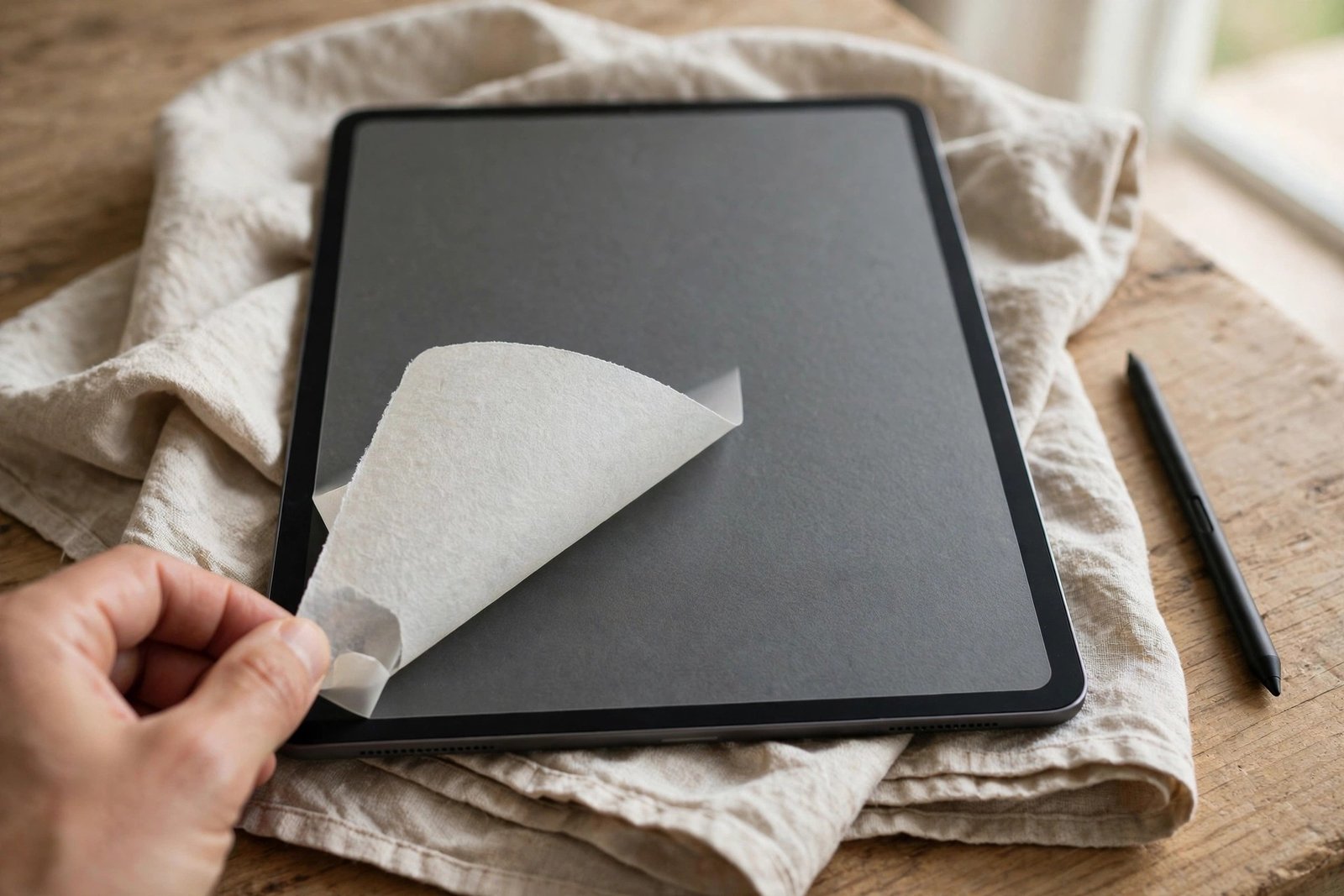
That’s your starting point. Slide a fingernail under the loosest corner, or press a strip of tape firmly onto the corner and pull the tape to lift it. Once you have a tab to grip, begin the peel along the worn path — the film will release most willingly where the pencil has done the loosening for you.
- Work with the iPad flat on a towel — the big screen flexes if you hold it by one edge, and a flexing screen fights the peel.
- Warm the iPad gently by using it for ten minutes before you start; a slightly warm screen releases film adhesive noticeably more easily.
Peeling a Big Sheet Without Tearing It
Grip the lifted corner and peel slowly, low and diagonally, supporting the film with your free hand just behind the peel line. On a screen this size, don’t try to clear it in one heroic pull — peel a few centimetres, reposition your grip closer to where the film is still bonded, and continue. Short, controlled stages keep the tension even and the sheet in one piece.
If the film does tear, don’t panic and don’t dig at the remaining strip with anything metal. Press tape across the torn edge to make a new handle and continue the peel from there. A strip left behind usually releases once you catch its edge at a shallow angle and keep the pull low.
Clearing Residue and Caring for the Screen
Matte film leaves a particular kind of mess: adhesive residue collects in a faint map of your drawing habits, and fine particles lodge in what was the film’s texture. Once the sheet is off, dab the screen with tape or a dust-removal sticker to lift loose particles, then wipe with a microfibre cloth slightly dampened with water.
Work gently, in straight lines, and buff dry afterwards. Then tilt the bare screen under a lamp: it should look evenly glossy, with no dull patch marking where the film’s adhesive hung on. That check matters — any residue left behind will show through a new film as a permanent cloudy area, and it dulls the pencil feel if you draw on bare glass in the meantime.
- If you draw daily, keep a note of when you fitted the film — matte films wear with use, and knowing its age tells you whether patchy feel is wear or a fault.
- Before fitting a replacement film, do the final clean in a steamy bathroom; a big iPad screen catches falling dust far faster than a phone does.
Frequently Asked Questions
How long does a paper-textured film usually last before it needs removing?
For a daily drawer, the texture typically wears smooth within a few months of heavy use; lighter note-takers may get a year or more. When the centre feels glossy and the pencil starts skating instead of biting, the film has done its job.
Will removing the film damage the iPad screen?
No — the adhesive is designed to release, and it’s far weaker than the screen’s own surface. Damage comes from metal tools and impatience, not from the film. Keep to fingernails, tape and low, slow peeling and the glass underneath will be unmarked.
Can I clean and refit the same film?
Realistically, no. Once peeled, the stretched film won’t sit flat again, and its adhesive will be contaminated with dust and skin oils. It would go back on wavy and lifting. Treat removal as final and fit a fresh film.
Matte film asks for patience rather than force: start where the pencil wore it, peel in low, slow stages, and clean the screen properly — the next film, or the bare glass, will thank you.