

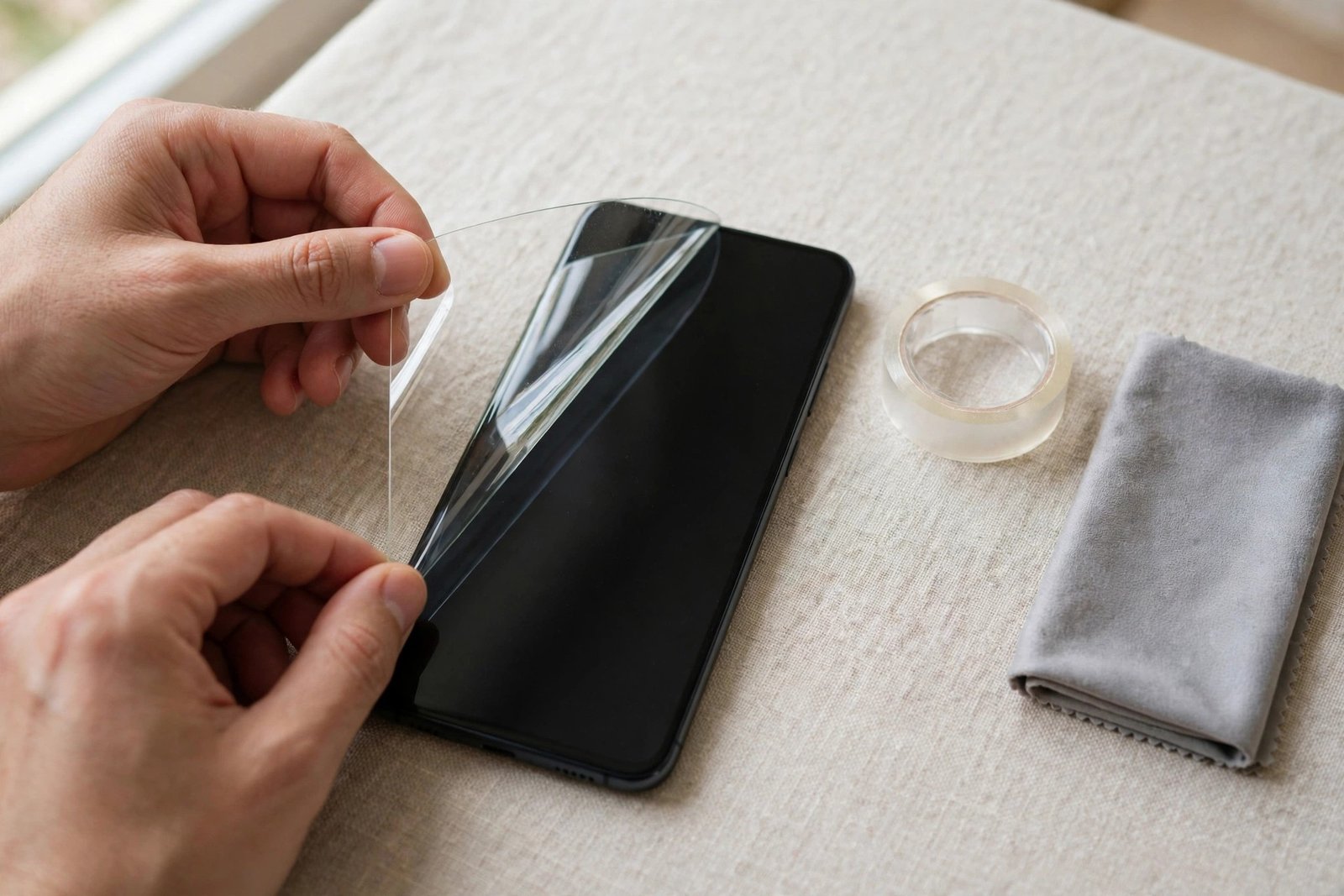
Sooner or later every screen protector has to come off — it is cracked, worn, peeling, or you are trading the phone in. The good news is that removal is the easiest job in phone care: protectors are designed to be taken off, and a calm, corner-first peel takes under a minute. The only ways it goes wrong are rushing it or reaching for the wrong tools.
This is the general guide for both kinds of protector — the slow, flat peel for tempered glass, the stretch-and-roll technique for film, the tape method for cracked panes, and how to deal with whatever the old protector leaves behind on your screen.
Key Takeaways
- Start at a corner with a fingernail or a plastic card slid flat into the seam — never lever from the middle of an edge.
- No metal tools, ever. Knives and screwdrivers scratch screens and chip glass; plastic and fingernails cannot.
- Cracked glass gets taped first — a layer of wide tape holds the shards together so the pane lifts as one piece.
- Peel low and slow, keeping glass as flat as possible; glass breaks when it bends, not when it is pulled gently.
- Warmth loosens old adhesive — a few minutes of normal phone use is often all a stubborn protector needs.
- Any residue left behind is surface adhesive, not damage, and comes off with a microfibre cloth and patience.
The Tools You Need (and the Ones to Avoid)
You need very little: clean hands, a thin plastic card — an old loyalty or gift card is ideal — a roll of wide sticky tape if the protector is cracked, and a microfibre cloth for afterwards. Dental floss is a useful extra for protectors that refuse to start, because it can saw gently through the adhesive under a corner without touching the screen at all.
The avoid list matters more. Anything metal — a knife, a razor blade, a screwdriver, a metal spudger — concentrates force on one tiny point, and one slip gouges the display or chips the protector into the sharp fragments you were trying to avoid. Heat guns and solvents are equally unnecessary: this job requires neither chemistry nor force, only a started corner and a steady hand.
Removing Tempered Glass: The Low, Slow Peel
Take the case off first. Choose the corner that looks most willing — often one has lifted a fraction already — and slide a fingernail flat into the seam between glass and screen. You are working the nail along the edge, not digging downwards, until a small section releases. If nothing will start, warm the phone by using it for a few minutes or holding it in warm hands; gentle warmth softens the adhesive noticeably.
Once the corner is up, slip the plastic card underneath to hold your progress and peel the pane back at a low angle, folded close against the screen, a few millimetres at a time. Support the freed glass with a fingertip so it never bends sharply — a pane kept flat simply releases, while a pane bent double will snap halfway and leave you a harder second half to grip. Work diagonally across the phone until the whole sheet is free, then lay it straight onto a piece of paper rather than carrying it loose across the room.
- If a corner will not lift at all, press a strip of tape firmly onto the top corner surface and pull upward — the tape gives you a handle the fingernail could not.
- Peel over a light-coloured surface so any tiny escaped fragment is easy to see and pick up with damp kitchen paper.
Cracked Glass: The Tape Method
A cracked protector changes the preparation, not the technique. Before you touch a corner, cover the entire surface with overlapping strips of wide tape, pressing it firmly into the cracks. The tape becomes the structure the broken glass no longer has: when you peel, every fragment travels with the sheet instead of scattering across the table or, worse, being dragged across the bare screen.
Start from the corner furthest from the worst damage, peel even more slowly than usual, and keep the sheet supported so cracked sections cannot fold and shed slivers. When it is off, fold the whole thing — glass, tape and all — inside the sheet of paper and tape the parcel shut before it goes in the bin. Loose protector glass dropped straight into a kitchen bin is a cut waiting for the next person who pushes rubbish down.
Removing Film, and Cleaning Up Afterwards
Film protectors are simpler and messier at once. Grip a corner — tape helps here too if the film sits flush — and pull it back low and slow, almost flat against the screen, in one steady motion. Film stretches as it releases and sometimes tears partway; if it does, restart from the torn edge with fresh tape as a handle. There are no shards and no safety concerns, just a sheet that would rather come off in two pieces than one.
Whichever type you removed, inspect the bare screen under a bright light. Older protectors often leave adhesive residue: cloudy patches, sticky smears, or a faint outline of where the pane sat. This is leftover adhesive sitting on the glass, not damage to it. Buff it with a dry microfibre cloth in small circles; for stubborn patches, use a cloth barely dampened with water, or a fingertip’s warmth and friction to roll the adhesive into little balls that brush away. Avoid solvents and anything abrasive, which can strip the screen’s own oleophobic coating and trade a sticky patch for a permanently dull one.
- Check around the earpiece, camera cutout and edges after removal — grit and residue collect there and sabotage the next install if missed.
- Fitting the replacement straight away? Do the full clean — wet wipe, dry buff, dust sticker — rather than relying on the residue clean alone.
Frequently Asked Questions
Can removing a protector damage my screen?
Not when it is done this way. Protectors use a releasable silicone adhesive designed to let go under a slow peel, and it does not pull the screen’s coating off with it. The damage stories almost always involve metal tools or a shattered pane being levered up carelessly — the method, not the protector, is the risk.
My protector broke into pieces as it came off. Is the screen ruined?
Almost certainly not. Tempered glass is engineered to fracture into small, relatively blunt fragments, and a pane that was already cracked or very old often breaks during removal. As long as fragments were lifted or taped rather than dragged sideways across the display, the screen underneath is normally unmarked — check it under a lamp to confirm.
Can I put the same protector back on afterwards?
Realistically, no. The moment a protector comes off, its adhesive face collects dust and loses grip, and a refitted pane shows bubbles and lifting corners within days. The narrow exception is lifting one corner for a few seconds during a fresh install to remove a speck. A fully removed protector should be treated as finished, and replaced with a fresh one.
Corner first, low angle, no metal, tape on anything cracked — that is the whole method. One unhurried minute and the screen underneath is exactly as you left it.


