

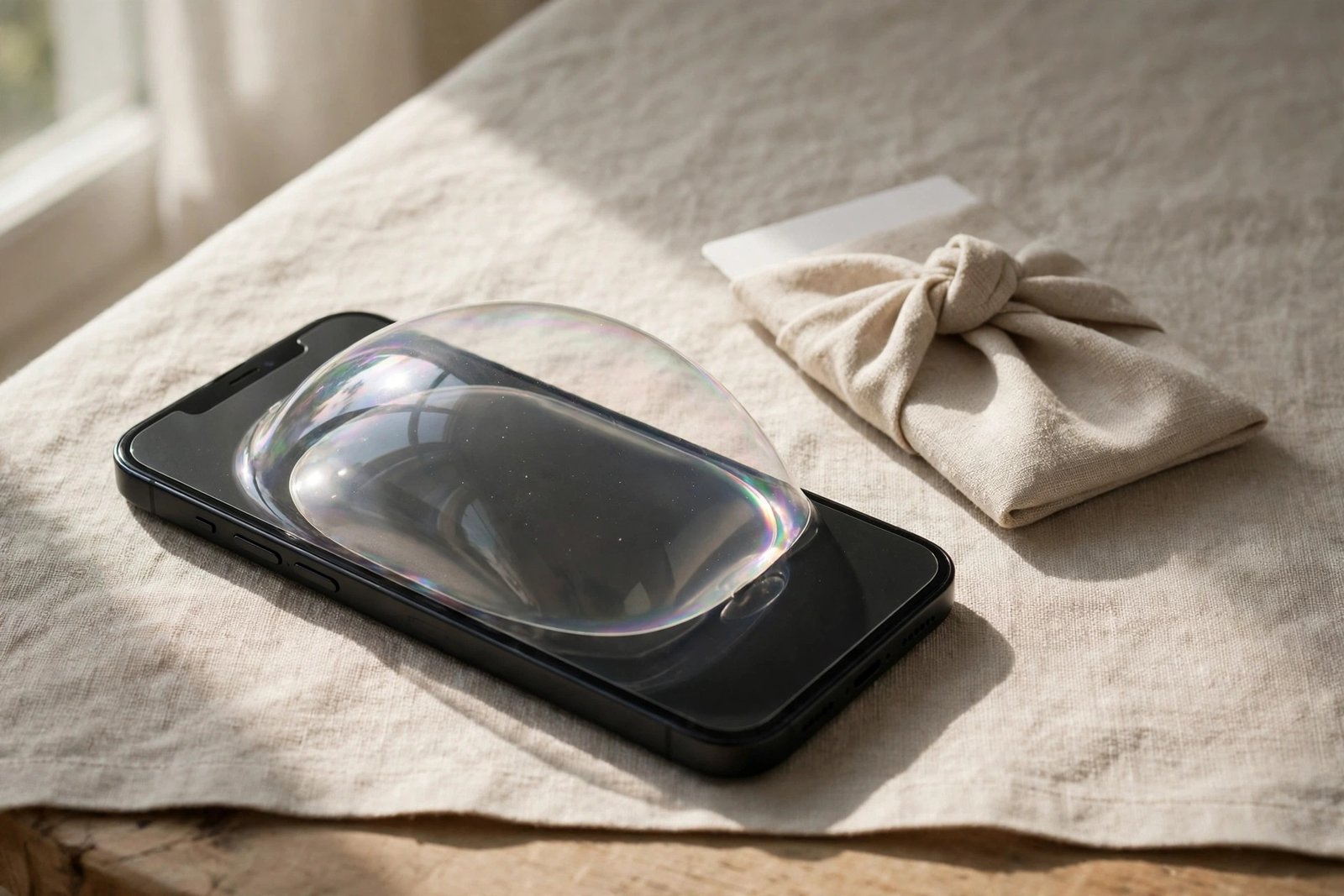
There is a difference between a bubble and a pocket. Bubbles are small, round, and mostly harmless. A pocket is the big one: a broad, thumbprint-sized region of trapped air, sometimes covering a tenth of the screen, that shifts and ripples when you touch it. Pockets defeat the techniques that work on small bubbles — press in the middle and the air just bulges somewhere else, because there is simply too much of it to compress.
This guide deals with those larger pockets specifically: why they form, why they must be shrunk in stages rather than shoved out in one go, the discipline of dealing with one pocket at a time, and the last-resort hinge-lift that releases a genuinely enormous pocket when no amount of carding will move it.
Key Takeaways
- A pocket is a volume problem — too much air to flatten, so it must be herded out, not pressed out.
- Shrink it in stages: drive the pocket partway, reset your card, and repeat, keeping the air in one mass throughout.
- One pocket at a time, always the one nearest an edge first, so pockets never merge into a bigger one.
- Never press the centre of a pocket — the air bulges out sideways and the pocket grows instead of shrinking.
- The hinge-lift is the last resort: tape-hinge one edge, raise it a fraction, let the pocket escape, then lower and reseal.
How a Big Pocket Forms
Pockets are born at fitting time. If the protector touches down in the middle first — dropped flat instead of lowered from one edge — the centre bonds while the air around it is still escaping, and a whole region gets sealed in at once. The same thing happens when a pane is pressed down enthusiastically in several spots before the adhesive front has swept across: each press creates a new bonded island, and the air trapped between the islands has nowhere left to go.
A pocket can also grow after fitting. A small bubble near a corner that starts lifting will breathe: each flex of the phone draws a little more air in under the loose edge, and over a week the bubble inflates into a pocket. A pocket fed by a lifting edge will refill after you clear it unless the edge is dealt with — check the border nearest your pocket for lift first.
- Outline the pocket with a dry-wipe marker on top of the glass before you begin. Watching the outline shrink stage by stage tells you the method is working even when progress feels slow.
- Work on a flat table with the phone face up. A pocket being herded across a screen that is flexing in your hand keeps changing shape and splitting.
Shrinking the Pocket in Stages
Wrap a card in a microfibre cloth and pick the pocket’s nearest edge as its destination. The technique is a series of controlled drives rather than one long push. Place the card at the pocket’s far edge and drive forward a few centimetres, so the pocket compresses into a smaller, denser shape closer to its exit. Stop while the card is still holding it there — this pause is the heart of the method. Lift the card, reset it behind the pocket’s new position, and drive the next stage.
Each stage does two things: it moves the air closer to freedom, and it lets the adhesive behind the card re-bond in the territory the pocket has just vacated, so the air cannot slosh back. One heroic push usually ends with the pocket squirting sideways around the card and reforming behind you, larger and thinner than before. Three to five patient stages clear a pocket that thirty seconds of scrubbing would only rearrange.
One Pocket at a Time, Nearest Edge First
If the screen has more than one pocket, resist the obvious approach of working on the biggest. Start with whichever pocket sits closest to an edge, because it clears fastest and, more importantly, because herding a big pocket across the screen pushes its air through the territory of its neighbours. Two pockets driven towards each other meet in the middle and merge into a single pocket larger than both — the worst possible outcome, and a common one.
Finish each pocket completely, including pressing and sealing the edge it exited through, before touching the next. Treat the screen as a queue, not a battlefield. It feels slower, but in total it is much faster, because you never undo finished work.
The Hinge-Lift: Last Resort for a Pocket That Will Not Move
Occasionally a pocket is simply too large, or the edges around it too well sealed, for staged carding to shift it. Then, and only then, give the air a door. Stick two pieces of tape to the top face of the protector along the edge nearest the pocket, forming hinge tabs. Lift that edge slowly and evenly, just a few millimetres — enough to open a gap at the border, no more. Gravity and a gentle nudge with the wrapped card will let the pocket slide out through the opening.
Lower the edge straight back down in one smooth motion, letting the adhesive front sweep inward from the hinge so no new air is sealed in, then press along the whole edge and hold. Work in a steamy bathroom if you can, since an open edge invites dust. And be honest about the limit: if the same pocket returns after a proper hinge-lift, the pane is not sitting flat — a warped protector will keep swallowing air, and replacing it is the real fix.
- Lift by the tape tabs, never by prising the glass with a nail or tool — a wide, even lift keeps tempered glass from flexing to its cracking point.
- After a hinge-lift, keep the phone caseless and undisturbed for an hour. The resealed edge is at its weakest in the first minutes after being raised.
Frequently Asked Questions
Why does the pocket keep splitting into smaller bubbles?
Because the card is moving too fast or pressing too lightly. A pocket stays in one mass when the card’s edge forms a complete seal against the glass and moves slowly enough for the air to travel as a unit. Slow the stroke right down, angle the card a little lower, and make sure the cloth wrap is smooth — a bunched cloth leaks air past the edge and fragments the pocket.
Can a large pocket affect how the touchscreen responds?
Slightly, while it lasts. A broad pocket means the glass floats a fraction above the screen across that area, and touches there can feel marginally less precise. It does the screen no harm, and normal responsiveness returns the moment the pocket is cleared and the pane is back in full contact.
My pocket appeared weeks after a perfect install. Where did it come from?
Almost certainly from an edge that has begun to lift — often the corner a case presses on, or the edge that catches when the phone slides into a pocket. Air enters a little at a time through that loose border and gathers into a pocket. Clear the pocket using the staged method, then deal with the cause: press and reseal the lifting edge thoroughly, and check whether your case is levering it up, or the pocket will refill within days.
A big pocket is beaten by stages, not force: herd it a few centimetres, let the glass reseal behind it, and repeat until it leaves. Save the hinge-lift for the rare pocket that refuses — and even then, lift little and lower once.


