

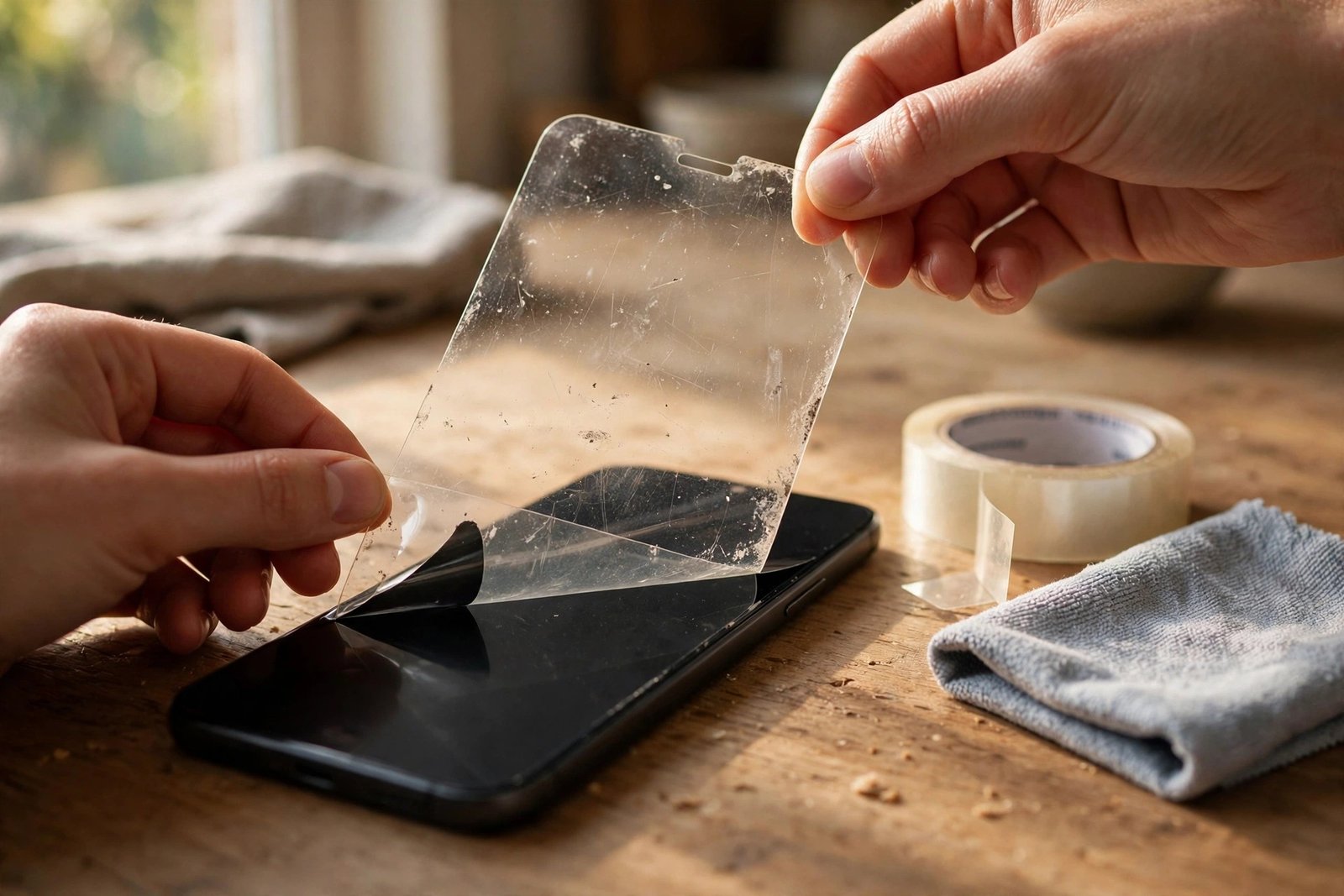
Every screen protector reaches the point where it’s doing more harm than good — cloudy, scratched, lifting at the corners, or cracked across the middle. When mine gets there, I don’t pay anyone to sort it out and I don’t put it off. Taking a protector off is a ten-minute, no-special-tools job, and this is exactly how I do it.
I’ll walk you through the whole thing the way I do it at my own kitchen table: deciding the protector really has to go, gathering a few household bits first, peeling it off without drama, and cleaning the screen so it’s ready for whatever comes next — a fresh protector, or nothing at all.
Key Takeaways
- I work on a clean, flat table with everything laid out before I touch the phone.
- A warm screen releases adhesive far more easily — I always do this after the phone’s been in use, not stone cold.
- I start at the corner that’s already lifting if there is one; it’s halfway off already.
- Tape is my handle — it lifts a corner without fingernails digging at the glass.
- I peel slowly and low, folding the protector back over itself rather than yanking it upwards.
- The job isn’t finished until the residue is cleaned off — that’s the bit most people skip.
How I Decide It’s Time
I replace a protector when I see any of three things. First, cracks — a cracked pane has already given up its strength, and the sharp edges catch on pockets and fingers. Second, lifting edges that collect grey grime underneath; once dirt gets under the adhesive, that corner will never seal again. Third, a cloudy, scratched-up surface that makes a good screen look tired.
None of these get better with time, and a tired protector isn’t protecting much. If yours ticks any of those boxes, I wouldn’t wait for a special occasion or a free afternoon — I’d just do it now, while you’re thinking about it. The whole job is quicker than the average software update.
What I Gather Before I Start
I keep it deliberately simple: a microfibre cloth, a roll of ordinary clear tape, a bank card I don’t mind using, and a bin within reach. That’s it. I wash my hands — greasy fingers leave marks on the bare screen that I’ll only have to clean off later — and I lay the phone face-up on the cloth so it can’t slide around.
One thing I always do first: take the case off. Case lips overlap the protector’s edges and fight you the whole way. I also switch the phone off, partly so I’m not swiping notifications mid-peel, and partly because a black screen makes edges, dust and residue much easier to see.
- I run a hot shower for a few minutes and work in the steamy bathroom if I’m fitting a new protector straight after — the humidity keeps dust out of the air.
- If a corner won’t lift, I press a strip of tape firmly onto it and pull the tape instead of picking with a fingernail.
Taking It Off, Step by Step
I start at the corner that’s already lifting; if none is, I pick a bottom corner. I slide a fingernail — or the tape handle — under the edge and lift it just a few millimetres. Then I grip it and peel slowly, folding the protector back over itself at a low angle. Tempered glass comes away in one stiff sheet; film stretches and follows along. Either way, I never pull straight up.
If I feel strong resistance, I stop pulling and hold the phone in warm hands for a minute — the adhesive softens and lets go far more willingly. If the glass is cracked, I cover it with packing tape before I start, so the whole thing lifts as one piece instead of scattering shards. When it comes free, it goes straight in the bin.
Cleaning Up Afterwards
A removed protector leaves a faint sticky outline and, often, a grime tide-mark around the edges. I roll the worst of it off with a clean fingertip, then buff the screen with the microfibre cloth. Stubborn spots lift with the cloth slightly dampened — never soaked, and never with household sprays, which can attack the screen’s coating.
Then I tilt the screen under a lamp and check it properly. Only when it looks uniformly glossy, with no dull patches, do I call it done. That clean screen is the whole point: whether a fresh protector goes on now or in a week, it deserves to start from spotless glass.
- I keep the old protector until the new one is fitted — laid on the table, it makes a handy template for checking the replacement’s size and alignment.
- Glass dust is invisible and sharp — after binning a cracked pane, I wipe the table down and wash my hands before touching the phone again.
Frequently Asked Questions
Will taking it off damage my screen?
In my experience, no — protector adhesive is far weaker than the bond of the screen itself, and protectors are designed to be replaced. The only real risks come from metal tools slipping, which is why I stick to fingernails, tape and a plastic card.
Can I put the same protector back on?
I wouldn’t. Once it’s off, the adhesive is contaminated with dust and skin oils, and it will go back on cloudy and lifting. Protectors are consumables — once one comes off, its job is done, and I fit a fresh one.
How often do I end up doing this?
For me, roughly once or twice a year — sooner if the glass cracks, later if it’s just light scratches I’m ignoring. There’s no schedule to follow; the protector tells you itself, through cracks, lifting edges and grime that won’t clean off.
It’s a small job that feels bigger than it is. Ten minutes, a bit of tape, and a clean table — and the cloudy old protector is in the bin where it belongs.


