

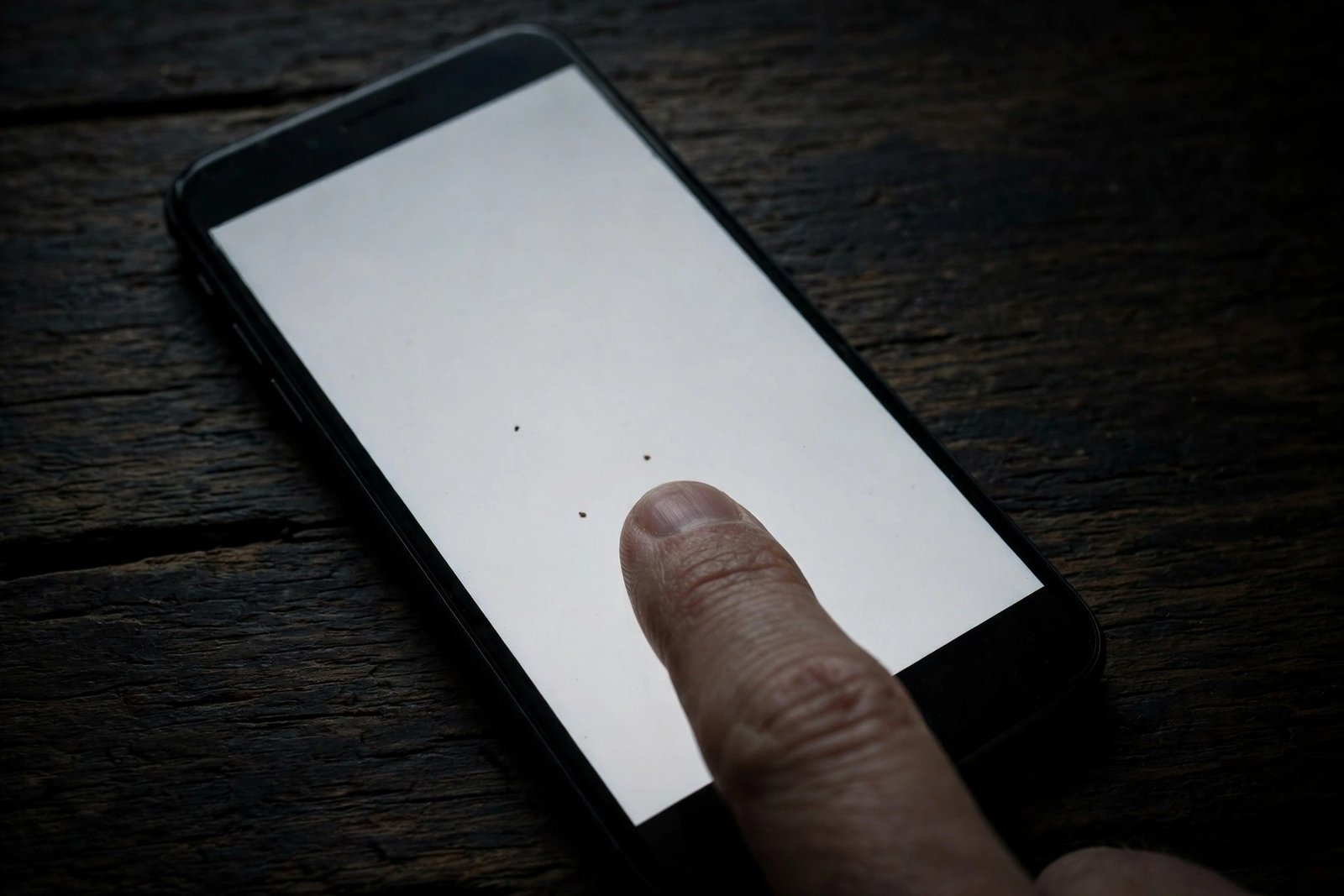
It is the sneakiest kind of phone damage: the protector on top looks almost fine — perhaps one small chip — yet something about the display underneath just seems off. A dark spot that wasn’t there before. A strip of the screen that ignores your thumb. The uncomfortable truth is that a screen can crack beneath a protector that survives the same drop.
Before you peel anything off, there is a lot you can learn from the outside. This guide walks through the warning signs of a screen cracked under a protector — in the picture, in the touch response, and in the way the damage behaves over the following days.
Key Takeaways
- A protector can survive an impact that still cracks the screen underneath it — an intact top layer proves nothing.
- Dead or stuck pixels clustered along a line are a classic sign of a fracture in the display itself.
- A dead strip of touch running across the screen usually follows the path of a hidden crack.
- Backlight bleed — bright patches glowing at the edges on a dark screen — points to damage inside the display.
- Damage that spreads or changes over days is in the screen; protector cracks stay exactly as they were.
Check the Picture: Pixels, Lines and Discolouration
A protector is only a surface layer — it cannot produce faults in the image. So any abnormality you can see in the picture itself is coming from the display, and several of them point directly to a crack. Display a plain white image, then a plain black one, and look carefully. Dead pixels show as tiny black dots that never light up; stuck pixels glow permanently red, green or blue. One or two isolated pixels can be a pre-existing quirk, but a cluster of them strung along a line — especially a line running from the point of impact — is the signature of a fractured display layer.
Also look for discolouration that follows a path: a yellowish or darkened smudge tracking across the screen, rainbow shimmering along an invisible line, or a thin bright line running the full height or width of the display. These are caused by separated layers inside the screen itself. A hairline crack in the outer glass of the display can also refract the backlight, so a faint line that is visible only when the screen is lit — and vanishes from the surface inspection — is almost certainly in the screen, not the protector.
Test the Touch Response Across the Whole Screen
Touch is the second witness. A crack through the screen’s touch layer interrupts the electrical grid, and the failure pattern is distinctive: a dead band — a strip running across the full width or height of the screen where taps and swipes simply do not register — or touches that land slightly offset from where your finger actually is near the damaged area.
Test methodically. Open a notes or drawing app and scribble slowly over every part of the screen in a grid pattern, or drag an app icon around the display and watch for places where it drops. A protector, however cracked, cannot cause a dead band, because it has no electronics in it. If your scribble has a clean gap in the same place every time, the screen underneath is damaged — even if you cannot see a single crack on the surface.
- Many phones have a built-in touch test: search your settings for a diagnostics or device care tool, which maps dead touch zones precisely.
- “Ghost touches” — the screen reacting when you are not touching it — often appear alongside a hidden crack; note where they happen, as they usually cluster near the fracture.
Look for Backlight Bleed and Pressure Marks
In a dark room, open a completely black image at full brightness. On a healthy LCD display the black should be even; bright patches bleeding in from an edge or corner, or a glowing spot in the middle of the screen, indicate that the layers inside the display have been disturbed or cracked, letting light leak through. OLED screens do not use a backlight, but they show their own version: dark blotches, greenish tinting at low brightness, or a line of permanently lit pixels.
Press marks are another clue. If a pale patch appears when you press gently on the screen and fades slowly afterwards — or worse, a faint stain is there permanently — the display layers have been flexed or fractured at that point. None of these symptoms can be produced by a surface protector, so each one you find strengthens the conclusion that the damage is underneath.
Watch Whether the Damage Changes Over Time
Finally, give it a day or two and observe. A cracked protector is inert: the lines you see today will be identical next week. A cracked screen is alive with consequences. Hairlines in a display can creep further as the phone flexes in your pocket and warms and cools; dead pixels can multiply outward from a fracture point; discoloured patches can grow.
If the marks are spreading, changing shape, or new faults are appearing along the same path, the screen is cracked beneath the protector. At that point it is worth removing the protector to confirm, backing up your data, and getting the display assessed — hidden screen cracks rarely stabilise, and a backup made while touch still works is far easier than one made after it fails.
- Photograph the screen daily for two or three days under the same lighting — comparing photos side by side makes slow-spreading damage obvious.
- Mark the end of a suspicious hairline with a tiny dot of erasable marker on the protector; if the line grows past the dot, it is in the screen.
Frequently Asked Questions
Can a screen crack under a protector that has no crack at all?
Yes. A flexible film protector, in particular, can bend with an impact and survive while the rigid glass of the screen beneath it fractures. Even tempered glass occasionally flexes enough to transmit the force. That is why the picture and touch tests matter more than the surface inspection.
One small dead patch of touch — is that definitely a crack?
Not definitely, but it is suspicious — especially if it appeared after a drop and sits along a straight line or near the impact point. Restart the phone first to rule out a software glitch. If the dead patch is in exactly the same place afterwards, it is a hardware fault, and a hidden fracture is the most likely cause.
The protector is cracked but the screen tests perfectly. Am I safe?
Almost certainly, yes. If the picture is clean on black and white screens, touch registers everywhere, there is no light bleed, and nothing changes over a few days, the damage is confined to the protector. Replace it, and inspect the bare screen while the old one is off for final confirmation.
An intact protector can hide a broken screen, but it cannot hide the symptoms. Trust what the picture and your fingertips tell you — displays confess through how they behave, not how they look.


